Intro
I tested ChatGPT as a travel planner across six real trips in the past year — Dubrovnik, Istanbul, Rome, Milan with Lake Como, a France road trip, and most recently an 8-day route through four countries with my wife and 8-year-old daughter. On every trip, I tracked which prompts produced genuinely useful output and which ones returned the same generic top-five tourist list anyone could pull from a Lonely Planet sidebar.
This article is the distilled result. 50+ prompts in six categories: itinerary building, budget, local discovery, logistics, practical travel, and edge cases. Every prompt is copy-paste-ready, with notes on when to use it and where AI tends to cut corners.
At the end there’s a section called “ChatGPT Travel Prompts That Failed in Real Life” — real cases, including the time ChatGPT confidently suggested we visit the Vatican Museums on a Sunday in Rome (closed on most Sundays, with limited exceptions), and the time it missed that some automated French gas stations may reject virtual cards, especially in small towns or at night — which nearly stranded us between Étretat and Mont Saint-Michel.
One disclaimer: most of my testing happened in ChatGPT Plus, but 80% of these prompts work equally well on the Free tier. Where the difference matters, I’ll flag it.
How to use this article:
- Planning a specific trip → read top to bottom
- Solving a specific problem → use the navigation table below
- Star (★) marks prompts that consistently delivered the highest signal-to-noise ratio in my tests
Let’s get into it.

How I Tested These ChatGPT Travel Prompts
These prompts didn’t come from a brainstorming session. They came from six real trips between January 2025 and May 2026:
- Dubrovnik — Valentine’s Day road trip from Budva; first head-to-head comparison of ChatGPT, Layla, and Wanderlog on the same route
- Istanbul — family trip used as a test case for Wanderlog’s free tier (which capped at 5 messages, an outcome AI didn’t predict)
- Rome — direct comparison of ChatGPT Free vs ChatGPT Plus for the same 4-day plan
- Milan & Lake Como — six AI tools tested side-by-side, exposing gaps like ferry ticket availability and questionable hotel placement near the airport
- France road trip — Étretat → Mont Saint-Michel → Rouen → Disneyland Paris → Paris with a rental car (the gas station case is in the Failed Prompts section)
- 4-country family trip — Montenegro → Hungary → Czech Republic → Austria, 8 days, three AI travel agents tested
For each trip I’d ask the same prompt of multiple tools, follow the output to the ground, and document where AI got it right and where it got it wrong. The Failed Prompts section is the most useful part of this article — it’s where I’d start if I were skimming.
Both Free and Plus versions of ChatGPT were used, with Plus handling the longer multi-turn sessions. Most prompts here work on Free; I’ll note where Plus genuinely matters.
Quick Navigation
| If you want to… | Go to |
|---|---|
| Build a full multi-day itinerary | Section 1: Itinerary Building |
| Estimate trip cost realistically | Section 2: Budget & Cost |
| Avoid tourist traps and find local spots | Section 3: Local Discovery |
| Plan transport, hotels, and bookings | Section 4: Logistics & Booking |
| Solve everyday travel problems | Section 5: Practical Travel |
| Handle unusual situations and crises | Section 6: Edge Cases |
| See where AI fails (and how to prompt around it) | Failed Prompts in Real Life |
| Combine multiple prompts into workflows | Bonus Prompts 51-53: Prompt Chains |
Top 10 Prompts From This Guide
If you only copy ten prompts from this article, copy these:
- Prompt 1 — Context-Rich Starter (every trip-planning session begins here)
- Prompt 3 — Time-Constrained Itinerary (layovers, day trips, short stops)
- Prompt 11 ★ — Cross-Check Prompt (the single most important prompt in this guide)
- Prompt 13 — Daily Budget Range Estimator
- Prompt 19 ★ — Hidden Cost Audit (tourist taxes, vignettes, surcharges)
- Prompt 20 ★ — Currency & Card Trap Check (would have prevented my France crisis)
- Prompt 21 ★ — “Instead Of” Substitution (the anti-tourist-trap workhorse)
- Prompt 30 — Car Rental Strategy
- Prompt 40 ★ — Translate & Explain (the daily traveler’s companion)
- Prompt 48 ★ — Plans Just Fell Apart (when things go wrong)
I’ll explain why each one earns its place as you read.
ChatGPT Travel Prompts for Building Itineraries
Itinerary construction is ChatGPT’s most common travel use case, and also the one where it most often returns a generic answer. “Plan a 5-day trip to Paris” will give you exactly what the airport gift shop guide says: Louvre, Eiffel Tower, Montmartre, Versailles, Seine cruise. Useful? Marginally. Unique to you? No.
Good itinerary prompts share three traits: they give AI specific context (who’s traveling, what pace, what you like), they request structured output (day + morning/afternoon/evening + transit time), and they leave room for iteration.
Twelve prompts in four clusters: foundational, multi-city routing, day-by-day structure, refinement.
Cluster 1.1: Foundational Itinerary Prompts ★
Prompt 1 — The Context-Rich Starter
I'm planning a [X]-day trip to [destination] in [month/year].
We are [number] travelers: [ages, interests, fitness level, any constraints].
Our travel style is [slow/packed/mixed]. We prefer [specific preferences:
local food / museums / nature / nightlife / photography].
Budget is [low/mid/high, or specific €/$ per day per person].

Build a day-by-day itinerary with:
- Morning activity (with realistic time estimate)
- Lunch suggestion (specific restaurant if relevant)
- Afternoon activity
- Dinner suggestion
- Approximate cost per day

Flag any closures, peak season issues, or booking-required venues.
When to use: the first prompt of any trip-planning session. Maximum context upfront cuts iteration count from 5-6 to 2-3.
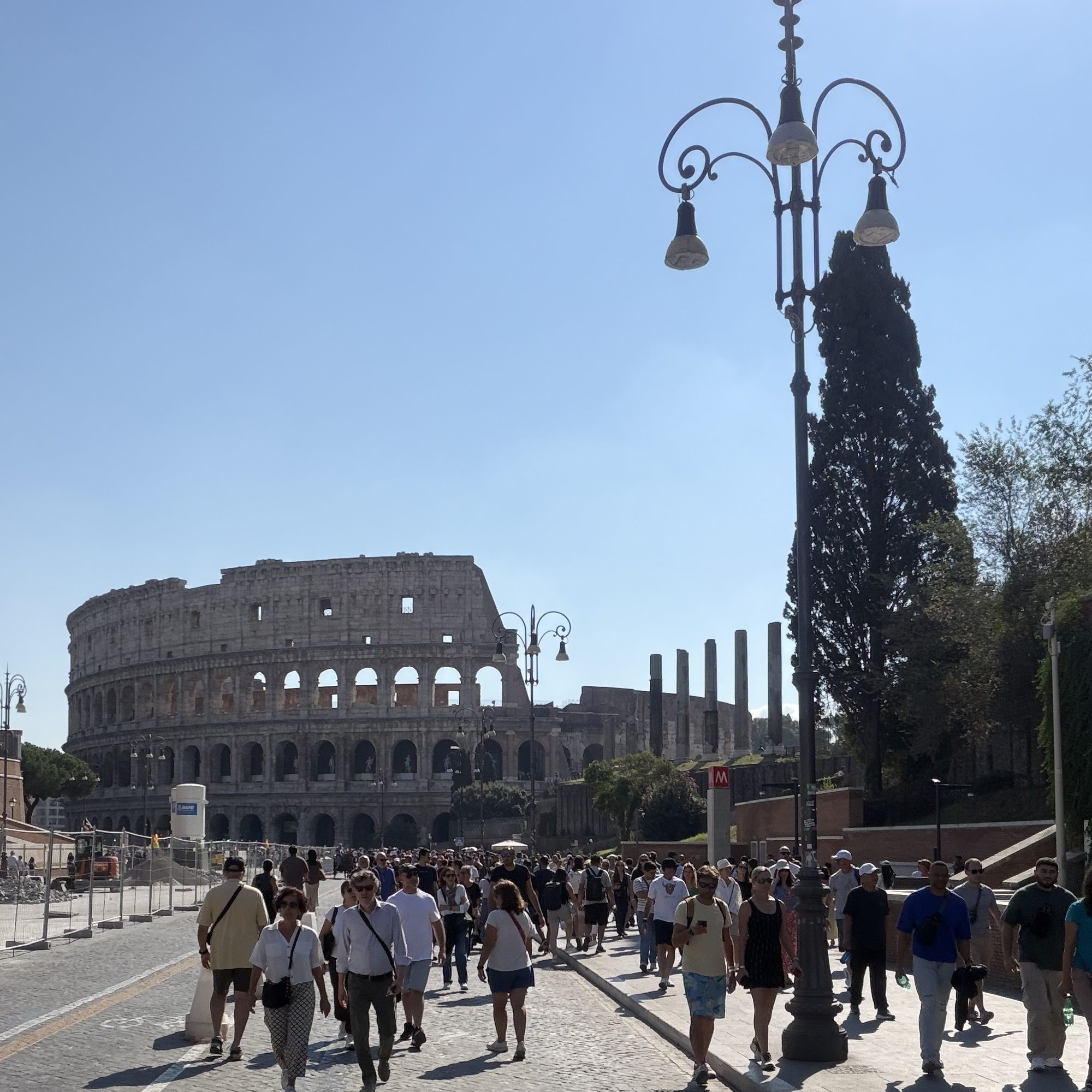
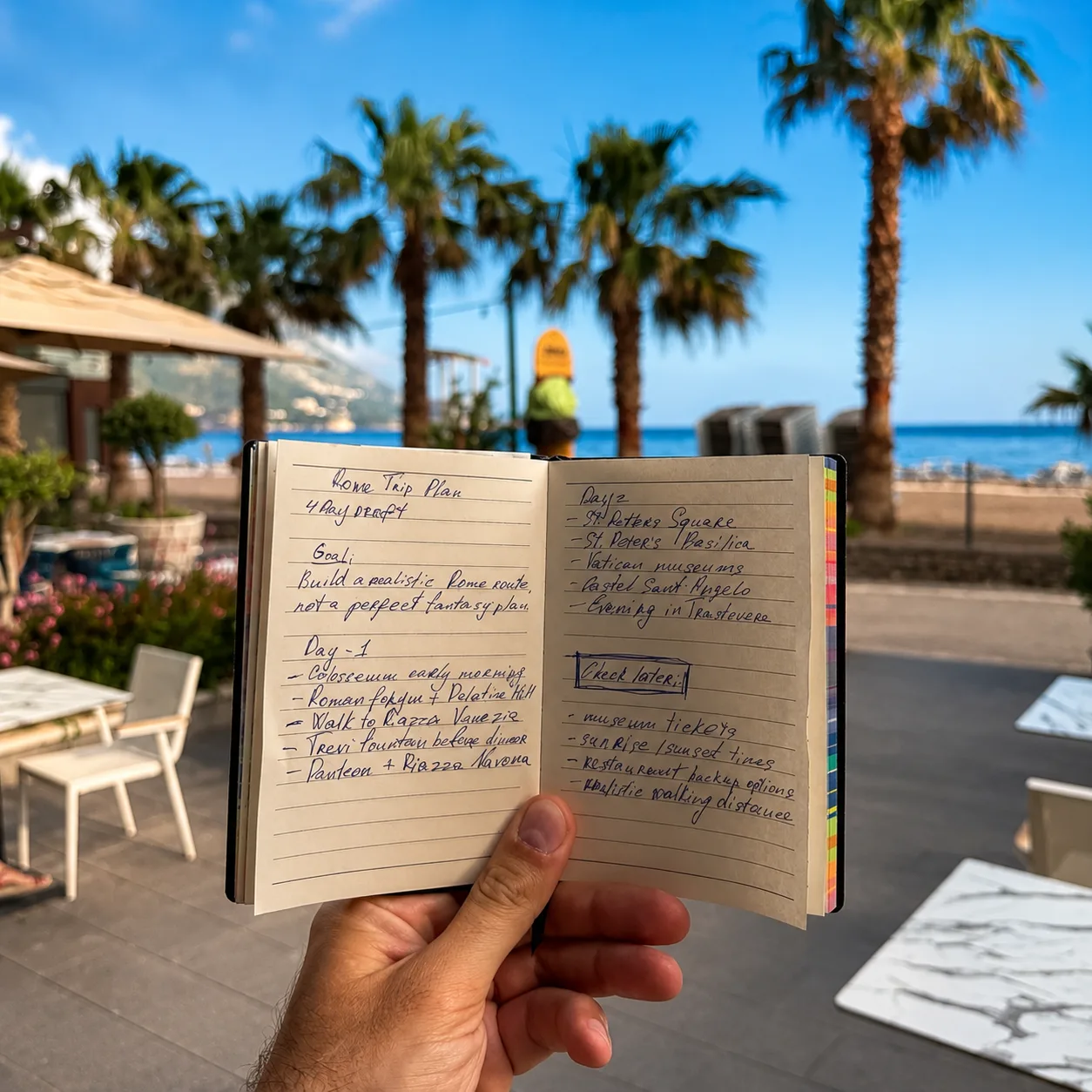
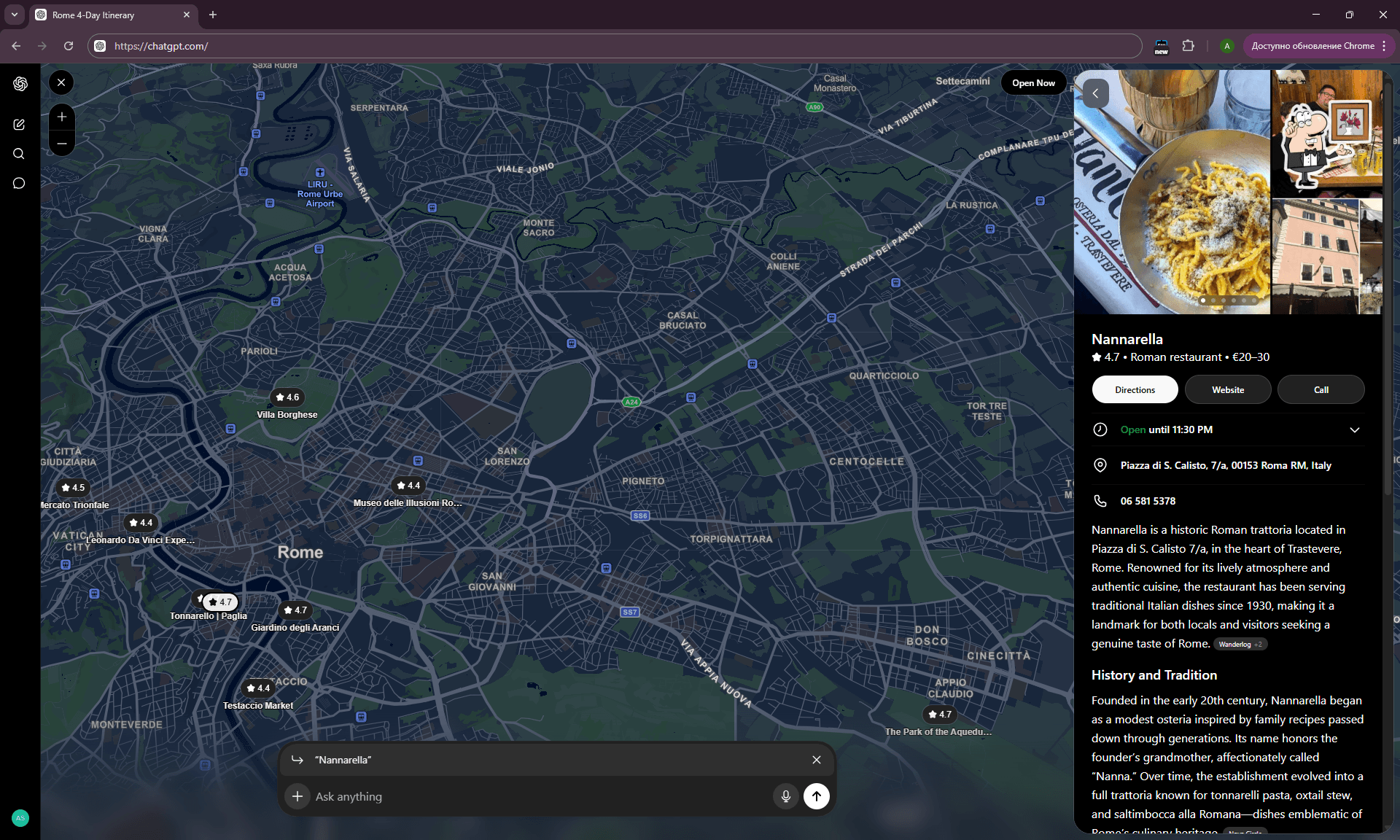
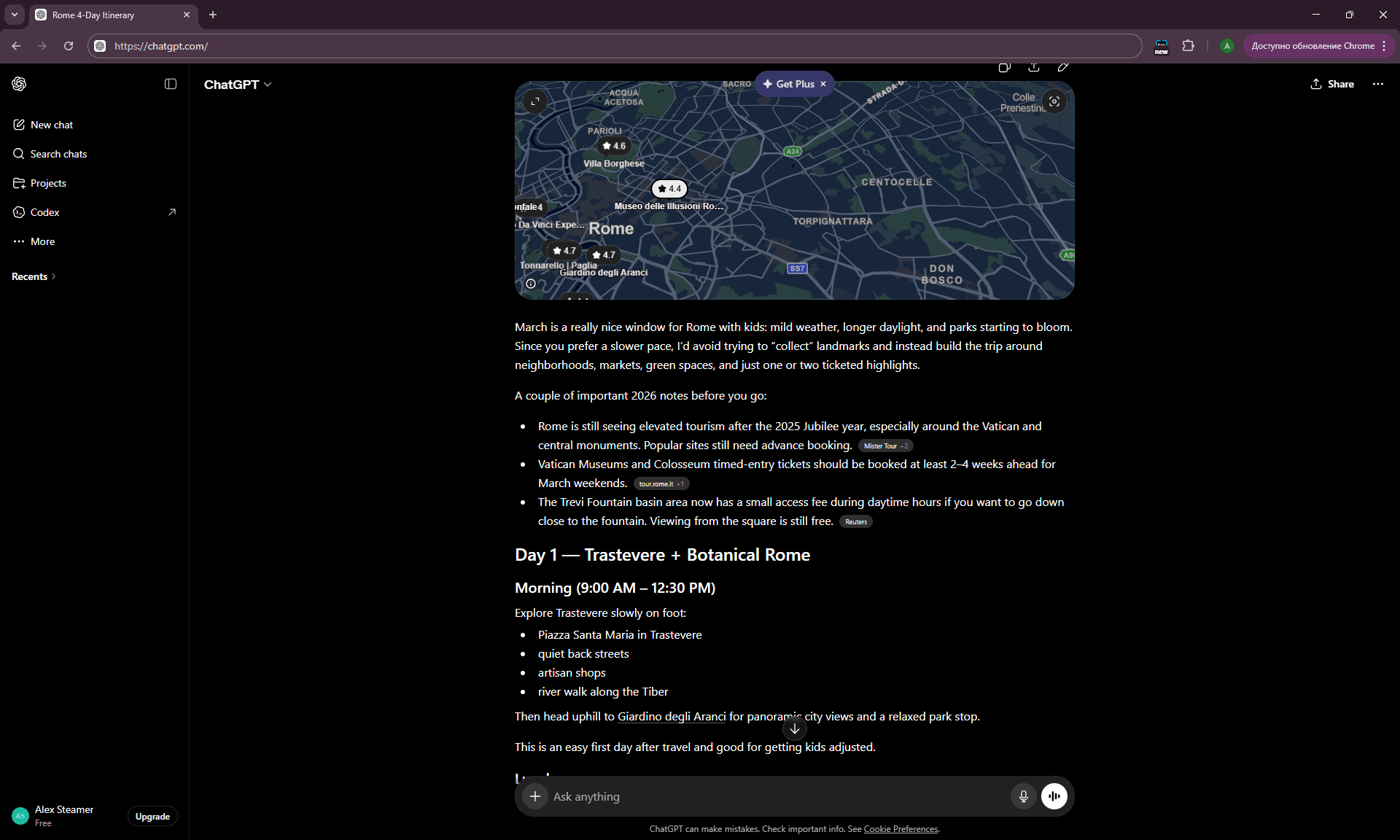
Example output (Rome, 4 days, family of 3, March): ChatGPT returned a structured plan — Colosseum in the morning of Day 1 (with a Skip-the-Line warning), Trastevere lunch, Pantheon in the afternoon, Campo de’ Fiori for dinner. Realistic timings, prices in euros, and a note that the Vatican Museums close on Sundays — though it failed to register that I was arriving on a Sunday, which is the basis of the Failed Prompts section below.
What AI typically misses: the specific operating hours for that exact day (holidays, seasonal changes), queue realities, weather constraints.
Prompt 2 — The Personality-Driven Itinerary
Based on the following interests, build me a [X]-day itinerary for [destination]:
[List 5-7 specific things you love: e.g., "third-wave coffee, brutalist architecture,
vinyl record shops, vegetarian food, independent bookstores, live jazz, street photography"]

Avoid: [list 3-5 things to skip — e.g., "shopping malls, generic tourist tours,
nightclubs, anything requiring more than 30 min queue"]

Daily structure: 2 main activities + 1 meal + 1 "discovery moment"
(café, bookshop, viewpoint — something unplanned).
When to use: for any trip after your first “generic” itinerary. This prompt pulls AI out of default mode and forces it to look for intersections between your interests and the destination.
Example output: for Rome, with interests like “third-wave coffee, ancient ruins, contemporary art galleries, food markets, evening walks,” ChatGPT returned Roscioli Caffè for morning espresso, MAXXI museum afternoon visit, Testaccio market for lunch, and a sunset walk along Tiber. No Spanish Steps. That’s the point.
Prompt 3 — The Time-Constrained Itinerary
I have exactly [X] hours in [city] — from [arrival time/place] to [departure time/place].
This is a [layover/day trip/quick stop].

Build the most realistic schedule that:
1. Accounts for transit time from/to [airport/station]
2. Includes one "must-see" and one "if-time-allows"
3. Leaves [Y] minutes buffer for getting to departure
4. Avoids anything that needs advance booking

Tell me if [X] hours is enough, or if I should just stay in one neighborhood.
When to use: layovers, business trips with one free day, short city breaks between main destinations.
What AI does well here: honest assessments. For tight windows, it’ll often tell you the famous attraction isn’t realistic and suggest one neighborhood instead. That’s a useful answer.
Cluster 1.1 takeaway:
These three prompts are the foundation. Context-Rich starts the session, Personality-Driven escapes the tourist-trap default, Time-Constrained handles short windows. What they share: they give AI clear constraints instead of an open question. “Plan a trip to Paris” is a bad prompt. “Plan a 4-day trip to Paris in March for 2 adults plus an 8-year-old, slow pace, prefer markets and parks over museums, mid-budget” is a working prompt.
Where all three break down: lesser-documented destinations. For small towns in Eastern Europe or off-the-radar islands, AI starts inventing restaurants that don’t exist or conflating neighboring villages. Cross-check anything specific against Google Maps.
Cluster 1.2: Multi-City Route Optimization
Prompt 4 — The Route Logic Check
I want to visit these cities in [country/region] over [X] days:
[list cities].
Travel style: [car / train / mix].
Starting from: [city/airport]. Returning to: [city/airport].

Please:
1. Suggest the most logical order to visit them (minimize backtracking)
2. Estimate driving/train time between each pair
3. Recommend how many nights to spend in each (based on what's worth seeing)
4. Flag any cities that should be skipped or replaced with better alternatives nearby
When to use: road trips, multi-city European tours, any trip with 3+ stops.
Prompt 5 — The “Add or Remove” Optimizer
Here's my current route: [Day 1: City A — Day 2: City B — Day 3: City C — etc.]
Total trip: [X] days. Travel by: [car/train].

Critique this route:
- Is the pacing realistic, or am I rushing?
- Should I drop any city, and why?
- Should I add any city I'm missing (within 1 hour detour)?
- Are there days I should extend or shorten?

Be specific about driving times and what each city actually offers.
When to use: after your first route draft, for a sanity check. AI is reasonably good at catching overpacked days and suggesting sensible detours.
Prompt 6 — The Hub-and-Spoke Planner
I want to base myself in [city] for [X] nights and do day trips.
What are the best 3-4 day trips from here (return same day), ranked by:
1. Travel time (under 2 hours one-way preferred)
2. What's actually worth seeing vs. what's overhyped
3. Whether public transport works, or I need a car

For each day trip, give me a rough schedule: depart time, arrival, key sights, lunch, return.
When to use: when you don’t want to pack and unpack every day. Especially useful for families with kids — one hotel base means significantly less stress.
Cluster 1.2 takeaway:
Multi-city prompts work best when you already have a rough city list and want optimization rather than discovery. Ask “what cities should I visit in Italy for 10 days” and AI returns Rome + Florence + Venice — thanks, I could have guessed. Ask “I’m visiting Lecce, Matera, Polignano a Mare, and Bari — what order?” and you get a useful answer with driving times and a possible Alberobello detour.
Where it breaks down: AI underestimates real travel time with kids. If it says “2.5 hours from A to B,” that’s 3.5-4 hours with a family making bathroom stops. Add ~30% to any estimate.
Cluster 1.3: Day-by-Day Structure
Prompt 7 — The Energy-Aware Day Plan
Plan one day in [city] with this structure:
- One "high-energy" activity (walking tour, climbing, hiking, big museum)
- One "low-energy" recovery block (café, park, gallery, leisurely lunch)
- One "social/evening" activity (dinner spot, viewpoint, neighborhood walk)

Don't pack more than 3 main blocks. Include realistic transit time between them.
Make sure the energy curve makes sense: don't put the heaviest thing at the end.
When to use: for trips where you don’t want to burn out by day three. Especially valuable for families, slower travelers, and anyone who wants to avoid burnout — where pacing matters more than maximizing sights.
Prompt 8 — The Weather Backup Day
I'm in [city] on [date]. Forecast says [weather].
Original plan was: [list activities].

Give me:
1. Which of these still work in this weather, and which don't
2. 3 indoor alternatives if the weather kills my plan
3. One "weather-flexible" option I can decide morning-of
When to use: the morning of an activity day, especially for coastal destinations and mountain regions. ChatGPT correctly understands that Cinque Terre in heavy rain is not Cinque Terre.
Prompt 9 — The “Best Order” Tactical Prompt
For these 4 attractions in [city]: [list],
what's the optimal order to visit them in one day?

Consider:
- Opening hours and last-entry times
- Crowd patterns (which is best early vs late)
- Walking/transit distance between them
- Lunch break logistics

Output as a timed schedule starting at [time].
When to use: when you’ve already chosen 3-4 must-see places and need logistics for the day.
Cluster 1.3 takeaway:
These prompts do something tourist guides never do: they build a day around human energy rather than around attractions. This matters most for families (an 8-year-old’s tolerance for museum content ends around 2 PM) and for couples who want to recover during the trip rather than march through it.
The Energy-Aware prompt prevents the classic mistake of “let’s squeeze in one more thing” at 6 PM, when everyone is already done.
Cluster 1.4: Itinerary Refinement
Prompt 10 — The “Make This Better” Iterator
Here's the itinerary you suggested:
[paste previous itinerary]

Now refine it based on these constraints I forgot to mention:
- [constraint 1: e.g., child needs nap window 13:00-15:00]
- [constraint 2: e.g., we don't drive at night]
- [constraint 3: e.g., one rest day mid-trip]

Re-output the full itinerary with these adjustments.
When to use: the second prompt of any session. Always. AI’s first response is a draft to be refined against real-life constraints.
Prompt 11 — The Cross-Check Prompt ★
Review this itinerary and find problems:
[paste itinerary]

Specifically check:
1. Any venue closed on those dates/days of week?
2. Any timing that's unrealistic (transit + queue + visit time)?
3. Any pairing that doesn't make geographic sense?
4. Anything that requires advance booking I should know about now?
5. Any food/dietary restrictions I haven't mentioned that should be considered?

Be skeptical, not validating.
When to use: before any booking. The “skeptical reviewer” framing extracts errors that AI won’t surface in “build me an itinerary” mode.
💡 If you only use one prompt from this guide, use this one. Every brand statement we make about AI for travel — “tested on real trips, not just desk research” — comes from running plans through the Cross-Check before booking. The Vatican closure case in the Failed Prompts section would have been caught by this prompt. The France gas station crisis would have been caught by Prompt 20 (Currency & Card Trap Check). The single biggest difference between people who get good output from AI and people who get burned is whether they ask AI to challenge its own answer before they act on it.
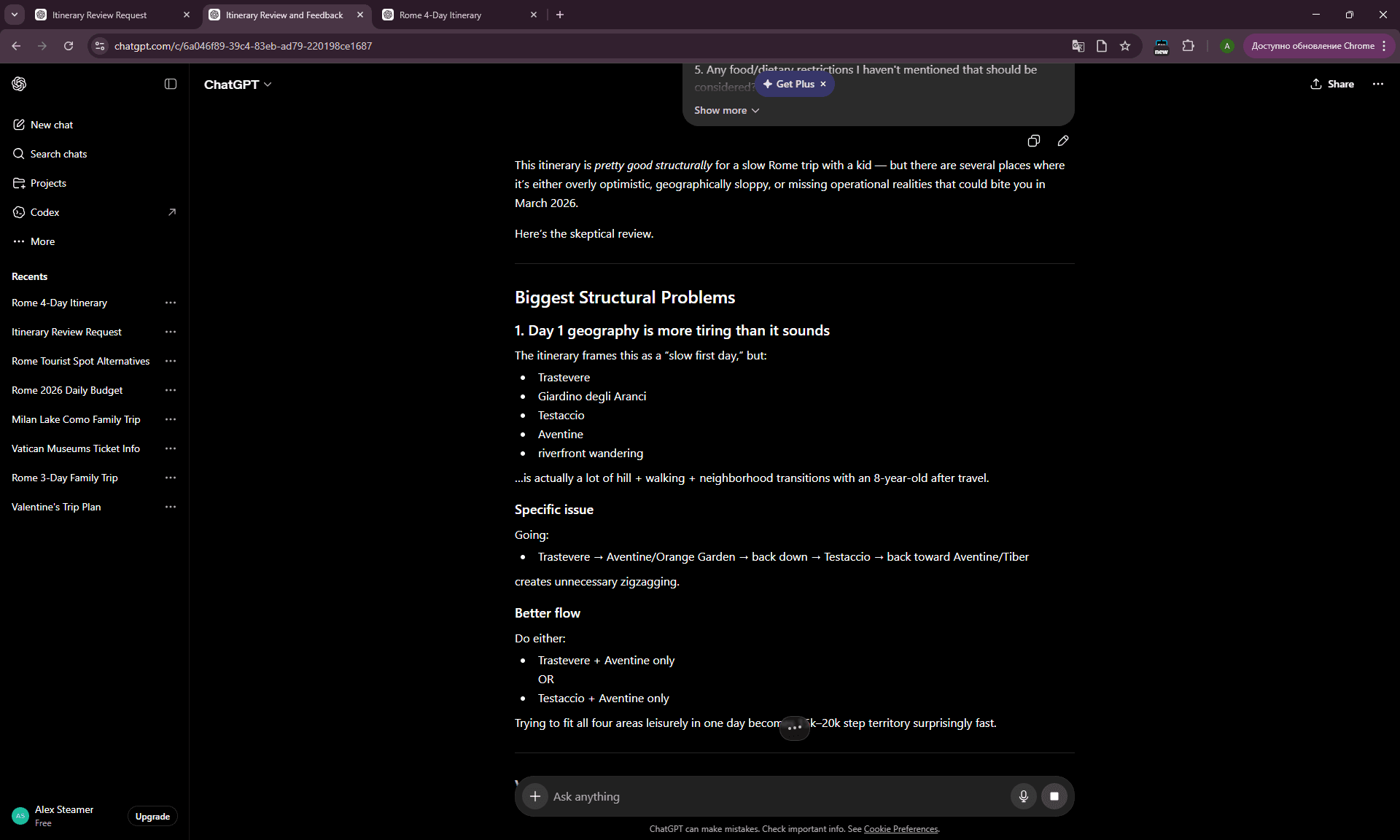
The phrase “be skeptical, not validating” at the end is critical. Without it, AI more often says “looks great!” instead of giving honest critique.
Prompt 12 — The Local-Perspective Prompt
Imagine you're a local from [city] who's lived there 10+ years and is mildly tired
of tourists. Look at this itinerary:
[paste itinerary]

What would you change? What would you call out as "no local would do this"?
What would you secretly recommend instead, that's not on any tourist list?
When to use: final iteration pass. Not every time will AI produce something useful with this prompt — but about 1 in 3 yields a genuinely valuable suggestion.
Cluster 1.4 takeaway:
Refinement prompts separate “AI as tourist guide” from “AI as travel agent you can work with.” Most users send one prompt, get a generic answer, and close the tab. Users who iterate 3-4 times with shifting focus (constraints → skeptical review → local perspective) get a genuinely customized plan.
The most common mistake: skipping Prompt 11. About 70% of the “AI fails” I’ve seen in other planners come from missing this sanity check.
Budget & Cost Prompts
Budget is the category where AI is both highly useful and uniquely risky. Useful, because ChatGPT can give you a same-day estimate for an unfamiliar country in a single prompt — work that would take 30 minutes of forum-trawling otherwise. Risky, because prices are some of AI’s fastest-aging travel knowledge. What was accurate for Berlin in 2023 is no longer accurate in 2026 — European prices have shifted enough since then that old AI estimates can mislead in real ways.
Good budget prompts work around this problem: they request ranges instead of exact figures, they explicitly require uncertainty acknowledgment, or they cross-check between categories.
Eight prompts in three clusters: cost estimation, money-saving, hidden costs.
Cluster 2.1: Cost Estimation
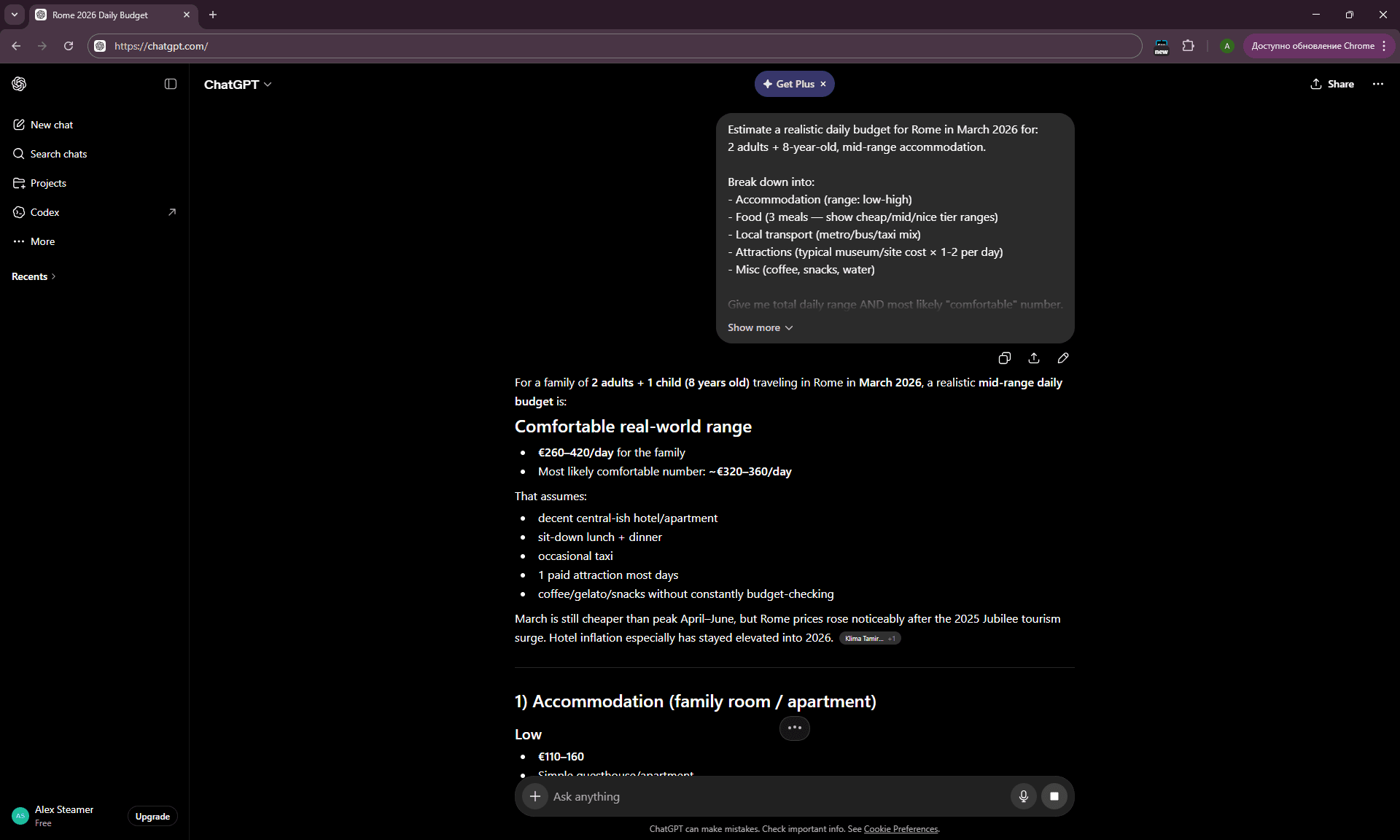
Prompt 13 — The Daily Budget Range Estimator
Estimate a realistic daily budget for [destination] in [month/year] for:
[number of travelers, ages, accommodation style: budget hotel / mid-range /
Airbnb / hostel].

Break down into:
- Accommodation (range: low-high)
- Food (3 meals — show cheap/mid/nice tier ranges)
- Local transport (metro/bus/taxi mix)
- Attractions (typical museum/site cost × 1-2 per day)
- Misc (coffee, snacks, water)

Give me total daily range AND most likely "comfortable" number.
Note: I want ranges, not single numbers. Inflation matters.
When to use: in the “can I afford this trip” phase. Ranges are critical — point estimates from AI often pull from outdated sources.
Why ranges matter: when I asked for our 4-country family trip, ChatGPT gave wide enough ranges that our actual spending (~€325/day for family of 3) landed inside its estimate, even though individual line items varied. Single-number estimates would have missed.
Prompt 14 — The “Total Trip Cost” Calculator
For a [X]-day trip to [destination] in [month], calculate total trip cost for
[number of travelers]:
- Flights from [home city] (give range)
- Accommodation [X] nights × [estimated rate]
- Daily expenses × [X] days
- One-time costs: airport transfers, any train tickets between cities,
 visa/insurance if applicable

Give me three scenarios: budget, comfortable, comfortable+experiences.
Output as a clean table.
When to use: when presenting a plan to a spouse/partner/family. When you need one consolidated number rather than scattered estimates.
Prompt 15 — The “Compare 3 Destinations by Cost” Prompt
I'm choosing between these destinations for [X] days in [month]:
[Destination A], [Destination B], [Destination C].

Compare them on:
- Average daily cost for [travel style]
- Flight cost from [home airport]
- Value-for-money score (1-10) for what you actually get
- Best for: [pick one strength of each]

Help me pick based on €/$ I'm willing to spend: [budget].
When to use: at the destination-choice stage between several options.
Cluster 2.1 takeaway:
All three prompts work around AI’s main pricing weakness: they request ranges, comparisons, and scenarios, not absolute numbers. This extracts more honest answers, because a range always contains the right answer somewhere inside it, even if a specific point estimate is stale.
The most common user mistake: “how much does a coffee cost in Rome?” Single-point prompts get single-point answers (often dated). Better: “What’s the price range for coffee in Rome — espresso bar, sit-down café, tourist area?” You get a range that covers reality.
Cluster 2.2: Money-Saving Prompts
Prompt 16 — The Local Saving Hacks
Give me 10 specific money-saving tactics for [destination] that:
- Tourists typically don't know
- Aren't just "use public transport" or "eat where locals eat"
- Are specific to this city/country (not generic travel tips)

Examples of the depth I want: "buy the Lisboa Card only if you'll visit
3+ paid sites" or "in Berlin, weekend day-tickets for transport cover
2 adults plus kids."

Be specific. Include rough savings number for each tip.
When to use: the week before a trip. Generic “travel hacks” articles are useless — what you need is city-specific tactics.
Prompt 17 — The Free-vs-Paid Trade-Off
For [destination], list:
- 5 paid attractions worth the money (and why)
- 5 paid attractions that are NOT worth it (and what to do instead)
- 5 free things that tourists miss but are genuinely great

For each, brief reason. Don't just list names.
When to use: for choosing where to splurge and where to skip.
Prompt 18 — The Cheap Eats Decoder
In [destination], where do locals eat lunch for under [€10/$10/£10]?
Give me 5 specific types of places (not specific restaurant names — they change),
and how to identify them.

For each: what to look for, what to order, typical price, what to avoid.
End with one general rule for finding cheap good food in this city.
When to use: for food-budget-conscious travelers. Prompting for categories of places works better than prompting for specific restaurants (which AI often confuses or invents).
Cluster 2.2 takeaway:
Saving prompts perform better when they ask for types, categories, and rules rather than specific establishments. AI knows reliably that Spain has a “menú del día” concept around €12-15, but it cannot reliably remember which specific restaurant on which street currently serves a good one. Ask AI about patterns, ask Google Maps about places.
Cluster 2.3: Hidden Costs
Prompt 19 — The Hidden Cost Audit ★
What hidden costs should I budget for a trip to [destination] that travelers
often miss?

Consider:
- Tourist taxes (city tax, accommodation tax)
- Service fees, cover charges in restaurants
- Cash-only situations and ATM fees
- Public bathroom fees
- Beach chair/umbrella charges if coastal
- Transport surcharges (luggage on buses, weekend metro premiums)
- Border/road tolls if driving (vignettes, péage)

Give specific amounts where you can.
When to use: mandatory for any first trip to a country. This prompt would have saved me from the SK+AT vignette surprise (€23 total) at the Slovakia-Austria border during our 4-country family trip — I knew about Austrian vignettes but had forgotten Slovakia required one too.
What you typically get: the kind of detail that doesn’t appear in standard guides. For Italy, expect mentions of coperto charges (€1-3 per person), city tax variations by city and season, public toilet fees in tourist zones, ZTL fines if you drive into historic centers, and high-season beach equipment markups. Most of this is useful pre-trip information.
Prompt 20 — The Currency & Card Trap Check ★
For [destination], answer:
1. What currency do they use? What's the typical exchange situation
 (cash-heavy or card-heavy)?
2. Which cards work where? Any common card types that fail (e.g., AmEx in Europe)?
3. Are there places that don't accept virtual cards, Apple Pay, or non-chip cards?
4. What's the best way to get local currency without rip-off fees?
5. Any specific situations where I need cash on hand (markets, taxis, small towns)?
When to use: mandatory before any rental car or road trip. Question 3 specifically would have prevented our France situation, where automated gas stations rejected virtual cards from Wise and Revolut — the full case is in Failed Prompts below.
Cluster 2.3 takeaway:
Hidden costs is one of the categories where AI can outperform generic tourist guides for brainstorming, because these costs are notoriously under-documented elsewhere. Standard guides write “lunch in Italy costs €15-25.” Nobody mentions “plus coperto €2 plus 12% service in tourist zones.” ChatGPT knows this context and surfaces it with the right prompt.
Where it breaks down: AI often misses recent regional changes (newly raised tourist taxes, vignette policy updates). Cross-check anything specific against a recent source.
→ Related: A full real-trip cost breakdown — receipts and AI estimates side by side — is in
→ Related: AI Budget Travel: How I Planned a 4-Country Trip for €2,600
Local Discovery Prompts
This is the category where most AI trip planners completely fail — and where the right prompts can extract genuinely surprising answers. But honestly: “hidden gems” is a phrase that triggers AI’s most generic response mode. Ask “find me hidden gems in Barcelona” and you’ll get Bunkers del Carmel and Sant Pau hospital — already in every TripAdvisor list.
Good discovery prompts work through one of three strategies: specific context (what you love and explicitly don’t love), comparison with mainstream (what to substitute), or narrow geography (one neighborhood, not a whole city).
Eight prompts in three clusters: anti-tourist-trap, neighborhood deep-dives, local experiences.
Cluster 3.1: Anti-Tourist-Trap Prompts
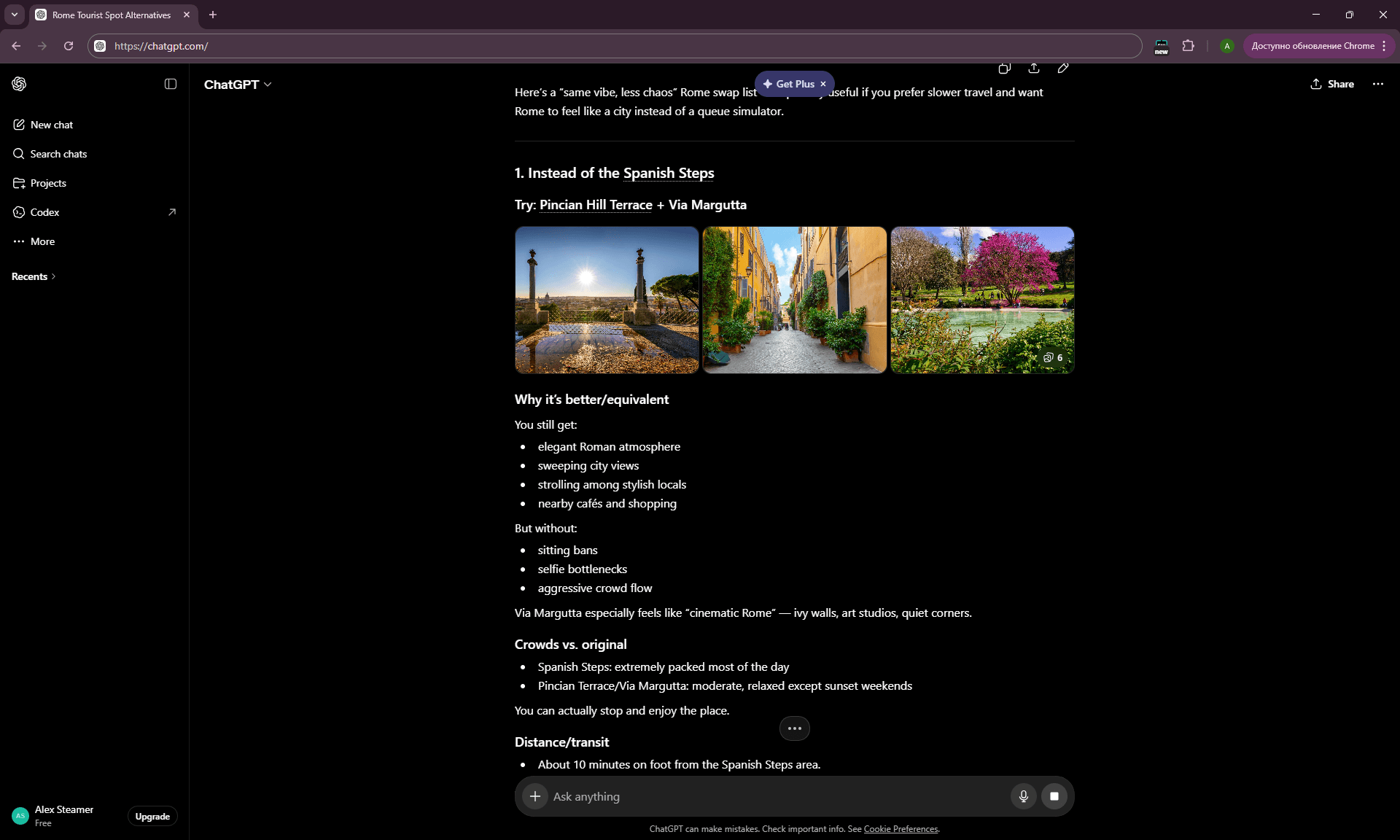
Prompt 21 — The “Instead Of” Substitution Prompt ★
For each of these classic tourist spots in [destination], give me a less-touristy
alternative that delivers a similar experience:

[List 4-5 mainstream attractions you've seen recommended]

For each alternative:
- Why it's better/equivalent
- How crowded it gets vs. the original
- Distance/transit from the original
- What you'd lose by skipping the original
When to use: when you already have a generic list and want to improve it. This prompt is the foundation of moving from tourist core to richer versions of the same experience.
Real example from our 4-country family trip: in Budapest, asking AI for “instead of the City Zoo” returned the Tropicarium — an underground aquarium tunnel where sharks swim overhead. My daughter ranked it the single best stop of the trip, far above attractions AI initially recommended. The prompt found something AI wouldn’t have surfaced unprompted.
Prompt 22 — The Tourist-Trap Detector
Look at this list of places I'm planning to visit in [destination]:
[paste list]

Honestly rate each on tourist-trap scale (1-10, 10 = total trap):
- What's the actual experience quality vs. hype?
- Where are the worst crowds and lines?
- Which are still worth it despite being touristy?
- Which should I outright skip?

For "skip" recommendations, suggest specifically what to do with that time instead.
When to use: for critiquing a list already compiled from tourist guides.
Prompt 23 — The “Tourists Don’t Know” Prompt
What are 5 things in [destination] that:
- Almost no tourists know about
- Are genuinely worth visiting (not weird-for-the-sake-of-weird)
- Wouldn't appear in a Lonely Planet or Rick Steves guide
- A local in their 30s would mention if you asked

Be specific. Include location, what makes them special, and best time to visit.
When to use: for adding to an already-solid itinerary. This category is for “add 1-2 unexpected stops,” not “replace the whole itinerary.”
Cluster 3.1 takeaway:
Anti-tourist-trap prompts work through one of two mechanics: comparison (“instead of X, try Y”) or critique (“rate this list”). Both push AI out of “top-10-for-city” mode and into actively searching for less obvious options.
Where it breaks down: AI handles large, well-documented cities well (Barcelona, Berlin, Tokyo) but struggles with second-tier cities (Brno, Ljubljana, Pécs). In smaller places it tends to hallucinate or fall back to generic answers.
Cluster 3.2: Neighborhood Deep-Dives
Prompt 24 — The Single-Neighborhood Specialist
Tell me everything worth knowing about [neighborhood] in [city]:
- What's the vibe/character?
- Best 3 cafés (with what each is good for: laptop work, dates, breakfast)
- Best 2-3 restaurants in different price tiers
- One viewpoint or photo spot
- One unusual thing (gallery, vintage shop, music venue)
- Best time of day to walk through

Skip generic descriptors. Be specific.
When to use: for extended stays (3+ nights in one place) or for slow travel.
Prompt 25 — The “Where Should I Stay” Local Prompt
I'm staying [X] nights in [city]. Help me choose a neighborhood by matching:
- I want: [walkability / nightlife / quiet / cheap / family-friendly / etc.]
- I don't want: [tourist crowds / loud / too far from center / etc.]
- Daily activities I'll do: [list]

Compare 3-4 neighborhoods, with pros/cons of each.
Don't just say "near the center" — explain trade-offs.
When to use: before booking accommodation. Five minutes on this prompt is better than two nights in the wrong neighborhood.
Prompt 26 — The “Walk Me Through” Prompt
Plan a 2-hour walking route through [neighborhood] in [city] that:
- Starts at [landmark or metro station]
- Hits 4-5 worthwhile stops (mix of streets, small landmarks, viewpoints)
- Includes one coffee/snack stop
- Ends at [another landmark or transport hub]
- Avoids the obvious tourist streets if possible

Give me turn-by-turn directions, with notes on what to notice at each stop.
When to use: for structured exploration without a rigid schedule.
Cluster 3.2 takeaway:
Deep-dive prompts are a format AI handles surprisingly well. A big city is a collection of neighborhoods, and ChatGPT knows the character of most well-known ones. When you narrow scope from “city” to “neighborhood,” answer quality jumps sharply.
Lesson: for any multi-day trip, run 2-3 neighborhood deep-dive prompts instead of one “what to do in city” prompt.
Cluster 3.3: Local Experiences
Prompt 27 — The Time-of-Year Local Prompt
I'm in [destination] in [specific week or month].
What's happening locally that:
- Isn't a "tourist event" (festivals for tourists)
- Is something locals actually attend
- Is open to visitors who don't speak the language

Markets, neighborhood feasts, sports games, free concerts, seasonal food traditions —
anything that gives me a slice of normal local life during that week.
When to use: the week before a trip. This prompt surfaces contextual events that standard guides don’t cover.
Prompt 28 — The “Eat Where Locals Eat” Specific Prompt
For [destination], give me 5 types of local food experience that:
- Are NOT touristy restaurants
- Are how locals actually eat on a Tuesday at 1 PM or 8 PM
- Are accessible to a foreigner who doesn't speak the language

For each: type of place (not specific name), what to order, average price,
what to expect, how to find them.

Examples of categories: jídelna in Czech Republic, menú del día in Spain, menza in Italy.
When to use: before traveling to a country with its own food culture. Categories beat specific restaurants because categories don’t change (whereas any restaurant can close).
Cluster 3.3 takeaway:
Local experience prompts work best when they’re specific by time or category, not open-ended. “Show me local culture in Vienna” — AI returns Schönbrunn. “What’s happening for locals in Vienna in the second week of October?” — AI starts actually thinking.
→ Related: A full case study on AI vs. tourist-trap suggestions — five real spots AI missed — is in
→ Related: AI Hidden Gems Finder: 5 Spots AI Missed — and How to Make It Find Them
Logistics & Booking Prompts
This is the most practical category. Logistics is where AI is highly useful (it knows how rental, transit, and booking strategy work generally) but also risky (because specific rules, prices, and policies change frequently).
Good logistics prompts work through two strategies: general rules and comparisons (where AI is right) plus a checklist for verifying specifics against current sources (where AI might be wrong).
Eight prompts in three clusters: transport, accommodation, booking strategy.
Cluster 4.1: Transport
Prompt 29 — The “Train vs Fly vs Drive” Decider
For travel from [city A] to [city B] in [month/year], compare:
- Flying (typical price, total door-to-door time including transfers)
- Train (price, time, comfort, scenery factor)
- Driving (rental cost, fuel, tolls, parking, total time)

For [number of travelers, with/without kids/luggage].

Recommend the best option for our case, with reasoning.
Mention any non-obvious factors (e.g., overnight train availability,
luggage limits, environmental impact).
When to use: on any European multi-city trip. Results often surprise — for example, for Vienna → Prague the train often comes out cheaper and faster than flying after check-in time and airport transit.
Prompt 30 — The Car Rental Strategy Prompt
I need to rent a car for [X] days, picking up in [city/airport],
returning in [same/different location], for [number] people with [luggage situation].

Advise me on:
1. What car class actually makes sense (not what they upsell)
2. Insurance — what's essential vs. what's rental-company markup
3. Pickup vs. off-airport location trade-offs (cost vs. convenience)
4. Common rental scams to watch for in this country
5. Specific things to photograph at pickup
6. Cross-border policies if I'm crossing [countries]
When to use: for any car rental trip. Before our France road trip, this prompt-flow saved me about €200 on insurance upgrades that Hertz tried to sell via pre-arrival emails — AI correctly identified which were valuable and which were rental-company markup.
Prompt 31 — The Local Transport Cheat Sheet
For [city], give me a one-page transport cheat sheet:
- Best app to download (Google Maps adequate? Or need local?)
- Best ticket type for [X] day stay (single, day pass, week pass, tourist card?)
- Cash or card or both?
- Taxi vs. Uber vs. local equivalent — which works, which to avoid?
- One thing tourists usually mess up

Be specific. No generic "use public transport" answers.
When to use: the day before arrival. One screenshot on the phone = roughly 50% less stress on day one.
Cluster 4.1 takeaway:
Transport prompts perform best when they request recommendations with reasoning, not “what’s the best option.” Reasoning forces AI to consider your specific case (with kids, with luggage, at this time of year), rather than producing a generic best answer.
Where it breaks down: AI often lags on specific transit prices, especially in countries that change pricing policy frequently (UK trains, Germany’s Deutschland-Ticket). Cross-check prices on the actual official site or use a flight comparison tool like Skyscanner for flights.
Cluster 4.2: Accommodation
Prompt 32 — The “Where to Book” Strategy Prompt
For [destination] in [month/year], compare booking platforms:
- Booking.com
- Airbnb
- Direct hotel websites
- Hostelworld (if relevant)
- Local platforms specific to this region

For my case ([travel style, length, group size]), which is likely to give
best price/value, and why?

Include any platform-specific quirks (loyalty programs, hidden fees,
cancellation policies that matter).
When to use: before starting hotel search. 30 minutes on this prompt plus one follow-up can save €100-300 on a longer trip.
Prompt 33 — The Hotel-vs-Apartment Decision Prompt
For [destination], [X] nights, [number of travelers, with/without kids]:

Compare:
- Mid-range hotel (typical features in this city)
- Apartment/Airbnb (typical setup)
- Aparthotel (if relevant)
- Boutique guesthouse (if relevant)

For my use case (mostly [exploring/working/relaxing]), what's the better fit and why?

Practical factors: breakfast, location quality, check-in flexibility,
laundry, kitchen, space.
When to use: early-stage planning, especially for family travel where kitchen and space are critical.
Prompt 34 — The “Hotel Red Flags” Pre-Booking Check
I'm considering booking [hotel name or apartment listing] in [city/neighborhood].

Review what you can about this:
- Is the neighborhood actually good for what I want?
- Are there known issues with this property type/area (noise, scams, location)?
- What questions should I ask before booking?

If you don't have info on the specific property, give me a checklist of red
flags to spot in reviews.
When to use: before clicking “Book Now.” ChatGPT doesn’t always know the specific hotel, but it usually knows the patterns for a neighborhood.
Cluster 4.2 takeaway:
Accommodation prompts work through one important idea: AI knows patterns and strategies better than specific hotels. Ask it “how to choose a hotel in this neighborhood,” not “is Hotel X good.” On the second type of question, AI either hallucinates or provides generic positive reviews.
Cluster 4.3: Booking Strategy
Prompt 35 — The Booking Order Optimizer
For my [X]-day trip to [destination(s)] starting [month/year], help me figure out
the booking order:

What should I book first (price-sensitive, sells out)?
What can I book closer to the trip (more flexibility)?
What should I NOT pre-book (and just figure out on the ground)?

Specifically:
- Flights, accommodation, attractions, car rental, intercity transport,
 restaurants — order them.
When to use: one of the first planning sessions. Understanding booking order saves both money and stress.
Prompt 36 — The Refund/Cancellation Strategy Prompt
For booking [type: flight / hotel / car / activity] for [destination] in [month]:

What's the smart cancellation strategy?
- Should I pay extra for flexible rates? In what situations?
- What's the typical refund policy and how often is it actually applied?
- Are there specific platforms/providers known for easier refunds?
- Any insurance options worth considering?

Risk profile: [I might cancel because of work / probably won't cancel /
want flexibility / lowest possible price].
When to use: before any significant booking, especially for flights and major hotel stays.
Cluster 4.3 takeaway:
Booking strategy is the category where ChatGPT functions as “an experienced traveler-friend who’s done this 30 times.” It’s not uniquely specific knowledge — it’s aggregated patterns that AI knows better than most single travel blogs. Use it for optimization, not for specific deals.
→ Related: Detailed AI tool comparisons including booking integrations are in
→ Related: Layla vs Mindtrip vs Wonderplan: 3 AI Trip Planners Tested — Best & Worst
Practical Travel Prompts
This category covers what doesn’t fall under planning but is critical during the trip itself. Preparation, on-the-ground help, communication. Here AI is unexpectedly strong, because many of these tasks are “small but valuable” problem-solving — where ChatGPT solves things faster and better than Google search.
Eight prompts in three clusters: packing & prep, on-trip help, family-specific.
Cluster 5.1: Packing & Pre-Trip Prep
Prompt 37 — The Smart Packing List
Generate a packing list for [X]-day trip to [destination] in [month/year]:

Trip type: [city / hiking / beach / mixed].
Weather expected: [if you know — otherwise ask AI to research].
Travel style: [carry-on only / checked bag / both].

Organize by category. Mark items as:
- Essential (must have)
- Recommended (typically forgotten)
- Optional (only if specific situation)

Include weather-specific items and any [destination]-specific essentials
(adapters, modesty clothing, hiking boots, etc.).
When to use: 3-5 days before a trip. AI is good at flagging forgotten item categories.
Prompt 38 — The Pre-Departure Checklist
Generate a pre-departure checklist for a [X]-day trip to [destination]
starting [date]:

Cover:
- Documents (passport, visa, driving license, insurance)
- Money (cash, card preparation, notifying banks)
- Phone (eSIM, roaming, offline maps, key apps)
- Home (mail hold, plants, neighbors, security)
- Health (medications, prescriptions, vaccinations, insurance card)
- Travel docs (boarding passes, hotel confirmations, transit tickets)

Show what to do 2 weeks out, 1 week out, day before, day of.
When to use: two weeks before departure. This becomes the roadmap for the final stretch.
Prompt 39 — The Phone & Tech Prep Prompt
For [destination] travel, advise on phone/tech prep:
- Best eSIM provider for this region (specific names)
- Roaming vs. eSIM vs. local SIM trade-offs
- Apps to download in advance (maps, translate, transit, payment)
- Power adapter situation (what plug type, voltage)
- Wi-Fi reliability — should I rely on it for navigation?
- Any country-specific tech issues (apps that don't work, blocked sites)
When to use: the week before a trip.
Cluster 5.1 takeaway:
Prep prompts work because AI knows checklists. This isn’t creative work — it’s recall and organization. Use ChatGPT as “structured memory” for everything that needs to happen before a trip, and you only need executive function to walk through the list.
Cluster 5.2: On-Trip Help
Prompt 40 — The Translate & Explain Prompt ★
I'm in [country] looking at a menu/sign/document. Here's what it says:
[paste or describe]

Translate it, AND explain:
- What this dish/sign actually means in local context
- Anything a tourist might misunderstand
- What I should know before ordering/agreeing/proceeding
When to use: during the trip itself. Translation alone is not enough — you need cultural context. AI combines both unusually well.
Prompt 41 — The “I’m Stuck” Local Problem Solver
I'm in [city] and: [describe situation].

Examples:
- Restaurant just closed and I'm hungry
- Public transit is broken
- Got into wrong neighborhood
- Need pharmacy / ATM / specific item

Help me solve this RIGHT NOW with practical, location-specific options.
Time is critical — give me 2-3 immediate actions.
When to use: in-the-moment problem solving. Often faster than 5 minutes of Googling.
Prompt 42 — The Cultural Etiquette Quick-Reference
Quick cultural etiquette guide for [country], focusing on situations where
tourists embarrass themselves or offend locals:

- Greetings (handshakes, kisses, formality level)
- Restaurant behavior (tipping, seating yourself, splitting bills)
- Public transport (loud talking, eating, phone calls)
- Religious/cultural sites (dress, photos, behavior)
- Shopping (haggling expected or rude?)
- One thing tourists do that locals find genuinely annoying

Keep it practical, not exhaustive.
When to use: on the plane before arrival. 10 minutes of reading = fewer cringe moments on the ground.
Cluster 5.2 takeaway:
On-trip prompts are the “AI as portable travel companion” category. They work because ChatGPT does small-scope concrete problem-solving well — “right now, with constraints.” The main value is speed: tasks that would take 10 minutes of Google searches through 3 pages of results get done in one prompt with context.
Cluster 5.3: Family-Specific Prompts
Prompt 43 — The “Kids in This City” Prompt
We're traveling with a [age]-year-old to [city] for [X] days.

Recommend:
- 3-4 attractions that work for this age (not generic "zoo, park, museum")
- Where kids run free vs. where they'd be miserable
- Best restaurants for families (kid-friendly menus, space, attitude)
- Things to skip even if highly rated for adults
- One "magical" experience for this age in this city

Be specific. We're not looking for theme parks — we want real-city experiences
that kids genuinely enjoy.
When to use: for family planning. This prompt pulled VIDA Science Centre in Brno and Tropicarium in Budapest out of ChatGPT during our 4-country trip — both became trip highlights for my daughter.
Prompt 44 — The “Logistics with Kids” Prompt
Practical family travel logistics for [destination] with [age] child:
- Best stroller/no-stroller decision for this city's layout
- Public transport stroller-friendliness
- Diaper changing realities, public bathroom availability
- Where to find familiar food for picky eaters (chains, fast options)
- Best napping/quiet strategies between attractions
- Pharmacy access for child medications

Cover the unglamorous stuff guides skip.
When to use: for realistic family trip planning. AI is genuinely good at these banal-but-critical details.
Cluster 5.3 takeaway:
Family prompts require specific age detail in every request. “Plan for kids” produces generic output. “Plan for an 8-year-old who likes science and dinosaurs” produces VIDA Science Centre. The narrower the scope, the higher the signal-to-noise ratio.
→ Related: A full case study of testing AI planners with a child is in
→ Related: AI Family Trip Planner: What It Gets Right and Wrong
Edge-Case Prompts
The final category: situations that don’t fit standard planning workflows. Crisis management, unusual constraints, special situations. ChatGPT is often more helpful here than a generic travel forum thread.
Six prompts in two clusters: unusual constraints, crisis management.
Cluster 6.1: Unusual Constraints
Prompt 45 — The Dietary Restrictions Deep Prompt
I follow [dietary restriction: vegan / kosher / gluten-free / halal /
specific allergy] and traveling to [destination] for [X] days.

Advise on:
- How accommodating is this destination overall?
- Which neighborhoods or restaurants are most reliable?
- Specific words/phrases I should know in local language to communicate this
- Hidden ingredients to watch for (common in local cuisine)
- 5 specific dishes that are safe by default
- One "trap" dish that looks safe but isn't
When to use: for travelers with serious dietary needs. AI knows regions well for dietary friendliness.
Prompt 46 — The Accessibility & Mobility Prompt
Travel planning for [destination] with [mobility constraint: wheelchair user /
limited walking / stroller-heavy / elderly companion].

Advise on:
- Overall accessibility reality (not the marketing version)
- Best neighborhoods for this constraint
- Public transport accessibility
- Attractions that work and ones to skip
- Hotel chains/types known to be accessible
- One country/city-specific accessibility quirk to know
When to use: for groups with mobility considerations. ChatGPT is often more honest about real accessibility than official tourism boards.
Prompt 47 — The Pet Travel Prompt
I'm traveling with a [size/type of pet] to [destination] for [X] days.

Cover:
- Entry requirements (microchip, vaccinations, health cert deadlines)
- Best transport options (pet-friendly flights, trains)
- Pet-friendly accommodation strategy (where to search, what to look for)
- Daily reality (parks, restaurants allowing pets, walking infrastructure)
- Vet access if needed
- One non-obvious thing about pet travel in this country
When to use: for pet owners. Generic “pet travel guides” often miss country-specific quirks that ChatGPT knows.
Cluster 6.1 takeaway:
Unusual constraints prompts work because AI isn’t biased toward generic “best for everyone” content. When you specify a constraint, AI searches its training data for specifically-this-group answers — and usually finds them.
Cluster 6.2: Crisis Management
Prompt 48 — The “Plans Just Fell Apart” Prompt ★
I'm in [city/situation] and [crisis: missed flight / hotel cancelled /
got sick / passport lost / etc.].

Walk me through the next 2 hours:
1. Immediate first 3 actions
2. Who to call/contact (with what info)
3. Common scams or mistakes in this situation
4. Realistic timeline for resolution
5. Documentation I should be collecting now

Then: longer-term recovery steps.
When to use: at the moment of crisis. This prompt is the main reason I keep ChatGPT on my phone for every trip.
Prompt 49 — The Last-Minute Replan
My original trip plan was: [paste].
Something changed: [explain what — flight delayed, illness, weather, etc.].

Quickly help me:
1. Decide what to cancel/keep/swap
2. Find immediate alternatives for [X] hours/days
3. Identify what bookings I need to modify now vs. later
4. Calculate financial impact (lost deposits, refundable items)
When to use: mid-trip when something changes. 5 minutes on this prompt beats 30 minutes of manual replanning.
Prompt 50 — The Travel Health Emergency Prompt
I'm in [country] and [health issue: minor illness / injury / need prescription /
allergic reaction]. Specifically: [describe symptoms].

If symptoms sound serious — chest pain, difficulty breathing, severe bleeding,
sudden weakness, signs of stroke — tell me to contact emergency services
immediately instead of troubleshooting.

Otherwise advise:
- How serious is this likely to be (red flags I should know)?
- Local pharmacy vs. doctor vs. hospital — what's appropriate?
- How does the medical system work here for tourists?
- What to say or show (in local language) to communicate
- Insurance considerations
- Generic medication names that are available locally for this issue

I am NOT asking for medical diagnosis. I'm asking for situational navigation.
When to use: for health-adjacent situations. The emergency-services line at the top is mandatory — AI should help with logistics, never with diagnosis when something is serious.
Cluster 6.2 takeaway:
Crisis prompts work because they provide structure for panic-driven thinking. When something goes wrong on a trip, the human brain doesn’t prioritize well. An AI prompt with a clear “first 2 hours, then longer-term” structure returns control. This is less about specific knowledge and more about providing a calm framework.
ChatGPT Travel Prompts That Failed in Real Life
Any article called “50+ prompts that actually work” without a section on what didn’t is dishonest. Below are the most instructive failures from real trips. Not because AI is “bad” — but because these cases show where AI’s limits are as a travel planner, and why a sanity check is always required.
Failure 1: The Vatican Sunday Closure
Context: March 2026, Rome trip, testing ChatGPT Free vs Plus for ChatGPT Travel Planner. We arrived Saturday evening with a full Sunday in Rome.
The prompt I used:
Plan a Sunday in Rome for 2 adults. We want to see Vatican Museums,
have lunch in Trastevere, and walk around the historic center in the afternoon.
We're staying near Termini.
What ChatGPT returned: A detailed plan with Vatican Museums 9:00-13:00, lunch in Trastevere 13:30, Pantheon plus Piazza Navona in the afternoon. Looked great. I even saved it to Notes.
What happened in reality: Vatican Museums are closed on most Sundays (with exceptions — typically the last Sunday of the month, plus certain special openings per the official Vatican Museums hours page). AI knew this in theory — when I asked separately “is Vatican Museums open on Sunday March 22 2026?” it answered correctly. But in the first prompt it accepted my plan and optimized it without checking the basic fact.
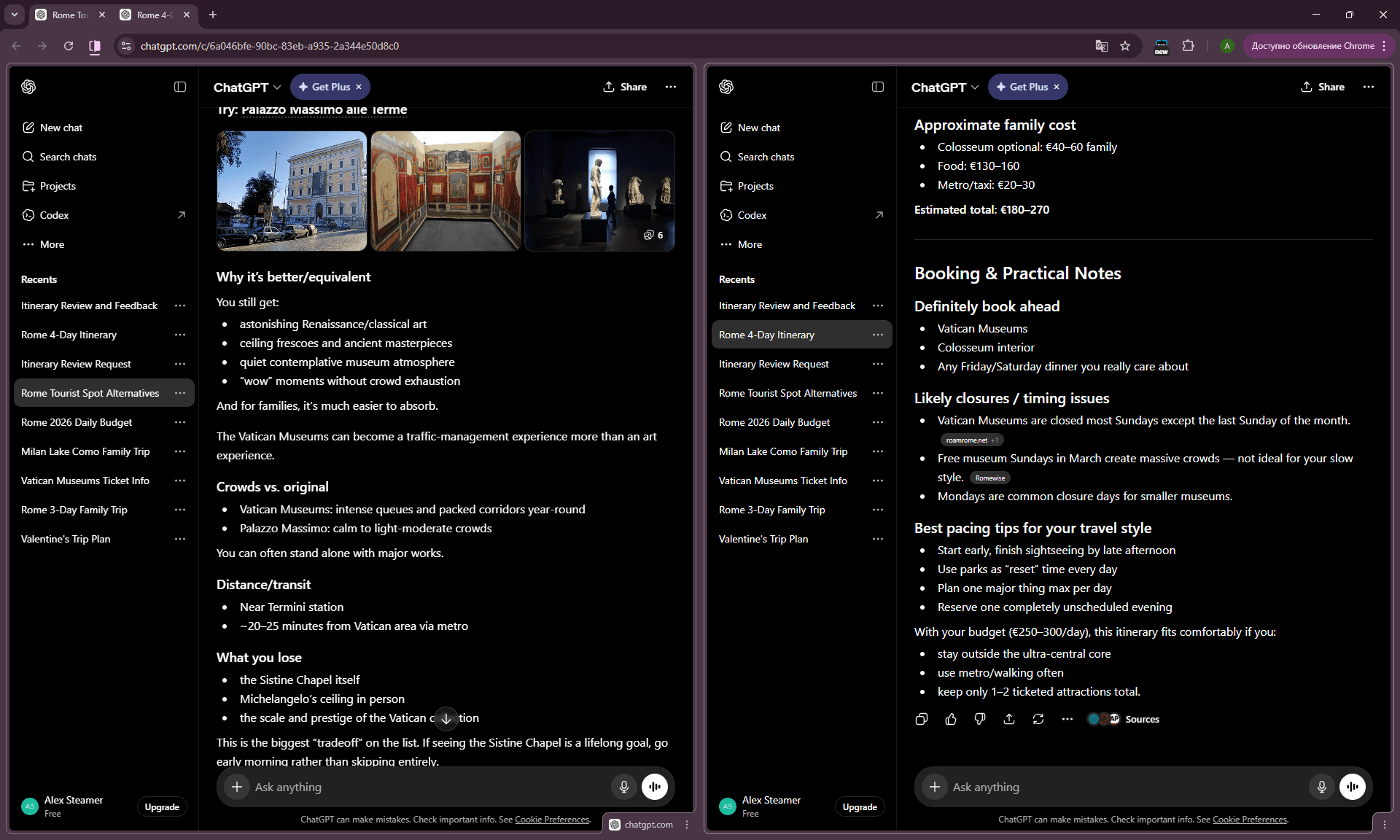
What I learned: AI works in “assistant” mode by default — it helps execute what you ask. It does NOT switch to “critic” mode unless asked to. The fix: make Prompt 11 (Cross-Check) mandatory in every session. I’d add “be skeptical, not validating” — and AI would have caught the closure itself.
The fix: before clicking “book,” run the final plan through Prompt 11. 30 seconds that saves a day.
Failure 2: The France Gas Station Crisis
Context: March 2026, France road trip. Hertz rental from CDG, route Étretat → Mont Saint-Michel → Rouen → Disneyland Paris → Paris. I’d asked ChatGPT in advance about road trip logistics, including “what do I need to know about gas stations in France.”
The prompt I used:
I'm renting a car for a road trip through Normandy. What should I know about
gas stations in France — payment, opening hours, brands, anything specific?
What ChatGPT returned: Standard answer — Total, Esso, BP networks; prices roughly equivalent; autoroute slightly pricier; some go automated at night; credit cards work everywhere.
What happened in reality: Late evening between Étretat and Mont Saint-Michel, fuel running low, we stopped at an automated station in a small town. Virtual cards (Apple Pay, Wise, Revolut) were rejected by the automated terminal. Physical card was at the hotel. The situation nearly turned into “sleep in the car.” We were saved by finding a working station with a reliable terminal 20 minutes later.
What I learned: AI knows “in France gas stations accept credit cards” — true 95% of the time. But the edge case (automated terminals + virtual cards + small towns at night) is specific knowledge that AI won’t surface unless asked explicitly.
The fix: use Prompt 20 (Currency & Card Trap Check) with an explicit question about virtual cards and automated terminals. ChatGPT, when asked directly “do automated French gas stations accept virtual cards like Wise or Revolut?” answers honestly — “often they don’t, especially in smaller towns.” But you have to know what to ask.
Broader lesson: AI answers specific questions well. It surfaces problems you didn’t think of poorly. Pre-trip prompts should be paranoid — go through hidden cost / scam / card / closure categories, even when everything “seems fine.”
Failure 3: The Wanderlog 5-Message Limit Surprise
Context: January 2026, testing Wanderlog for the Wanderlog Review. Series of prompts about an Istanbul family trip planning session.
The prompt I used: A normal iteration sequence — initial plan, refinement, kid-specific adjustments.
What happened: Wanderlog cut me off after the 5th message and asked for an upgrade. ChatGPT, when I’d asked it ahead of time about Wanderlog’s limits, hadn’t surfaced this.
What I learned: AI doesn’t always know current limits and pricing tiers of other AI tools. In my test, Wanderlog’s free tier stopped the session after 5 messages, but ChatGPT — when I asked it in advance about Wanderlog — hadn’t warned me about that limit.
The fix: for information about other AI tools — ask AI about concepts and approach, but verify limits on the actual product website. Generic “what’s Wanderlog?” works. Specific “what’s Wanderlog’s free tier limit?” needs cross-check.
Failure 4: The “Best Local Restaurant” Hallucination
Context: Multiple times, across cities. Especially during March 2026, Lake Como.
The prompt I used:
Recommend the best traditional restaurant in [small town] for dinner.What ChatGPT returned: A specific name with description, address, what to order.
What happened in reality: The place didn’t exist. Or it existed but had closed 2 years earlier. Or it existed but wasn’t what AI described.
What I learned: AI often hallucinates specific restaurant names, especially in less-documented places. Categories and types (see Prompt 18) work. Specific names are risky.
The fix: use AI for category recommendations (“what type of restaurant to look for”), Google Maps for specific places with current ratings.
Failure 5: The Generic “Hidden Gems”
Context: Multiple times. Any attempt to ask “hidden gems in [city].”
The prompt I used:
What are hidden gems in Barcelona that tourists don't know about?What ChatGPT returned: Bunkers del Carmel, Sant Pau Recinte Modernista, El Born district. Each of these appears in every TripAdvisor “hidden gems” listicle. They’ve become tourist traps in their own right.
What I learned: “Hidden gems” is a trained-out concept for LLMs. Too much tourist content uses this phrase, and AI has learned what to return.
The fix: Cluster 3.1 (Anti-Tourist-Trap Prompts). Instead of “hidden gems,” use comparisons (“instead of X, give me Y”), critique (“rate my list”), or narrow scope (“in [specific neighborhood], what’s unusual”). These framings pull AI out of tourist-blog mode.
How to Combine Prompts for Better Results
A single prompt is a draft. A prompt chain is a process. Most users send one prompt, get a generic answer, and close the tab. Users who combine 3-5 prompts in the right sequence get a genuinely customized plan.
Here are the three prompt chains I use most often — three bonus meta-prompts that extend the 50 above into actual workflows.
Bonus Prompt 51 — The Full Trip Planning Workflow Chain
A five-prompt sequence covering an entire trip plan from blank slate to booking order:
- Prompt 1 (Context-Rich Starter) → produces baseline itinerary
- Prompt 19 (Hidden Cost Audit) → adds budget realism
- Prompt 21 (Instead Of Substitution) → improves with specificity
- Prompt 11 (Cross-Check) → catches errors and closures
- Prompt 35 (Booking Order Optimizer) → organizes execution
When to use: at the start of any significant trip. The full chain takes about 30-40 minutes and outputs a plan genuinely customized for you — not a generic itinerary. This is the workflow I run for every trip now.
Bonus Prompt 52 — The “Day-Of” Quick Helper Chain
A three-prompt sequence for adjusting plans on the fly during a trip:
- Prompt 8 (Weather Backup Day) → in the morning, based on forecast
- Prompt 9 (Best Order Tactical) → if you have multiple places for one day
- Prompt 40 (Translate & Explain) → on-demand throughout the day
When to use: during active trip days when plans get adjusted on the fly. This chain stays in your pocket — it’s the difference between a stressful weather-ruined day and a productive pivot.
Bonus Prompt 53 — The Crisis Recovery Chain
A three-prompt sequence for when something goes wrong:
- Prompt 48 (Plans Fell Apart) → immediate triage
- Prompt 49 (Last-Minute Replan) → reorganization
- Prompt 50 (Travel Health Emergency) → if health-related
When to use: at the moment something breaks — missed flight, cancelled hotel, illness, lost passport. The chain’s structure (“first 2 hours, then longer-term”) replaces panic with sequence.
General principles for chaining prompts
- Start broad, narrow down. First prompt open, last prompt specific.
- Switch modes. Alternate between “build” (constructive) and “critique” (skeptical) prompts.
- Provide context forward. Each next prompt should include context from the previous ones (either paste output or reference earlier discussion).
- Don’t iterate forever. 3-5 prompts is usually enough. After 7+ prompts on one topic, AI starts circling.
The one follow-up prompt that caught the most AI mistakes (Rome, October 2026)
On a real family trip to Rome, I gave nine AI planners the same request, then asked every one of them the same follow-up:
Is everything in this plan open on [day, date]? Is there anything special about that day in [city], and how do tickets work that day?
That single question separated right answers from confidently wrong ones. Our Sunday was the first Sunday of the month, when the Colosseum is free and tickets are only handed out at the box office. Free ChatGPT with web search knew this from the start. Wanderlog fixed its advice only after the follow-up. Mindtrip kept recommending regular timed tickets even after it.
Use it on any plan, for every day that falls on a weekend or a holiday. The full test: AI Rome Itinerary Test.
Final Thoughts: Using ChatGPT Travel Prompts in 2026
ChatGPT as a travel planner isn’t magic. It’s a powerful tool that requires the right approach. Most “AI travel planning is overhyped” posts are written by people who sent one generic prompt, got a generic answer, and concluded.
The reality is different. AI works well for:
- Structuring planning (frameworks, checklists)
- Cost ranges and budget audits
- Cultural context and dietary navigation
- Crisis management and quick problem-solving
- Translation + context combinations
AI works poorly for:
- Specific restaurant names (it hallucinates)
- Up-to-date pricing and limits
- Sanity checks unless explicitly asked
- Less-documented destinations
- Anything requiring genuinely “hidden” insight — it returns mainstream “hidden”
The strategy is to use AI for what it does well and cross-check where it’s weak. These 50 prompts are tools, not magic spells. They work when you understand what you’re asking and why.
Want to see how these prompts work on a real trip? Read
→ Related: AI Family Trip Planner: What It Gets Right and Wrong
— a full case study of an 8-day family trip through four countries using AI planning.
For the broader case study of an AI-planned multi-country trip, see AI Travel Agent: Honest Test of 3 Tools — the source trip for many examples in this article.
For a step-by-step tutorial on planning a multi-country trip with AI, see
→ Related: AI Europe Itinerary: A Step-by-Step Tutorial from a Real 4-Country Trip
Related:
→ AI Rome Itinerary Test: 9 Planners vs. a Real Family Trip
→ Best AI Trip Planners 2026: 10 Tools Honestly Compared
→ ChatGPT Travel Planner 2026: Free Prompts That Actually Work
→ AI Travel Planning: Ultimate Beginner’s Guide 2026
→ France Road Trip with AI: Honest Family Travel Experience 2026
Tested on real trips — not just desk research.
Last updated: May 2026; Rome, October 2026