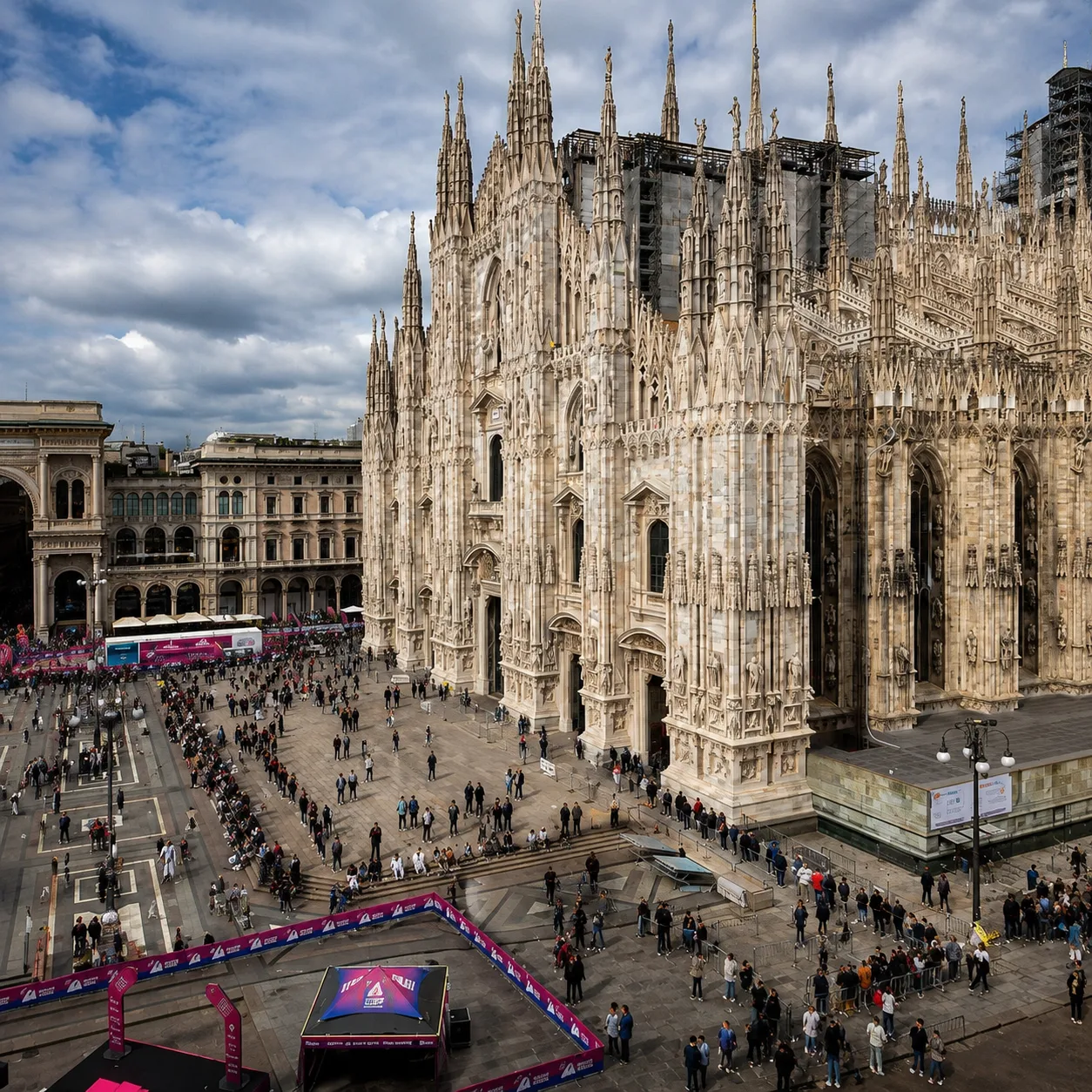
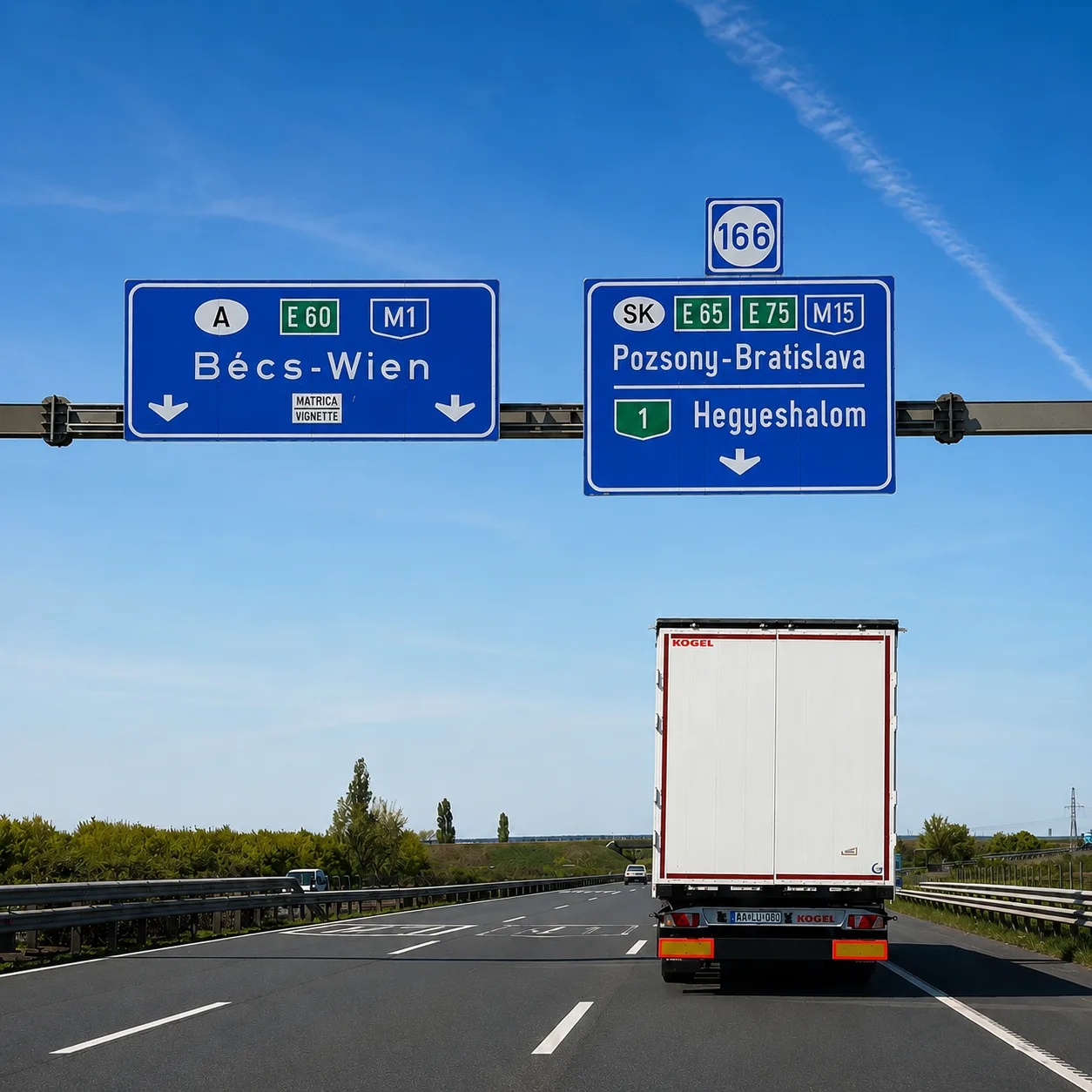

An AI Europe itinerary sounds like a clean idea on paper. Open Mindtrip, Layla, iMean, or ChatGPT. Write one good prompt. Get a multi-country route. Hit “book.” Travel. In practice it’s more complicated than that — and, honestly, more interesting.
I don’t believe in the “AI planned my entire trip and I just followed along” framing. For a family trip across Europe that’s actively dangerous.
We have a kid, real flights, a car rental with a deposit, vignettes, border crossings, early-morning departures, fatigue, restaurants that might not work, and a hundred small decisions per day that quietly decide whether the trip was good or merely fine. So the right way to build an AI Europe itinerary isn’t to hand AI the wheel. It’s to make it a very fast assistant: it builds the frame, offers options, flags weak spots, and you keep the final call.
This piece isn’t another “what happened on the trip” case study. That one already exists — see my AI travel agent test, where I compared Mindtrip, iMean AI, and Layla on a real 8-day trip with my wife and our eight-year-old: Montenegro → Hungary → Czech Republic → Austria → Hungary → Montenegro.
Here I’m taking that same real trip and turning it into a step-by-step AI Europe itinerary tutorial: how to plan a similar multi-country Europe trip with AI, from the first prompt to booking and on-the-road adjustments.
The core idea, stated simply: AI builds a great first draft. It’s bad at consequences. It can propose a city, a hotel, a restaurant, a daily plan, even vignettes and ballpark prices.
But it doesn’t know that the Hertz Budapest deposit may break your specific card. It doesn’t always understand that “no zoo” doesn’t mean “no aquarium.” It can write a beautiful Budapest day and skip Tropicarium — the place that turned out to be the single best moment of the trip for our daughter.
So what follows isn’t a magical “type this prompt and you’re done” guide. It’s a working AI Europe itinerary process: pick your AI → write the initial prompt → choose cities and their order → build a daily schedule → check hotels → compare transport → fact-check → book → adjust on the road → use the final itinerary as a template.
What This AI Europe Itinerary Tutorial Covers
This tutorial walks through the full planning cycle of an AI Europe itinerary using a real route we drove as a family. The frame is simple: I don’t ask AI to “plan me a vacation.” I ask AI to help me assemble, organize, and verify an idea of a trip I already roughly have.
What to do: first, decide what role AI plays. It’s not a tour operator. It’s not someone responsible for the outcome. It’s a fast route draft, a research assistant, a comparison generator, and a checklist of errors. Treated that way, it becomes genuinely useful. Treated as an agent that “knows everything on its own,” it pulls you into a beautiful but dangerously generic plan.
How to do it: at the start I give AI not only countries and dates, but constraints. Who’s traveling. How old the kid is. What we don’t want. Which cities we already know. Where we need rest, where we can push a heavier day. What transport we’ll consider. What problems must be verified by hand: rental car deposit, motorway vignettes, early-morning flights, holiday closures, opening hours, parking, family pacing.
How it worked out for me: the real trip ran from April 24 to May 1, 2026. We left Budva at 4:30 AM, flew Wizz Air from Podgorica to Budapest, picked up a Skoda Karoq at Hertz Budapest Airport, drove through Slovakia to Brno, spent three nights there, then Vienna, then Parndorf, then Budapest, then an early flight home.
On paper it looks like a tight Central European loop. In life it was a mix of precise decisions, old habits, the kid’s preferences, and several moments AI never could have predicted. That is why this AI Europe itinerary guide stays grounded in the real route, not in a perfect-looking sample plan.
The important difference between this piece and the original 4-country family trip tested with AI is where the camera points. There I was scoring AI agents on what they got wrong and where. Here I’m showing how to use the same tools before a trip to get a better result. Not “AI vs reality,” but “AI as part of a normal travel workflow.”
Step 1: Pick Your AI
The first step in an AI Europe itinerary isn’t to pick “the best AI overall.” It’s to pick the right tool for a specific kind of task. For European trip planning that matters, because the tools are good at different things. One holds the map better. Another organizes a complex route. A third has insider-style polish but may be paywalled or geo-limited.
What to do: split your planning workflow into a few tasks. For the map and a visual route, one tool. For complex text and route logic verification, another. For booking-style suggestions, a third. Don’t try to make one AI be everything at once.
How to do it: my quick selector after running the tests:
| Task | Best starting point | Why |
|---|---|---|
| Visual route, maps, saved places | Mindtrip | Tidy venue cards, a real map view, a trip sidebar, and a good UX |
| Complex multi-city route, structured response | iMean AI | Strong structure, lays out flight/route logic well — but check for self-consistency |
| Ideas, booking angle, “travel agent” tone | Layla | Polished and booking-aware, but access and limits can get in the way |
| A free start without a subscription | Mindtrip / free tools | Test the free layer first |
| Help choosing the tool in the first place | Best AI trip planner roundup | Useful if you don’t yet know which planner to start with |
For this particular route I’d begin with Mindtrip. Not because it’s perfect, but because a multi-country European itinerary is easier to see on a map. When the path goes Budapest → Brno → Vienna → Budapest, you don’t want a city list — you want to see distances, order, overloads, and unnecessary loops. In the separate Mindtrip review I went deeper on why its visual layer beats the more text-heavy competitors.
Next I’d run the same brief through an iMean AI style workflow: ask it to structure the route, transport, risks, budget categories, and verification questions. iMean is at its best when you want not a pretty itinerary but a workable document. Its answers need careful checking for self-contradictions and dates.
Layla I’d treat as a third layer. “What am I missing?” “What would a local travel agent warn me about?” “What booking risks should I check?” In the Layla AI review my takeaway was that Layla can add useful travel-agent polish but shouldn’t be the only source.
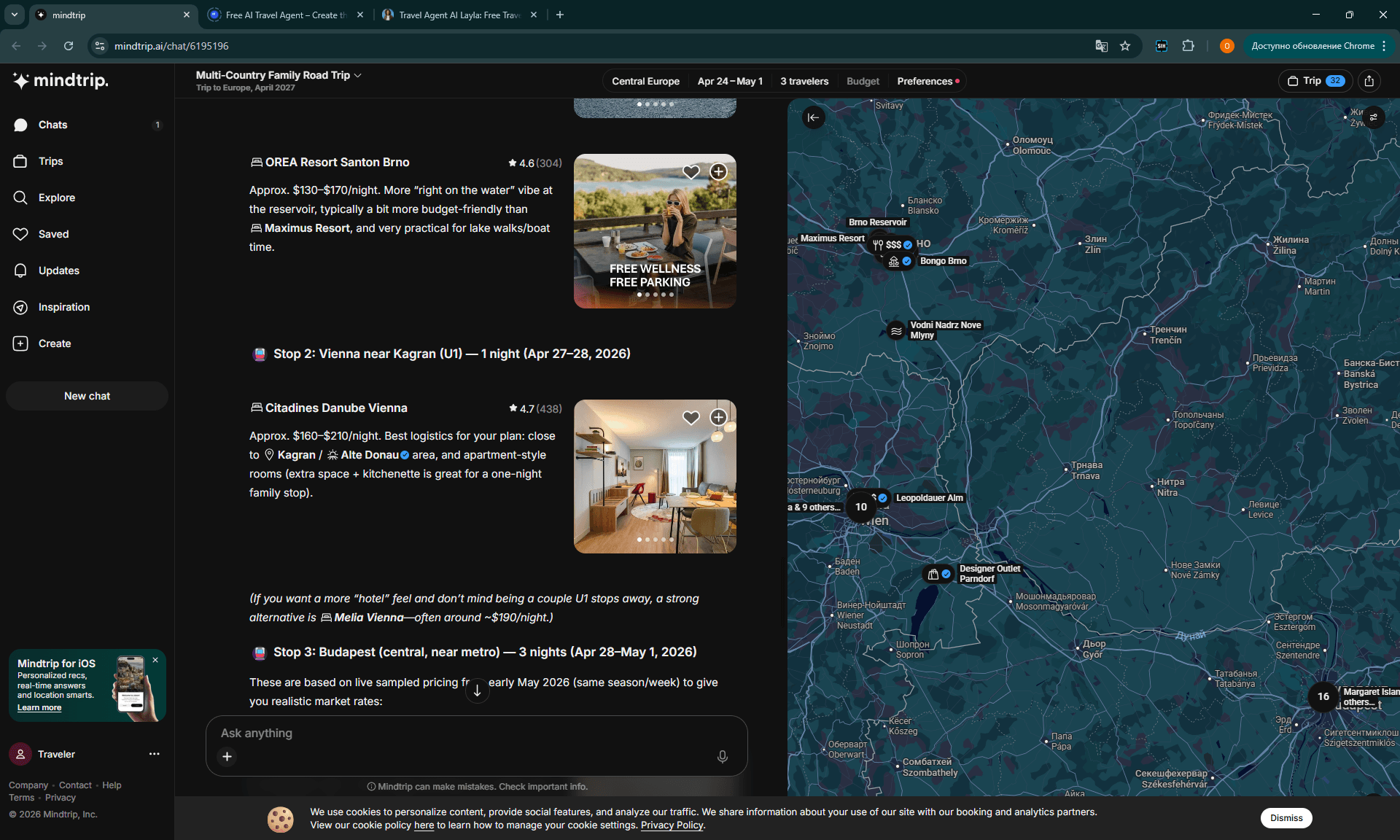
How it worked out for me: in retrospective testing, Mindtrip was especially strong on hotels. After follow-ups it landed on OREA Resort Santon in Brno and Citadines Danube Vienna, and on Budapest it gave a hotel in the same ibis-family logic as the one we actually stayed at. That’s a real signal: when AI gets enough context, it stops returning “top hotels in city center” and starts matching the actual style of the trip.
If money is a factor, don’t open with a paid subscription. Start with the free AI trip planner options and see whether the free layer is enough. In my experience the gap between a free draft and a paid “travel agent” is often smaller than the landing pages suggest.
Step 2: The Initial Prompt
A good AI itinerary doesn’t start with “plan me a trip to Europe.” That prompt almost guarantees a tourist template: capitals, must-sees, central hotels, generic restaurants, polite phrases about “a relaxed pace.” For a multi-country family trip that’s not enough.
What to do: the initial prompt should look less like a question and more like a briefing document. Give AI not just the route but the decision context — who’s going, what’s already known, what can’t be broken, what trade-offs are acceptable, and which risks need to be checked.
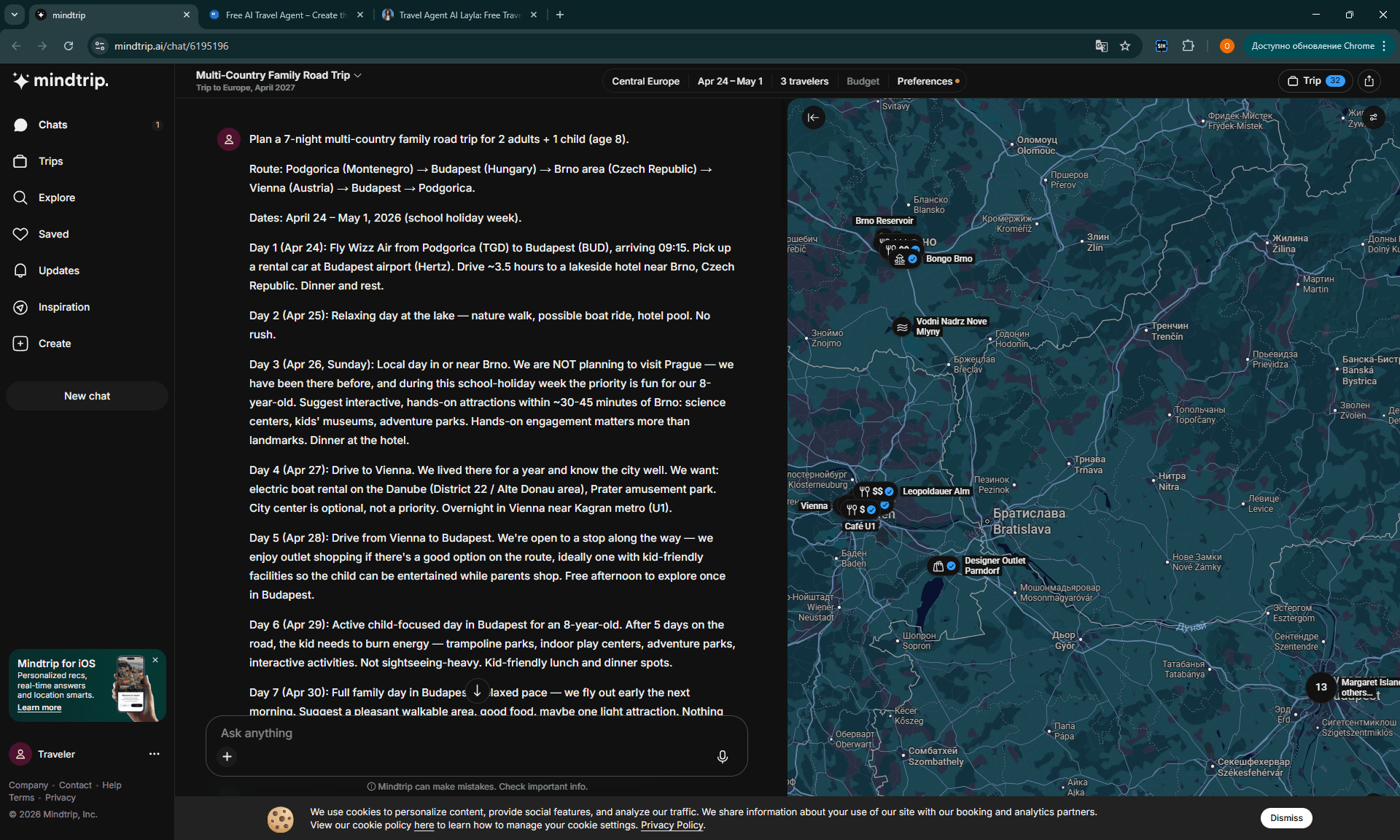
How to do it: in the source article I sent all three AI tools the same detailed brief, roughly 700 words: route, dates, family composition, hotel preferences, the fact that we’d lived in Vienna and know the region, our daughter’s age, and the cross-border car-rental concern. This is the practical template version I would use now, based on that same route and decision context:
I’m planning an 8-day family trip in Central Europe for 2 adults and one 8-year-old. Route idea: fly from Podgorica to Budapest, rent a car at Budapest Airport, drive to Brno, then Vienna, then back to Budapest, then fly home. Dates: April 24 to May 1, 2026.
We previously lived in Vienna and already know Vienna, Bratislava, Brno, and Budapest fairly well, so don’t give me a generic first-time tourist route. We prefer family-friendly hotels, practical parking, good breakfast, indoor options if the weather is bad, and activities that work for an 8-year-old without overloading the day.
Please build a realistic AI Europe itinerary with daily pacing, driving times, hotel area logic, restaurant suggestions, cross-border rental car issues, motorway vignettes, early flight risks, and a list of facts I must verify manually before booking. Separate confirmed facts from assumptions.
Why this works: the prompt carries the route, dates, family composition, the child’s age, the travel style, the local knowledge, the transport choice, the hotel expectations, the logistics constraint, and a direct request to “separate confirmed facts from assumptions.” That last line matters. AI likes to sound confident even when it’s guessing. Asking it to split facts from assumptions up front raises the quality of the answer.
How it worked out for me: the AI tools understood the general route and the family context, but still missed some of the best places. Tropicarium-Oceanarium in Budapest wasn’t proposed as a key family stop by any of the three agents, even though it became the single best moment of the trip for our daughter.
That doesn’t mean the prompt was bad. It means one prompt isn’t enough. The first prompt builds the skeleton. The follow-ups do the rest.
For deeper coverage of follow-up prompt patterns I keep a separate collection of ChatGPT travel prompts where each scenario is broken out by trip stage — useful as the next layer after the initial brief.
Step 3: Choosing Cities and Order
The order of cities in Europe isn’t an aesthetic question. It’s logistics. On a map Budapest, Brno, and Vienna look close. In reality the order depends on which airport you fly into, when you arrive, where you pick up the rental car, where the borders are, which countries need vignettes, how the kid will pace, and where you want to wake up the following morning.
What to do: don’t ask AI to “choose the cities.” Ask it to compare two or three order options. For example: Budapest first vs. Brno first vs. Vienna first. Let it show driving time, border complexity, hotel logic, arrival fatigue, and a fallback plan.
How to do it: a strong follow-up looks like this:
Compare three route orders for this trip: A) Budapest → Brno → Vienna → Budapest B) Budapest → Vienna → Brno → Budapest C) Budapest only, with day trips Score each by driving time, child fatigue, hotel convenience, border/vignette complexity, and risk if the flight or rental pickup is delayed. Recommend one — but also list what could make your recommendation wrong.
That last line — “what could make your recommendation wrong” — sharply improves the answer. AI stops selling one option and starts showing the conditions under which the plan would break.
How it worked out for me: the real order — Budapest Airport → Brno → Vienna → Parndorf → Budapest — made sense because we were flying into Budapest, picking up the car there, and Brno was a good first base after a long morning flight and a drive through Slovakia.
OREA Resort Santon gave us exactly what we needed after a complicated start: a lake, a spa, breakfast, kid-friendly facilities, easy parking. Vienna we knew well, so we didn’t try to make it a “first-time-Vienna itinerary.” And Budapest at the end made sense because the return flight was from there.
AI’s value here isn’t that it “invented” the route. It’s that it can quickly check: am I making an unnecessary loop? Am I overloading the arrival day? Where should we sleep the night before the early flight? What if rental pickup takes longer than planned? In our case passport control at Budapest Airport took about an hour — half the booths were closed — and that one fact alone justifies a lighter first day.
For any AI Europe itinerary I’d always ask for one specific table:
| Option | Pros | Cons | Hidden risks | Best for |
|---|---|---|---|---|
| Budapest → Brno → Vienna → Budapest | Logical loop from BUD, strong first base in Brno | Long drive on arrival day | Passport control + rental pickup delay | Families with a rental car |
| Budapest → Vienna → Brno → Budapest | Fast city-first arrival | More urban fatigue early | Parking + tiredness | If Vienna is the main focus |
| Budapest base + day trips | Fewer hotel changes | Lots of backtracking | Long day-trip days | No rental car |
That format turns AI from “advisor” into “route analyst.”
Step 4: Daily Schedule
The daily plan is where AI most often sounds convincing and most often packs the day too tightly. In Europe it’s easy to assemble a list of six attractions, two museums, a restaurant, and an evening walk. On a map it all looks close. With a kid, a rental car, fatigue, and an actual lunch in the middle, it isn’t.
What to do: ask AI to build the day around a 2 attractions + meal + rest formula. Not eight items. Not “morning / afternoon / evening” with endless transitions. One main morning anchor, one second anchor in the afternoon, one normal meal stop, and rest baked in.
How to do it:
Build one realistic family day using this structure: – 1 main attraction before lunch – 1 meal stop with a child-friendly backup – 1 lighter attraction after lunch – 1 rest block or hotel break – no more than two paid activities – include what to skip if we’re tired Use opening hours as assumptions unless verified, and mark what I must check manually.
How it worked out for me: the best example was our Vienna day. In theory AI could have proposed Schönbrunn in the morning, Belvedere in the afternoon, the center in the evening. For a first visit, beautiful. For us, wrong.
We’d lived in Vienna for almost a year, so we didn’t need the classic Vienna checklist. The real day was much more practical: lunch at IKEA Wien Nord, half a day at Prater for our daughter, an electric boat on Alte Donau, a night at Citadines Danube Vienna right by the U1 Kagran metro, dinner at Akakiko Donauplex. Not a postcard. A normal family itinerary.

The way to push AI here is to redirect it from “best Vienna attractions” to “we know Vienna — give us a low-friction family day near U1 / Donau Zentrum / Alte Donau.” Then it becomes useful.
It can propose proximity logic: Citadines Danube Vienna near U1 Kagran, Donau Zentrum as an indoor fallback, Alte Donau for boats, Prater as the classic kid-friendly stop. But ask “one day in Vienna” without that frame and you get the tourist list.
In Budapest the gap is even sharper. All three AI agents effectively skipped Tropicarium, even though it was the best day for our daughter. For a family itinerary I’d add a separate follow-up every single time:
My child likes animals, aquariums, hands-on science, trampoline parks, water activities, and interactive places more than castles and churches. Find non-obvious family activities within 30–40 minutes of our hotel, including places inside malls or outside the tourist center. Do not exclude aquariums unless I explicitly say so.
That prompt would have surfaced Tropicarium and CyberJump earlier. For a deeper method of pulling lesser-known venues out of AI on demand, see my breakdown of the AI hidden gems method — same family, same trip, with a constraint-anchored prompting protocol that gets you to the real local spots.
Step 5: Hotels
Hotels are one of the zones where AI genuinely helps — but only if you stop asking for “the best hotel in the city.” For a Europe itinerary a hotel isn’t just a rating. It’s parking, breakfast, check-in time, distance to the route, the chance to rest, family room availability, the neighborhood, early-morning departure logistics, public transport access, cancellation terms, and how well it fits a specific day.
What to do: ask AI to choose hotels not by city but by role in the route. “First night after a flight and a 4-hour drive.” “Vienna one-night stop near U1 with a family dinner.” “Budapest final nights before an early airport departure.”
How to do it:
Recommend hotels for each stop based on the role of that night in the itinerary, not just rating. For each hotel explain: parking, breakfast, family room suitability, distance from the route, public transport, whether it works after a tiring travel day, and what I must verify before booking. Prioritize low-friction logistics over luxury.
How it worked out for me: after follow-ups, Mindtrip landed on two of the three real hotels — OREA Resort Santon and Citadines Danube Vienna. That’s a strong result. OREA Santon isn’t a random “nice hotel in Brno.” For us it’s a long-running family anchor: lake, spa, kids’ club, breakfast, familiar environment, easy parking. Citadines Danube Vienna isn’t a “romantic Vienna hotel” either — it’s a practical base by U1 Kagran, Donau Zentrum, and Alte Donau.
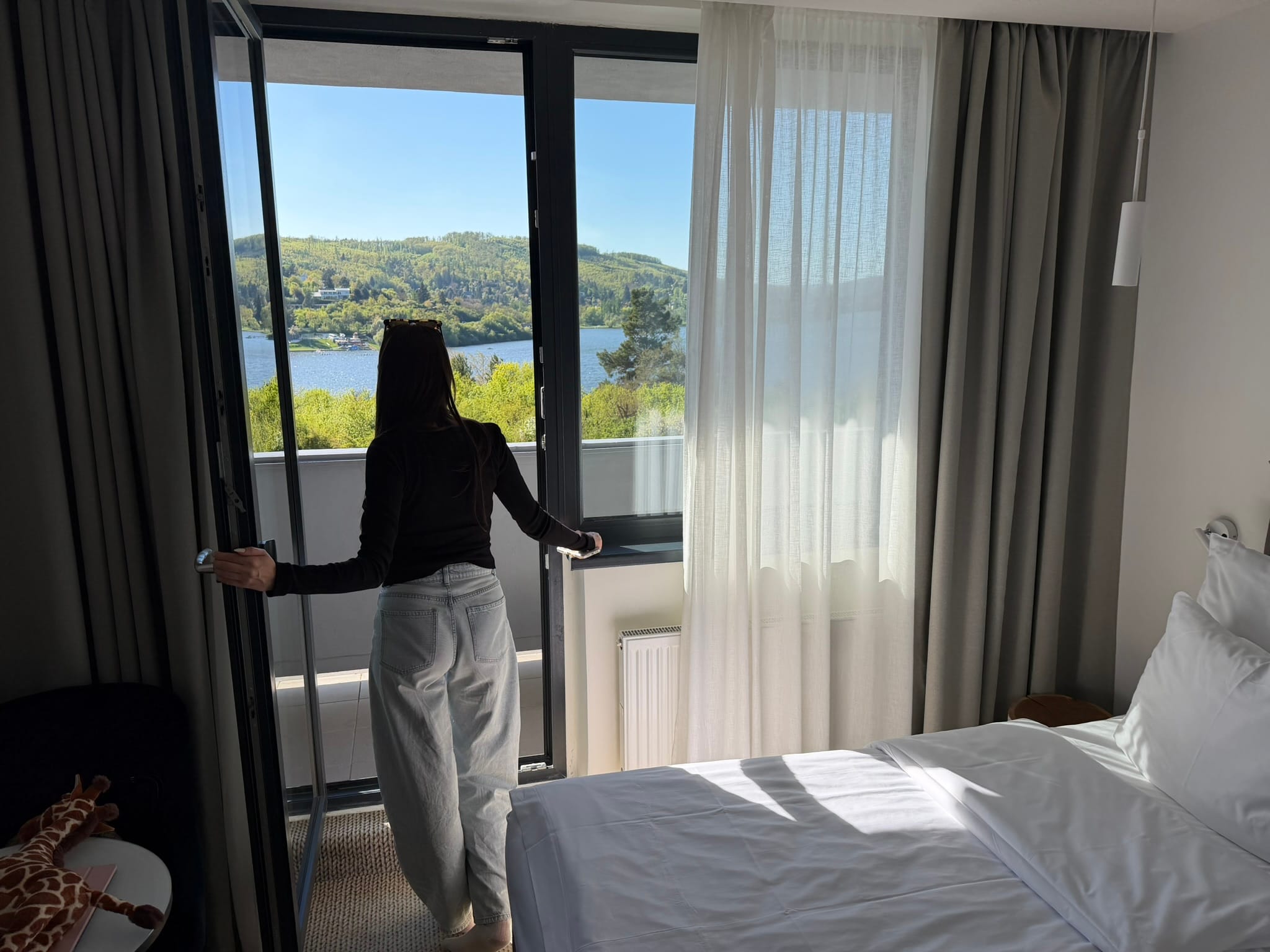
In Budapest we stayed at ibis Styles Budapest Center. AI suggested an ibis-family option but not an exact match. That’s fine. For AI hotel matching, exact match isn’t always the goal. The goal is to nail the neighborhood, the type of hotel, the chain logic, the family basics, and the parking/transport reality. From there you check prices and availability yourself.
Where AI gets it wrong: it may not have current prices, may not see the actual cancellation policy, may confuse similar hotels in the same chain, may underestimate parking, may overestimate “city center convenience,” and may not understand that for a kid after a long drive a pool and a spacious room matter more than a “walkable old town.”
For the budget side of the same trip:
→ Related: AI budget travel breakdown
Step 6: Transport Between Cities
European transport planning looks simple until you hit the specifics. A train can beat a car between two city centers — but the car wins if you have a kid, luggage, a hotel outside the center, a Parndorf stop, a Brno reservoir afternoon, and no desire to live on a timetable. A flight between nearby cities is almost never necessary, but AI sometimes still includes flight thinking because “multi-country” sounds like an aviation problem.
What to do: force AI to compare car rental vs. train vs. flight for your specific route, not in the abstract. Make it count not only travel time but door-to-door time, luggage, child fatigue, border costs, parking, vignettes, and deposit risk.
How to do it:
Compare car rental, train, and flights for this route: Budapest Airport → Brno → Vienna → Budapest. Use door-to-door time, luggage, child comfort, hotel access, parking, motorway vignettes, cross-border rules, deposit risk, and flexibility for stops like Parndorf. Give a recommendation and a “when I’d choose the opposite” section.
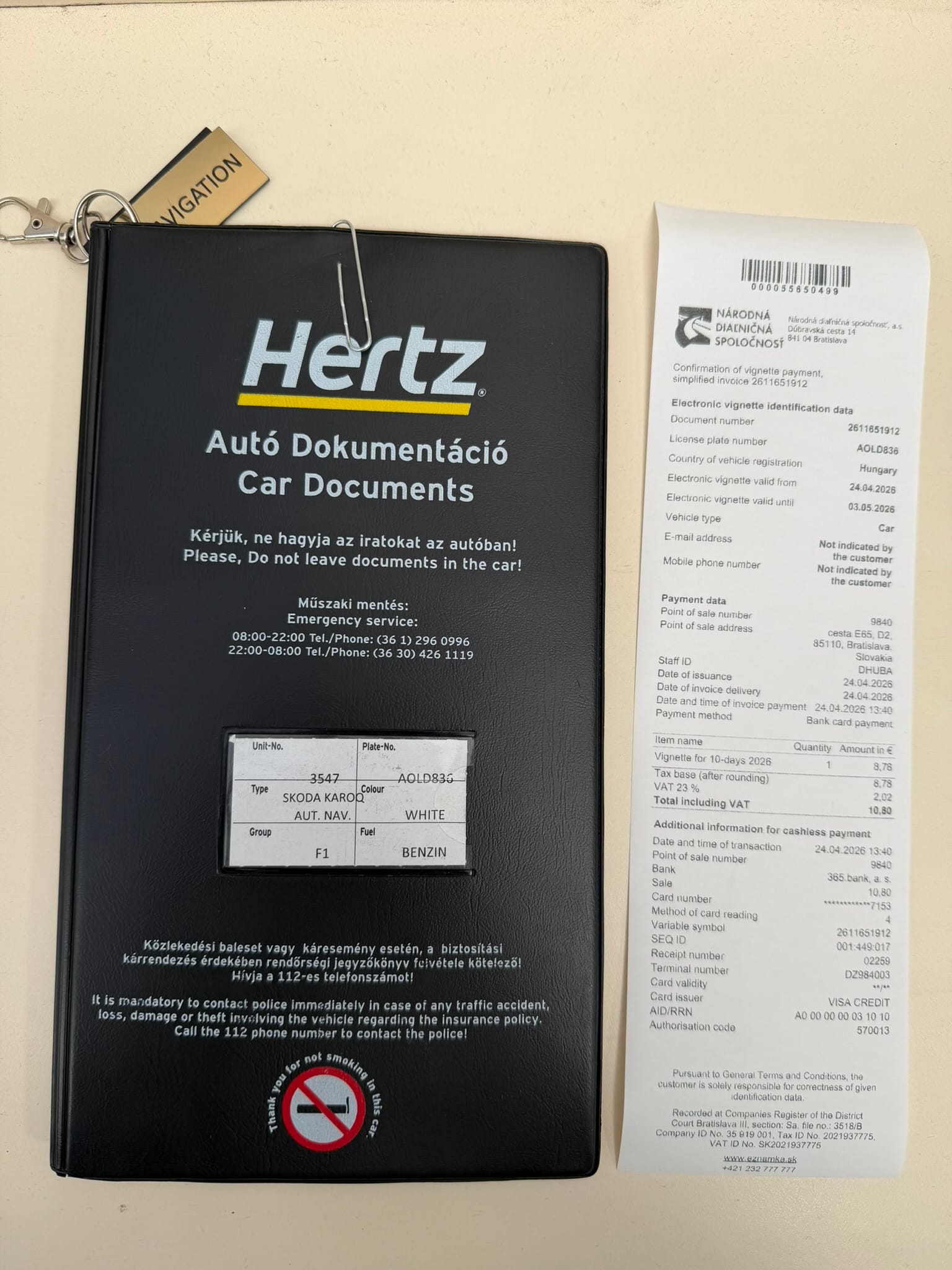
How it worked out for me: the car was the right choice. We picked up a Skoda Karoq from Hertz Budapest Airport and paid €718.54 all-in for five days, which included Super Cover, emergency roadside, child booster, cross-border fee, CDW/theft protection, and 27% Hungarian VAT.
On the road that meant a Slovak eZnámka vignette at €10.80, a Czech vignette, an Austrian vignette at €12.80, fuel, border kiosks, an outlet detour to Parndorf, and the freedom to change plans. For this AI Europe itinerary, the rental car was not just transport; it was the thing that made the route flexible. With trains the whole picture changes: less car stress, but more transfers, more luggage friction, and less flexibility.
AI is useful here only if you stop asking “find transport” and start asking “find hidden transport costs.” For example:
- the rental company’s cross-border fee;
- motorway vignettes for Hungary / Slovakia / Czechia / Austria;
- the child booster seat;
- insurance that affects the deposit;
- parking near hotels;
- early airport return;
- gas station timing;
- the physical card requirement for the deposit hold.
That last one is exactly where our roughest real-world edge case happened: the Hertz deposit. Without Super Cover, the deposit would have been around €2,000. With Super Cover, it dropped to €400 — and that’s what made the trip work. AI can flag “check deposit,” but it isn’t expected to know the specific behavior of a specific counter at Budapest Airport. So the transport section always ends in manual verification.
→ Related: real cost breakdown for this 4-country trip
Step 7: Fact-Check Your AI Europe Itinerary
If you could keep only one step out of this entire tutorial, this would be the one. An AI itinerary without a fact-check isn’t a plan — it’s a well-formatted hypothesis. Especially in Europe, where different countries, languages, holidays, rental rules, airport timings, and transport systems stack on top of one another.
What to do: after AI has assembled the route, ask it to generate a fact-check checklist. But run that checklist not through AI — through primary sources: official sites, hotel pages, rental company emails, airport info, motorway vignette portals such as the Czech eDalnice site and the ASFINAG digital vignette page, booking confirmations, and airport pages like Budapest Airport departures, with Google Maps only as a secondary source.
How to do it:
Turn this itinerary into a manual fact-check checklist. For every day, list what must be verified before booking: opening hours, ticket price, holiday closures, parking, travel time, rental car rules, vignettes, hotel check-in, cancellation policy, early airport timing, and whether the recommendation is based on confirmed data or assumption.
How it worked out for me: the fact-check list for our trip should have included at minimum:
| What to verify | Why it matters | The real lesson |
|---|---|---|
| Hertz deposit and card rules | Can stop the trip cold | Super Cover dropped the deposit to €400 |
| Cross-border permission | Car drives through SK/CZ/AT | Hertz added a €35 cross-border fee |
| Vignettes | Fines and border stress | SK €10.80, AT €12.80, CZ at the border |
| BUD early flight | Airports don’t always behave as expected | 6:00 AM departure, arrived ~3:00, security timing critical |
| May 1 holiday | Shop closures in Hungary | Mindtrip flagged this — helpful |
| Family attractions | AI may skip the best ones | Tropicarium and VIDA outperformed standard city sights |
| Flight year / date | AI tools can drift to 2027 | Mindtrip and iMean both showed 2027 dates at points |
The important nuance: don’t ask AI to “verify everything.” It can sound confident and still be wrong. Ask AI to tell you what you need to verify by hand. That’s a different task, and AI handles it well.
In the retrospective test Mindtrip and iMean occasionally showed flight results in 2027, even though the trip was in 2026. That’s the perfect failure mode: the answer looks plausible — the route is right, the airline is right — but the year is wrong. Without checking the date in the booking interface, you can plan into fiction.
Step 8: Booking
AI booking integrations sound like the future: the tool doesn’t just suggest, it carries you all the way to a confirmed reservation. In practice the booking layer is still best treated as a shortcut to options, not as the final truth.
What to do: use AI to shortlist, but book only after verifying on official sites or your usual booking platforms. It’s important to separate “AI found a good option” from “this is the final price and terms.” They’re not the same thing.
How to do it: for every booking item, run a small process:
- AI proposes 3–5 options.
- You pick 1–2 finalists.
- You verify on the official site or booking platform.
- You check cancellation, taxes, deposit, parking, child policy.
- You save the confirmation.
- You come back to AI and ask it to update the itinerary against real booking times.
How it worked out for me: the booking reality on this trip was stronger than the AI layer. The Hertz receipt, the hotel confirmations, the restaurant receipts, the activity tickets — these are the real data.
AI could propose the framework, but it couldn’t replace my conversation at the Hertz counter. It couldn’t know that the virtual card would clear for the main payment but a physical card would be needed for the deposit hold. It couldn’t guarantee that OREA Santon would be available on the right dates at the right price. It could only tell us where to look.
By tool: Layla, in my earlier tests, feels the most booking-oriented as a travel agent persona. Mindtrip is the strongest at holding saved places and a trip map. iMean is the best at structure. But I wouldn’t give any of them the final booking call without manual verification. Even when the integration looks smooth, travel edge cases live in the small print: deposit, cancellation, local tax, parking, child seat, breakfast included, check-in window.
The ideal habit is to write AI a follow-up after every confirmed booking:
Update my itinerary using these confirmed bookings: hotel check-in times, rental pickup time, flight time, activity tickets, and restaurant reservations. Remove anything that no longer fits. Add buffers before and after each fixed booking.
That turns AI from “dreamer” into “itinerary maintainer.”
Step 9: Day-of-Trip Adjustments
Even a well-planned Europe itinerary breaks on the day. The kid is tired. The weather shifted. Passport control took an hour. The restaurant turned out to be a miss. The day got heavier than expected. This is where AI becomes genuinely useful — not as the route’s author, but as a fast re-distributor.
What to do: prepare day-of prompts in advance. Not “what should we do in Budapest?” but short emergency prompts tied to real situations: we’re tired, we need an indoor plan, the kid is bored, we have 90 minutes, it’s raining, the check-in is late, the flight is early, we need a restaurant nearby, we need to swap a paid attraction for a free walk.
How to do it: examples to keep saved.
We are in Budapest with an 8-year-old, near [area]. We are tired and need a low-friction indoor activity for 1.5–2 hours, not a museum-heavy plan. Give 3 options, explain transport, and include one food stop nearby.
We planned a full Vienna day, but we only have energy for one attraction and one relaxed meal. Rewrite the day around U1 Kagran / Alte Donau / Donau Zentrum and avoid city-center transfers.
Our flight is at 6:00 AM from BUD. Build a realistic morning timeline from hotel checkout to security, including buffer and what to prepare the night before.
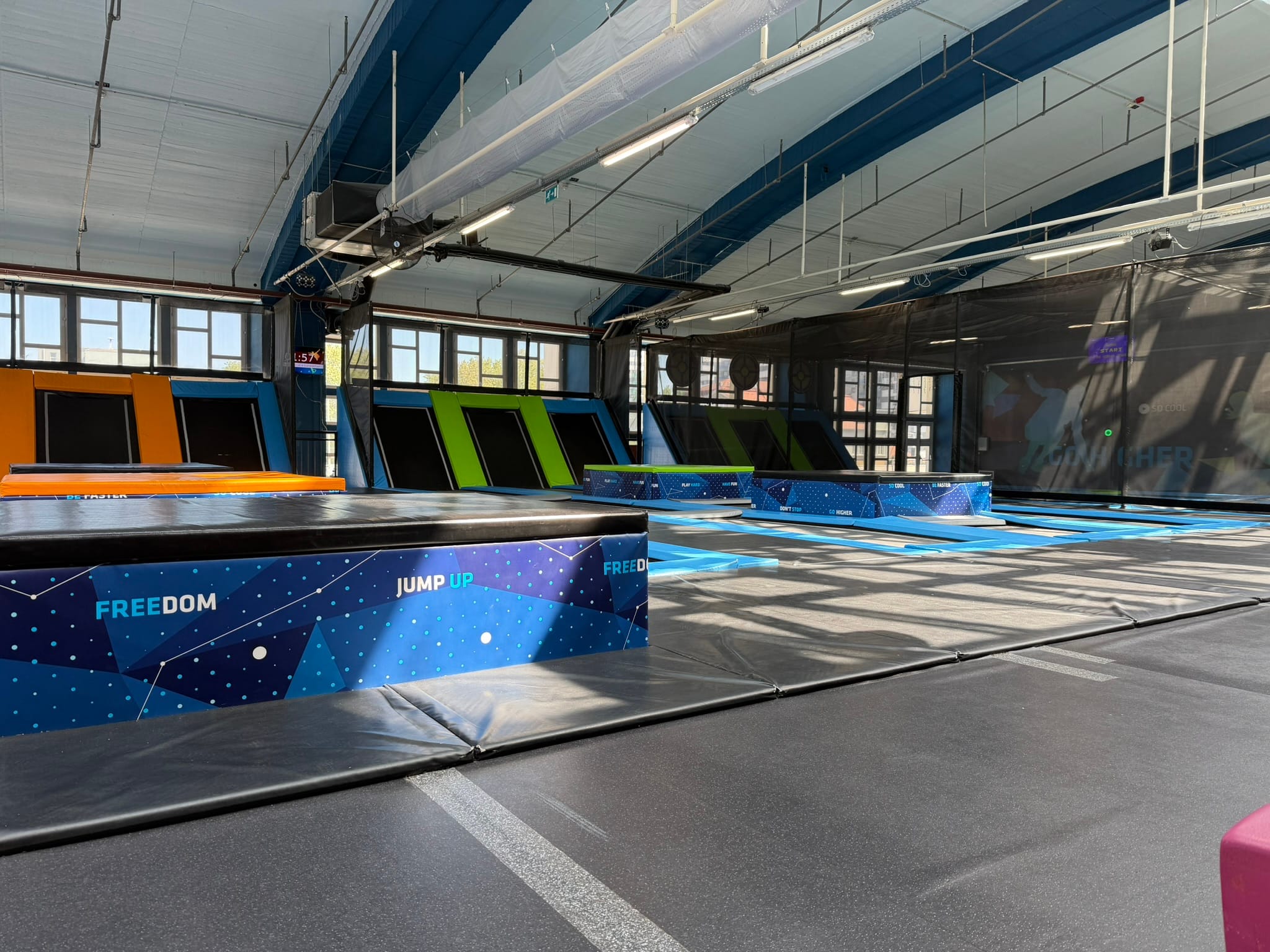
How it worked out for me: day-of reality is what makes a trip good or bad. On Day 6 in Budapest, Tropicarium + CyberJump turned out to be the ideal family day: first the shark tunnel and aquarium, then the trampoline park, then food.
AI didn’t propose that as the main plan. But if I’d asked the right contextual prompt on the day — about the kid, aquariums, indoor activity, energy burn — the odds of landing on that exact day would have been much higher.
A ready-made set of short formulations for situations like these lives in my on-the-go travel prompts collection — it’s worth keeping open on the phone in the car.
AI is good at “reassemble this day in 30 seconds.” It’s bad at “guess what we’ll like in advance.” So your day-of prompts should always include the state of the family: tired, hungry, raining, child needs movement, adults want an easy dinner, no more churches, no long transfers. The more honest the state, the better the answer.
My Final 4-Country AI Europe Itinerary
Below is the real itinerary that can serve as a template for a similar Central Europe family trip. This isn’t a universal “best route.” It’s a working structure: fly into Budapest, pick up the rental car, use Brno as a family base, treat Vienna as a known stop, use Parndorf as a practical shopping/rest stop, finish in Budapest, fly home early.
| Day | City / base | Activities | Hotel |
|---|---|---|---|
| Day 1, Apr 24 | Podgorica → Budapest Airport → Brno | Early drive Budva → TGD, Wizz Air to BUD, Hertz pickup, drive through Slovakia/Czechia, vignettes, check-in, dinner, spa | OREA Resort Santon, Brno |
| Day 2, Apr 25 | Brno Reservoir | Hotel breakfast, kids’ craft session, walk along Brněnská přehrada, electric boat from NaFleku, pool/spa | OREA Resort Santon, Brno |
| Day 3, Apr 26 | Brno | VIDA! Science Centre, interactive exhibits, weather studio, AR sandbox, relaxed family pacing | OREA Resort Santon, Brno |
| Day 4, Apr 27 | Brno → Vienna | Checkout, fuel, Austrian vignette, IKEA Wien Nord, Prater rides, Alte Donau electric boat, dinner at Akakiko | Citadines Danube Vienna |
| Day 5, Apr 28 | Vienna → Parndorf → Budapest | Parndorf Designer Outlet, Dinoland for our daughter, lunch at Le Burger, drive to Budapest, dinner at Kawamura Ramen | ibis Styles Budapest Center |
| Day 6, Apr 29 | Budapest | Tropicarium-Oceanarium at Campona, shark tunnel, CyberJump Park Buda, Turkish lunch, light city walk | ibis Styles Budapest Center |
| Day 7, Apr 30 | Budapest | Slow Danube walk, Parliament / Kossuth Square, St. Stephen’s Basilica, Budapest Eye, Fashion Street break, Kawamura Ramen again | ibis Styles Budapest Center |
| Day 8, May 1 | Budapest → Podgorica | 2:00 AM wake-up, 2:30 hotel departure, early airport arrival, 6:00 AM flight home | — |
What’s important here as a template:
- Day one isn’t overloaded with sightseeing. Flight + rental pickup + borders is already enough.
- Brno works as a family recovery base, not just a “city stop.”
- Vienna isn’t built as a classic Vienna itinerary, because we already knew the city.
- Budapest gets two distinct days: one kid-focused, one slow city walk.
- The early flight is treated as its own logistical risk, not “just a morning departure.”
- The car is justified not only by distance but by flexibility: Brno reservoir, Parndorf, hotels outside center, luggage, child pacing.
If I were turning this into an AI prompt for another reader, I’d write:
Use this itinerary as a structure, not as a copy-paste route. Keep the pacing logic: light arrival day, restful first base, one interactive child-focused day, one flexible city day, and an early-flight buffer. Replace hotels and activities based on my child’s interests, budget, transport choice, and exact dates.
And one more thing: don’t copy our specific places without verifying. Vignette rules, prices, opening hours, hotel availability, airport timing, and holiday closures all change. The point of the tutorial isn’t to replicate our path. It’s to replicate the workflow.
What I Would Do Differently Next Time
After this trip I wouldn’t drop AI. The opposite — I’d use it earlier and more systematically. But I’d change the order.
First, I’d structure my prompts into three layers from the start. Layer one: route skeleton. Layer two: family reality. Layer three: failure audit. Most people stop at layer one — “make me an itinerary” — which is exactly why they get a pretty but overly generic route. I don’t need a pretty route. I need a route that survives a kid, a car, borders, deposits, fatigue, and an early flight.
Second, I’d explicitly ask AI to look for “places that don’t fit tourist-guide categories.” Tropicarium didn’t surface because it doesn’t read as a top Budapest sight and doesn’t read as a sophisticated hidden gem either. It reads as “aquarium in a mall.”
For our daughter it was better than any postcard sight. So the prompt has to encode not the genre of the place but the desire of the person: sharks, interactive science, water, movement, indoor backup.
Third, I’d build the rental car risk checklist earlier. Hertz Budapest didn’t break the trip only because we found a solution at the counter with Super Cover. That’s not the kind of risk you want to solve in front of your child and your luggage. Next time I’d write to the rental company in advance: exact deposit amount, physical card requirement, cross-border permission, insurance options, child seat, accepted payment methods.
Fourth, I wouldn’t ask AI for “restaurant recommendations” as a general list. I’d ask for meal stops by function: near the hotel after a long drive, child-safe lunch inside a mall, quick dinner after Prater, ramen worth returning to, breakfast included or not. That way AI stops recommending “best restaurants” and starts solving the actual problem of the day.
Fifth, I’d keep the itinerary in a living document. After every confirmation — flight, car, hotel, activity — I’d feed the data back into AI and ask it to rewrite the day. Not “plan again,” but “update the plan based on confirmed bookings.” That matters especially for a multi-country Europe trip, where one fixed element shifts everything else.
The bottom line: AI shouldn’t plan your Europe trip for you. It should speed up your process, surface options, identify weak spots, and help rewrite the route when reality moves. Done that way, an AI Europe itinerary stops being a fantasy from travel-tech marketing and starts being a normal working tool.
Pick the right AI. Give it a briefing, not a quick question. Ask it to compare city orders. Limit each day to two attractions plus a meal plus rest. Verify hotels by role, transport by hidden costs, bookings by real terms. Save your day-of prompts. Then call it an itinerary.
On that logic, our Montenegro → Hungary → Czechia → Austria → Hungary loop didn’t end up “AI-perfect.” It ended up better than that: structured, verifiable, and honest. And for family travel planning that matters far more than a perfect-looking list of attractions.
Tested on real trips — not just desk research.