

Wonderplan positions itself as an AI trip planner. Enter your city, dates, budget, and who you’re traveling with — get a personalized itinerary. Sounds familiar: Mindtrip, Wanderlog, and a dozen other tools promise the same thing.
But Wonderplan works differently. There’s no chat, no free-text prompt field, no conversation with AI. Just a form with a few dropdowns and a Submit button.
I put Wonderplan through a full Wonderplan review: first as a family trip to Budapest with a child, then tried to edit the itinerary, then ran three more tests — solo traveler, friends group, and Low vs High budget comparison. Same city, same dates, different inputs. Here’s what happened.
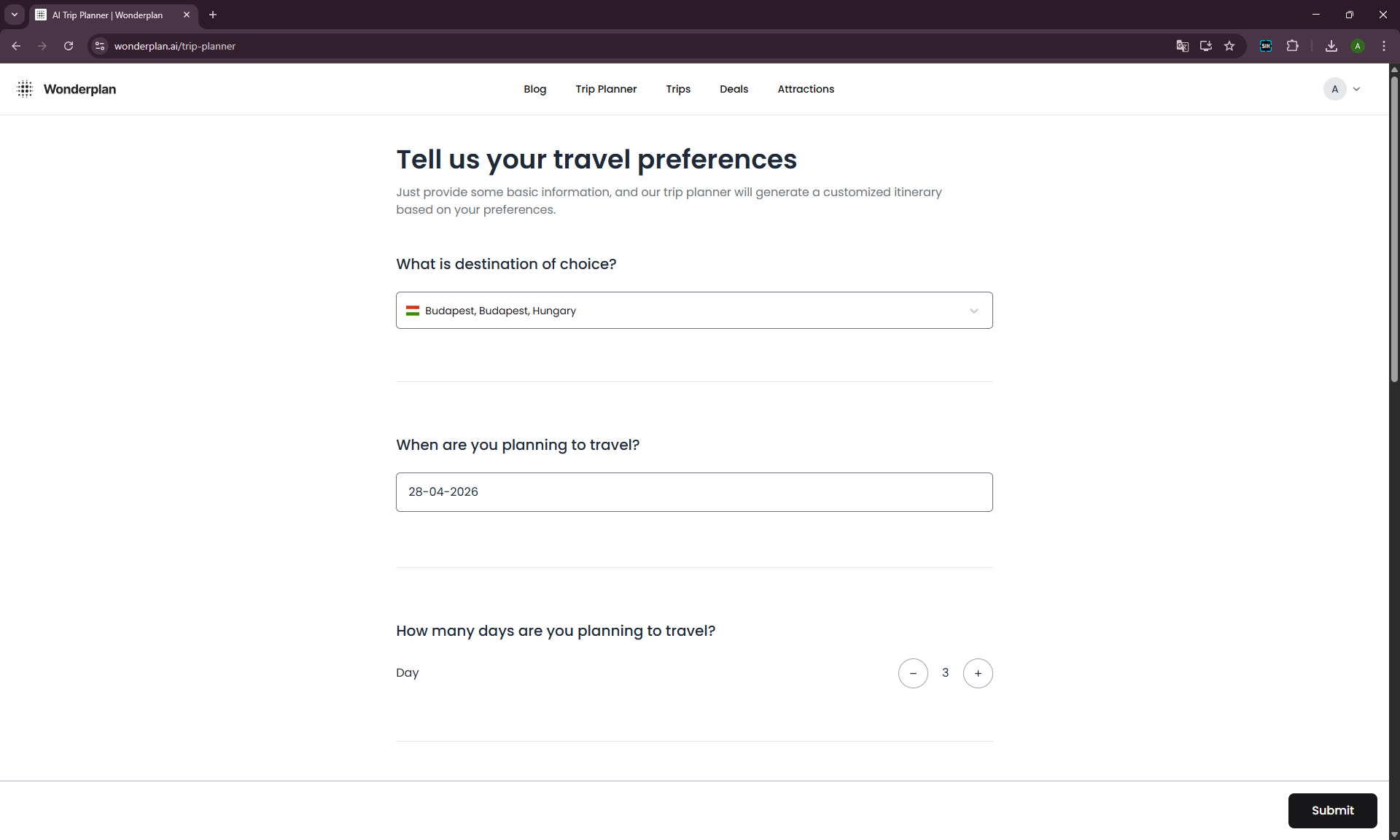
What Is Wonderplan?
Wonderplan (wonderplan.ai) is a free online itinerary generator. It works through a form: destination, dates, number of days, budget (Low / Medium / High), travel companions (Solo / Couple / Family / Friends), activities, and food preferences.
No chat. No “refine, rebuild, suggest alternatives.” You hit Submit, you get a plan. Want a different one? Fill out the form again — but as our experiment below will show, the result will be practically identical: hotels may shift, a few stops will reshuffle, but the core itinerary stays the same. And when parameters do affect anything, it’s not always in the direction you’d expect.
This is the key point to understand: Wonderplan is not a conversational AI assistant. It’s a template-based itinerary generator.
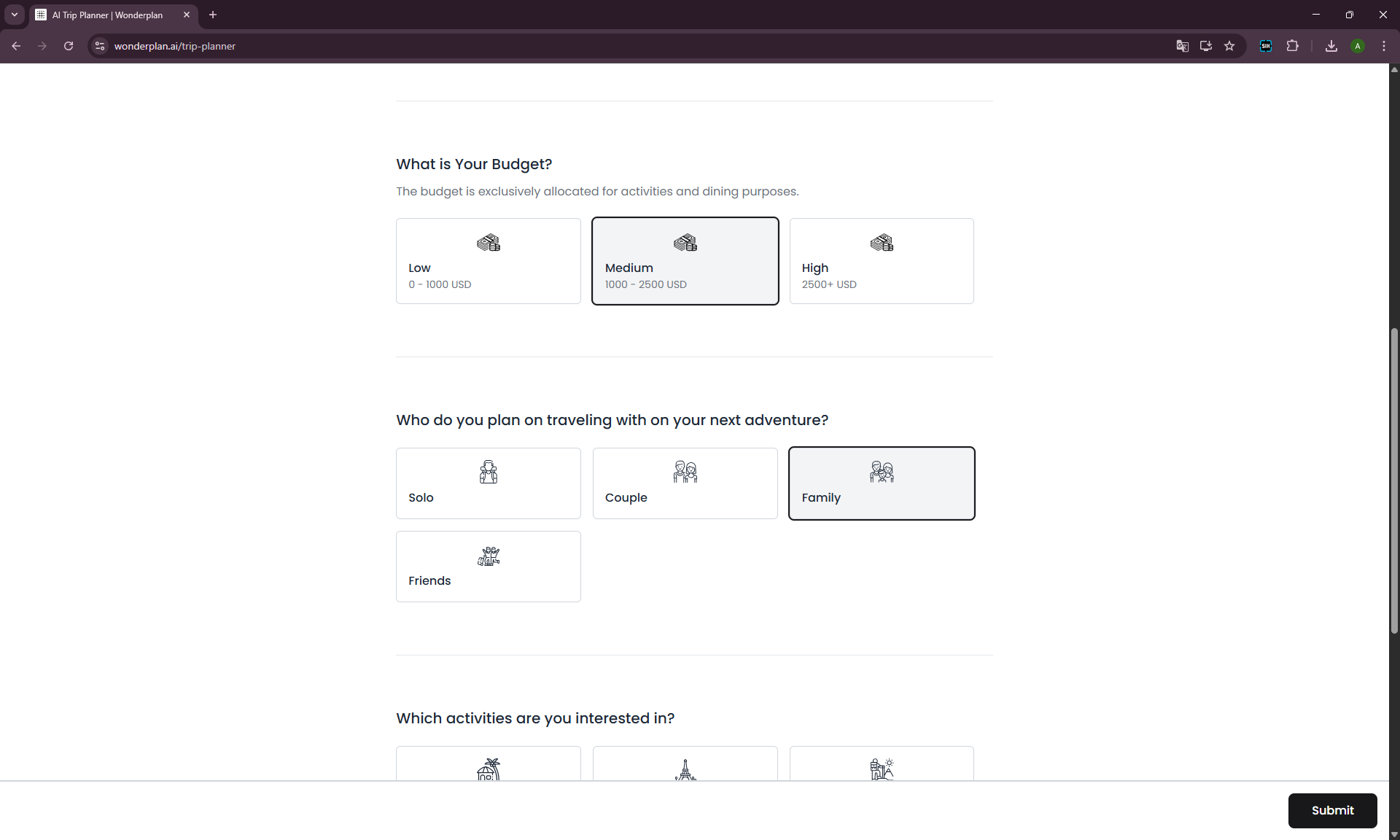
Test Scenario
Baseline run:
- City: Budapest
- Dates: 28–30 April 2026
- Days: 3
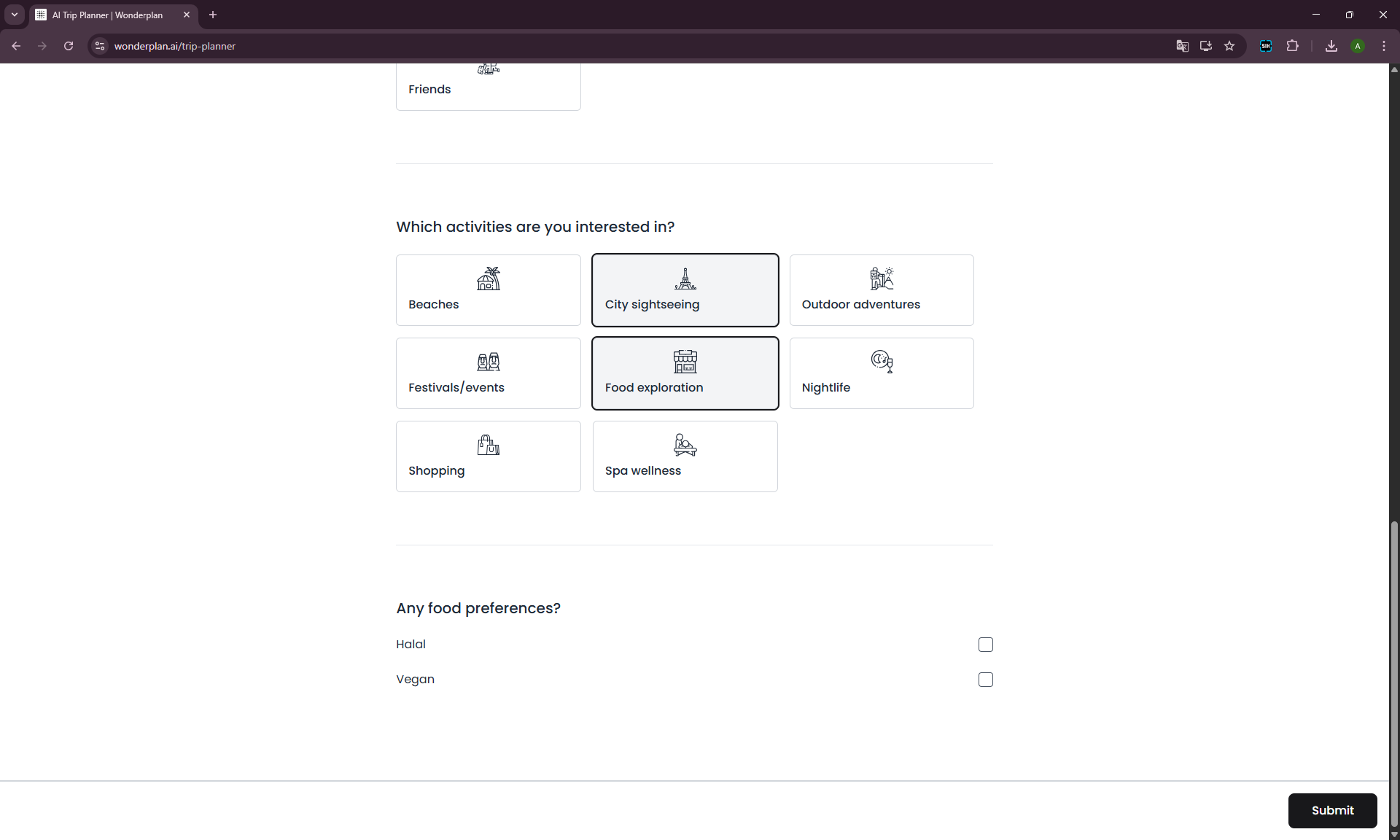
- Budget: Medium (1000–2500 USD, activities and dining only)
- Traveling with: Family
- Activities: City sightseeing + Food exploration
- Food preferences: none
What Wonderplan Generated on the Baseline Run
At first glance — decent. Day-by-day breakdown, cards with place descriptions and duration, map on the right, hotel block with prices.
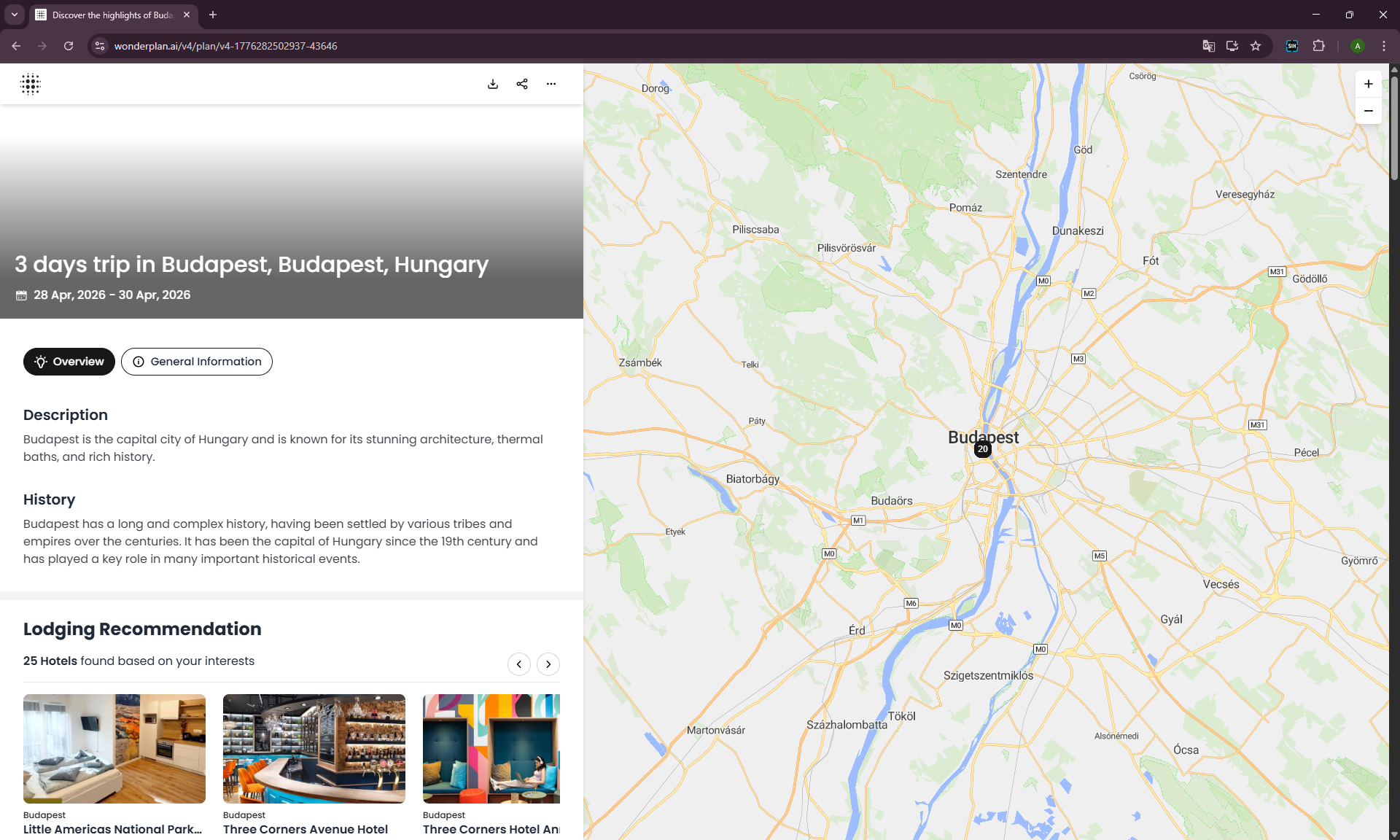
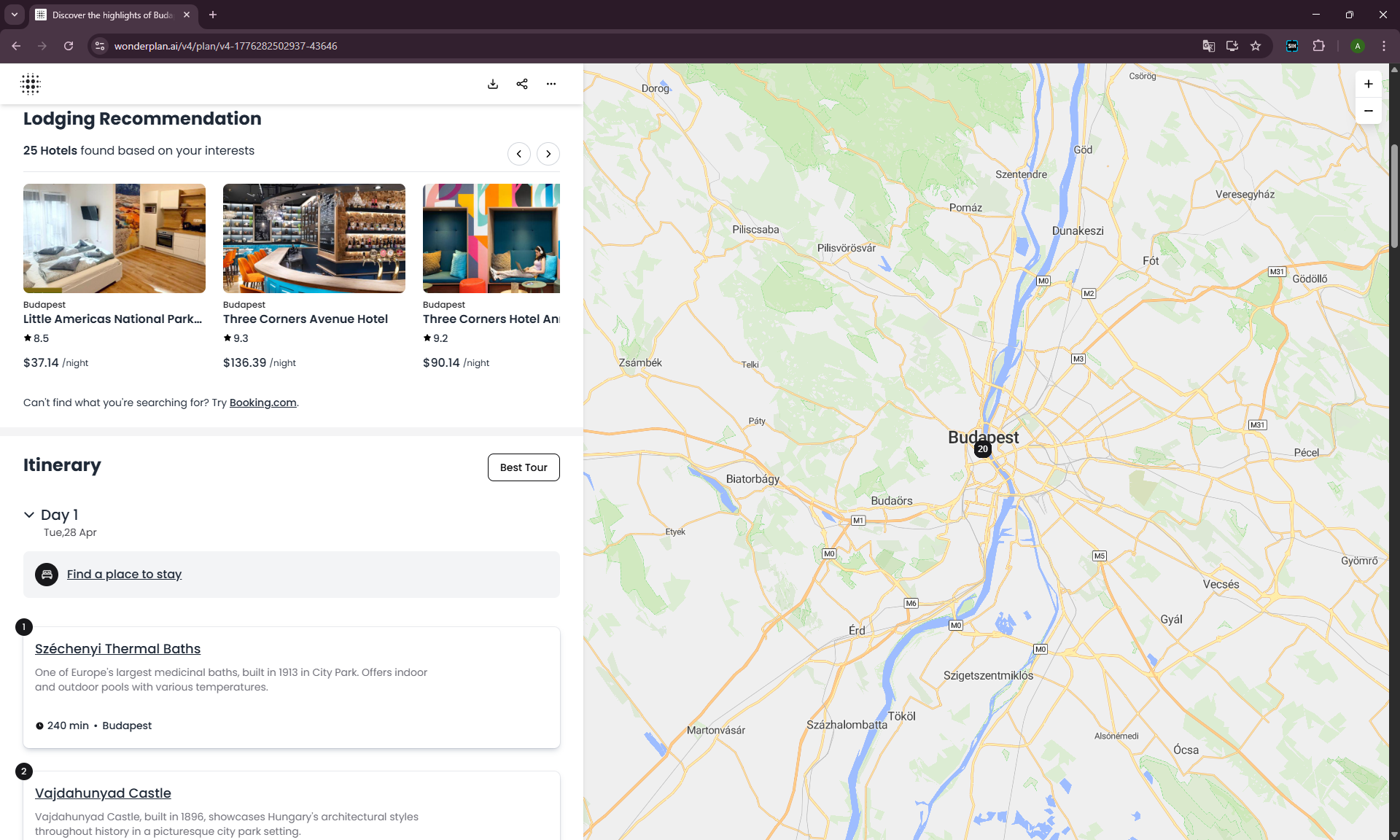
But look closer and it becomes clear: this is a standard tourist itinerary for Budapest that any user with similar inputs would get.
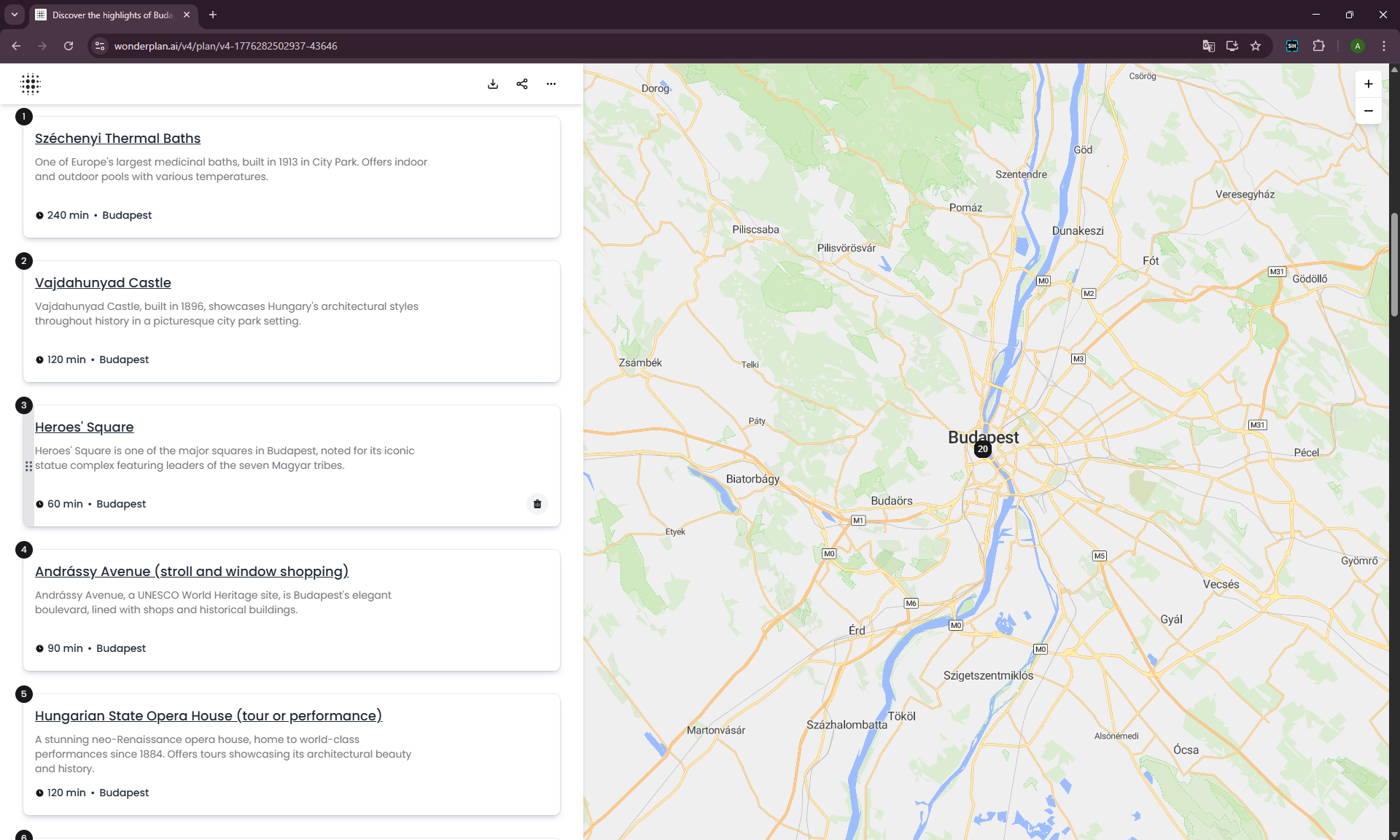
Day 1: Overloaded From the Start
Széchenyi Thermal Baths (240 min) → Vajdahunyad Castle (120 min) → Heroes’ Square (60 min) → Andrássy Avenue (90 min) → Opera House (120 min) → Dinner at Onyx or Gettó Gulyás (150 min) → Ruin bars at Szimpla Kert (180 min).
Seven stops. 960 minutes of active time — that’s 16 hours. On a day where our scenario had us arriving only at midday.
Dinner at Michelin-starred Onyx as a mid-range budget option? Ruin bars for a family with an 8-year-old child?
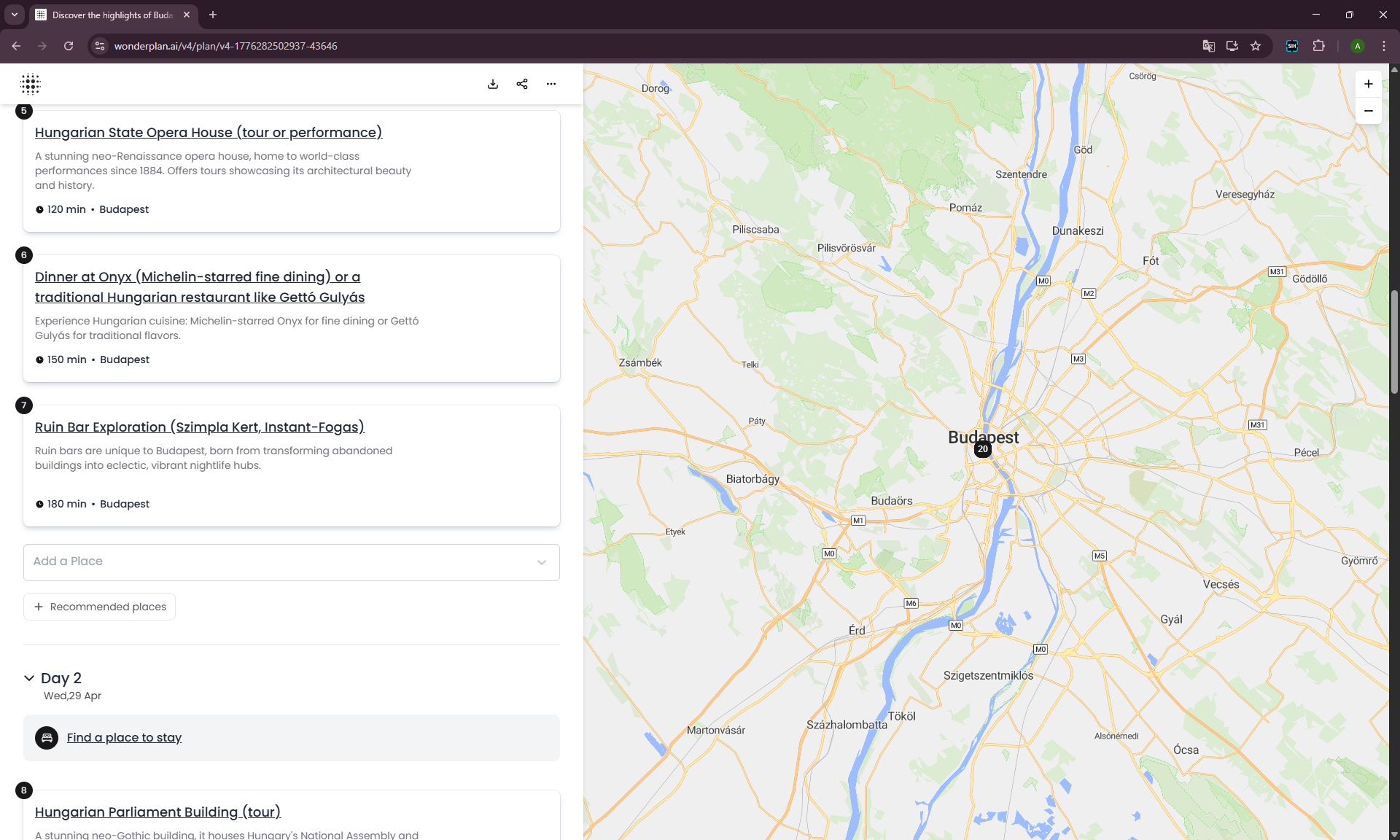
Day 2: Guidebook Classics
Parliament → Shoes on the Danube Memorial → St. Stephen’s Basilica → Central Market Hall → Gellért Hill (180 min) → Dinner cruise on the Danube (180 min).
A solid set of places, but again dense: 7 stops including a climb up Gellért Hill and a 3-hour cruise. With a child by evening, that’s already past the limit.
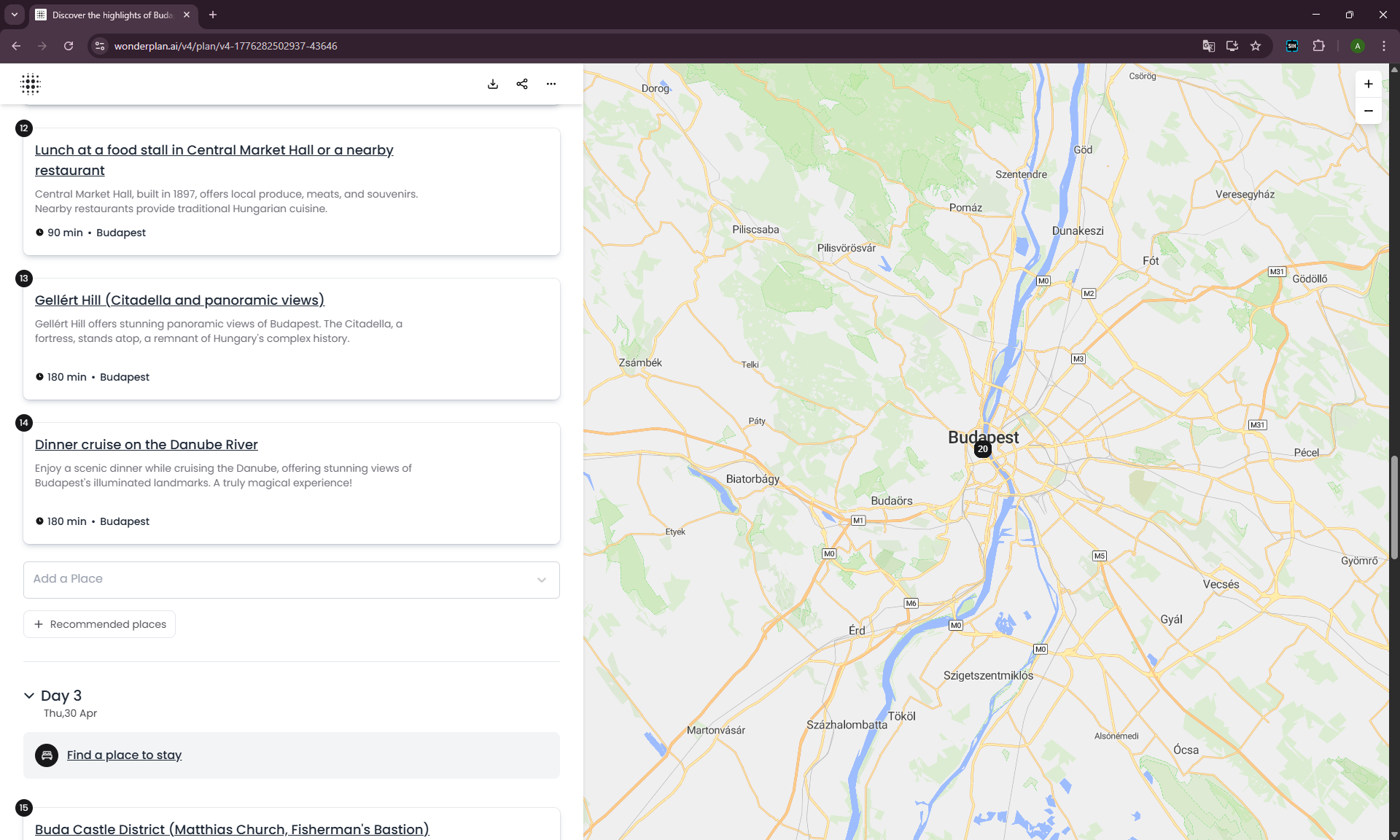
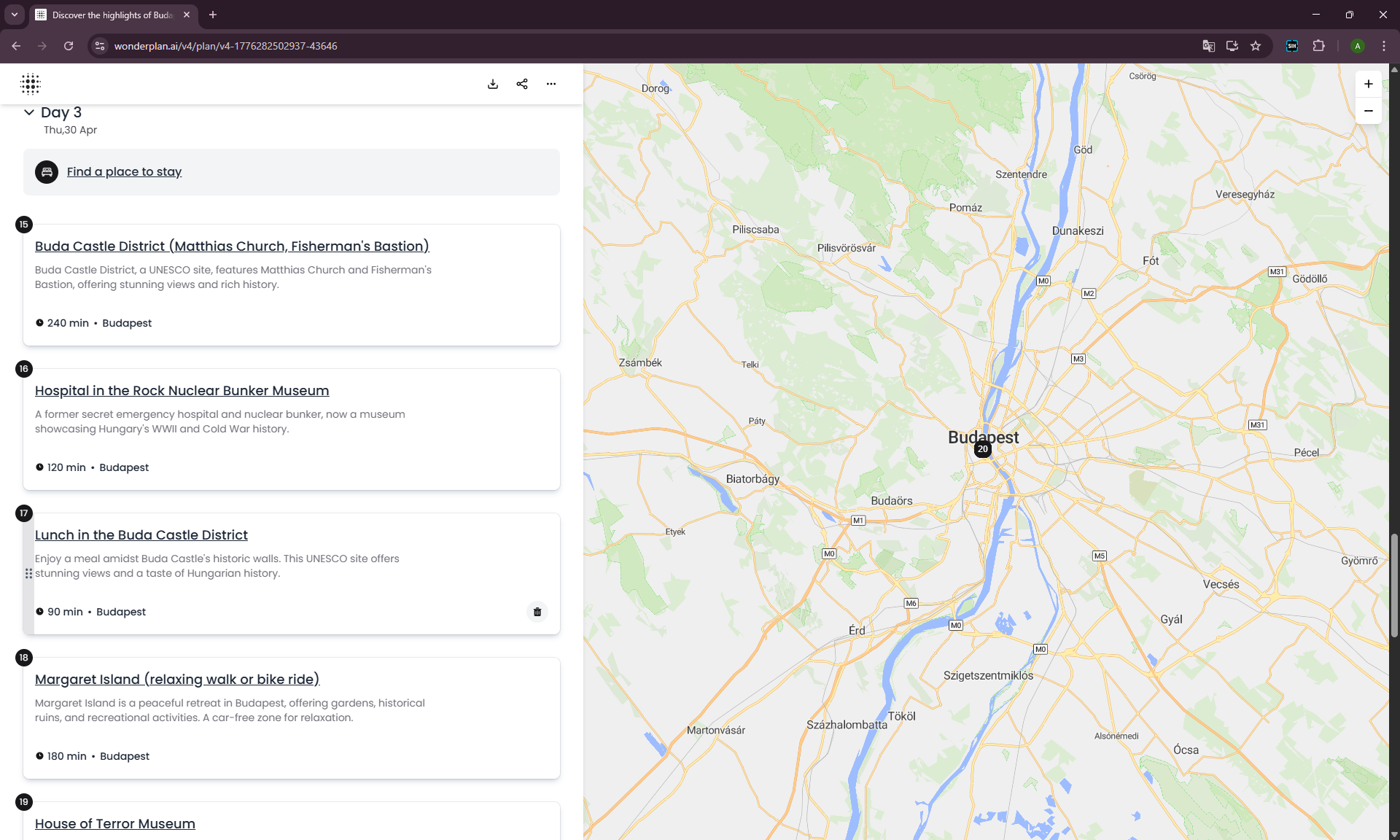
Day 3: A Nuclear Bunker and the House of Terror for a Child?
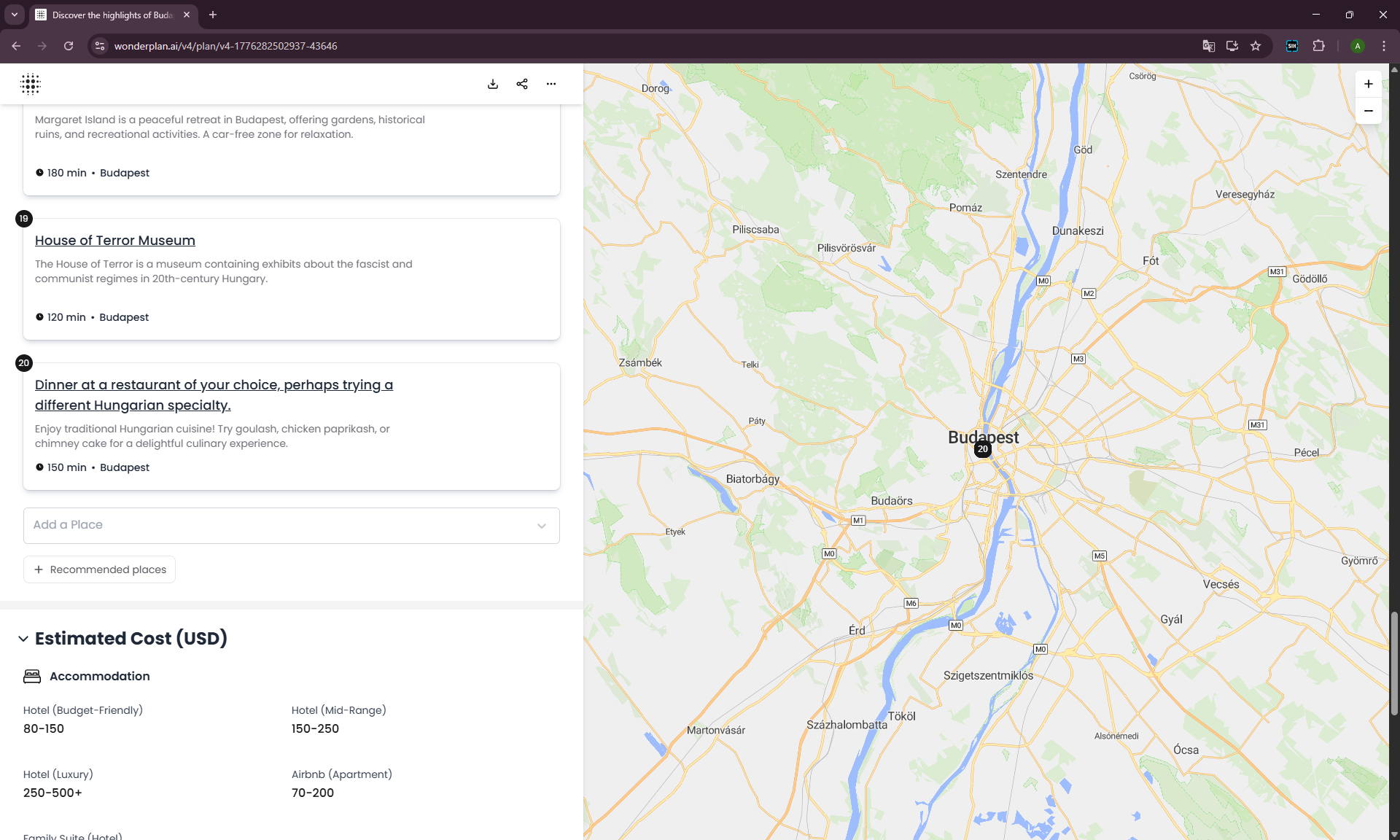
Buda Castle District (240 min) → Hospital in the Rock Nuclear Bunker (120 min) → Margaret Island (180 min) → House of Terror Museum (120 min).
House of Terror and Hospital in the Rock are interesting museums, but for an 8-year-old child this is heavy content. We selected Family in the form, but the plan looks like that parameter changed nothing.
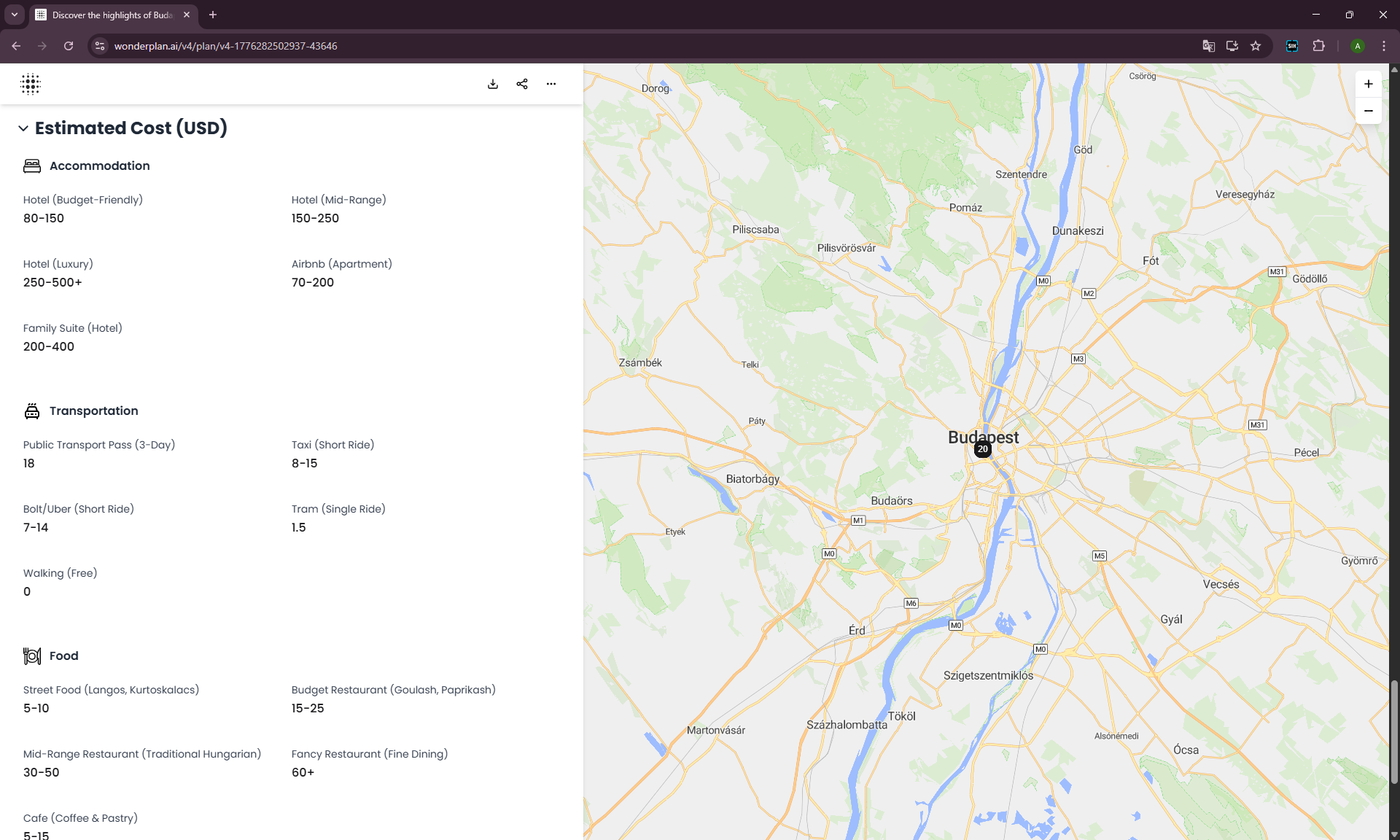
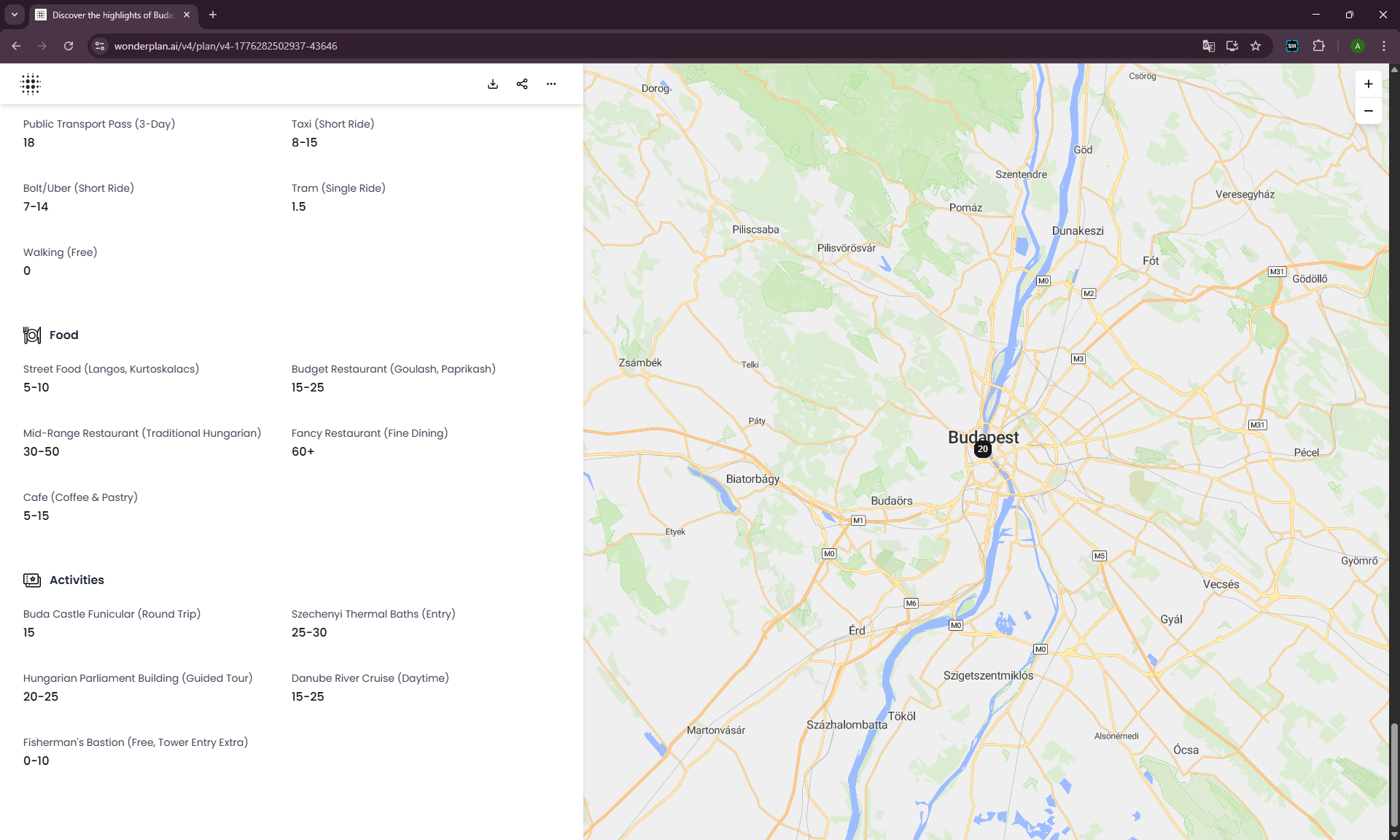
Budget: Decorative
There’s a price breakdown block, but it’s just generic Budapest ranges: hotel $80–500, food $5–60+, activities $15–30. Not tied to the actual itinerary, no total calculated.
The Experiment: Does Wonderplan Actually Adapt to Your Input?
I wanted to check whether Wonderplan really uses what you enter. The baseline run was Family + Medium. I ran three more separate tests — same city and dates, different profiles:
- Solo traveler + Medium budget
- Friends + Medium budget
- Family + Low budget and Family + High budget (two separate runs to compare budget influence)
If Wonderplan is really a “smart planner” — the itineraries should differ significantly. If it’s a template generator — the differences will be cosmetic.
Result 1: Solo Traveler Got the Same Structure, But Denser
| Test | Family + Medium | Solo + Medium | Friends + Medium | Family + Low vs High |
|---|---|---|---|---|
| Day 1 start | Széchenyi Baths (240 min) | Széchenyi Baths (180 min) | Széchenyi Baths (240 min) | Same in both |
| Day 1 stops | 7 | 11 | 11 | 10 (High) / same (Low) |
| Day 1 total time | 960 min (16 hrs) | 1,020+ min | 960+ min | ~960 min both |
| Child-friendly? | Ruin bars + Onyx | N/A (solo) | N/A (friends) | Ruin bars + bunker |
| Unique additions | None | House of Terror in Day 1, late-night walk | Gelarto Rosa, Ruszwurm, ruin bar dinner | None |
| Hotels: cheapest | $37/night | $74/night | $27/night | Low: $64 / High: $58 |
| Hotels: most expensive | $154/night | $488/night | $120/night | Low: $1,550 / High: $1,550 |
| Core route changed? | Baseline | No — denser | No — sweets added | No |
Day 1 starts with the same Széchenyi Thermal Baths (180 min instead of 240 — slightly shorter), Vajdahunyad Castle, Heroes’ Square, Andrássy Avenue. Then Wonderplan added House of Terror (120 min), Gettó Gulyás for lunch, the Basilica, Parliament, Shoes Memorial, dinner at Rosenstein Vendéglő, and ruin bars at the end.
11 stops in a single day. For Solo, the algorithm simply increased route density and added cultural weight — putting House of Terror into Day 1 and a late evening Danube walk into Day 2.
“Solo” is understood as “one person = can fit more in.” Literally. No safety tips, no advice on what’s easier when traveling alone, no suggestions for places to meet other travelers. Just more stops.
Result 2: Friends Got Sweets and a Ruin Bar for Dinner
Day 1 starts again with Széchenyi (240 min), Castle, Heroes’ Square, Andrássy, Opera, Gettó Gulyás, Basilica. Added: Gelarto Rosa (rose-shaped gelato, 30 min) and Ruszwurm Confectionery (Budapest’s oldest confectionery, 60 min) on Day 2.
Day 2 ends with “Dinner at a ruin bar (Szimpla Kert)” — fair enough for a friends group.
Hotel mix shifted too: more apartments and room-style options, ranging from $27 to $120. So for Friends, the algorithm at least understood that a group might prefer apartments over hotels.
The most noticeable change: for Friends, Wonderplan added three food stops with sweets. Apparently “friends” = “traveling to taste everything.”
Result 3: Low vs High Budget — Almost No Difference
This is the most telling comparison. Same daily structure in both cases. Same thermal baths, castle, square, basilica, parliament.
The most revealing detail — in the “Low budget” hotel list, these remained:
- W Budapest — $299.66/night
- Matild Palace, a Luxury Collection Hotel — $1,550.09/night
- Somethingblue — $488.28/night
And in the High budget list, sitting right there:
- Ibis Budapest Citysouth — $74.40/night
- Dean’s Home Budapest — $64.71/night
- Danubius Hotel Hungaria — $84.94/night
In other words, the budget filter works very weakly, or is simply decorative. Expensive hotels slip into Low, cheap ones into High.
What This Means
Wonderplan generates one base template for Budapest and slightly reshuffles stops depending on parameters. Solo gets the same structure denser. Friends — with added sweets. Family — the same route with ruin bars and a bunker, “family” doesn’t affect the plan. Budget changes almost nothing — neither the route nor the hotel filter.
This isn’t personalization. It’s the illusion of personalization.
Trying to Refine the Itinerary
If the input parameters work weakly — can you at least manually fix the generated plan?
Deletion Works
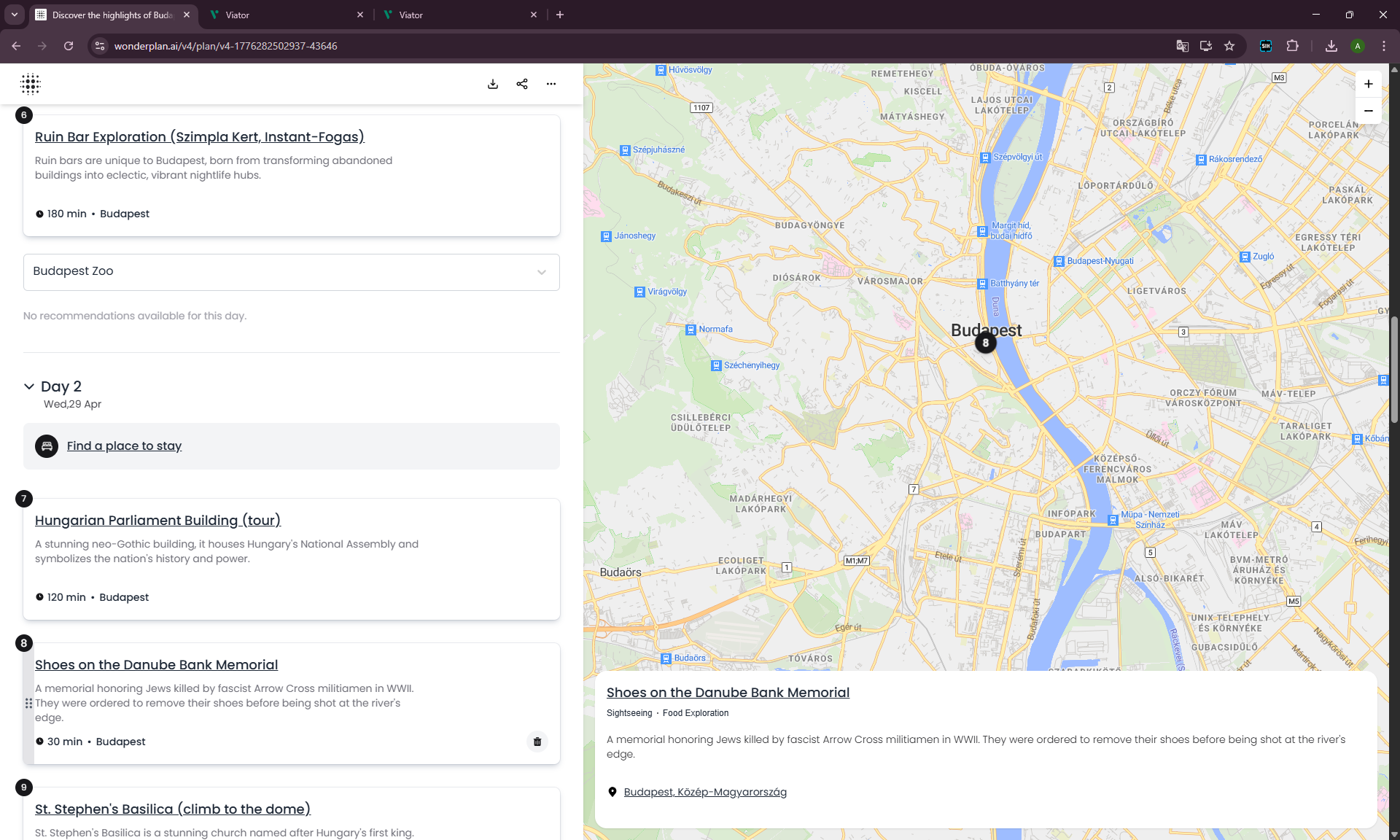
Cards can be deleted (trash icon), dragged, reordered. Basic list mechanics — fine.
Replacement Doesn’t Work
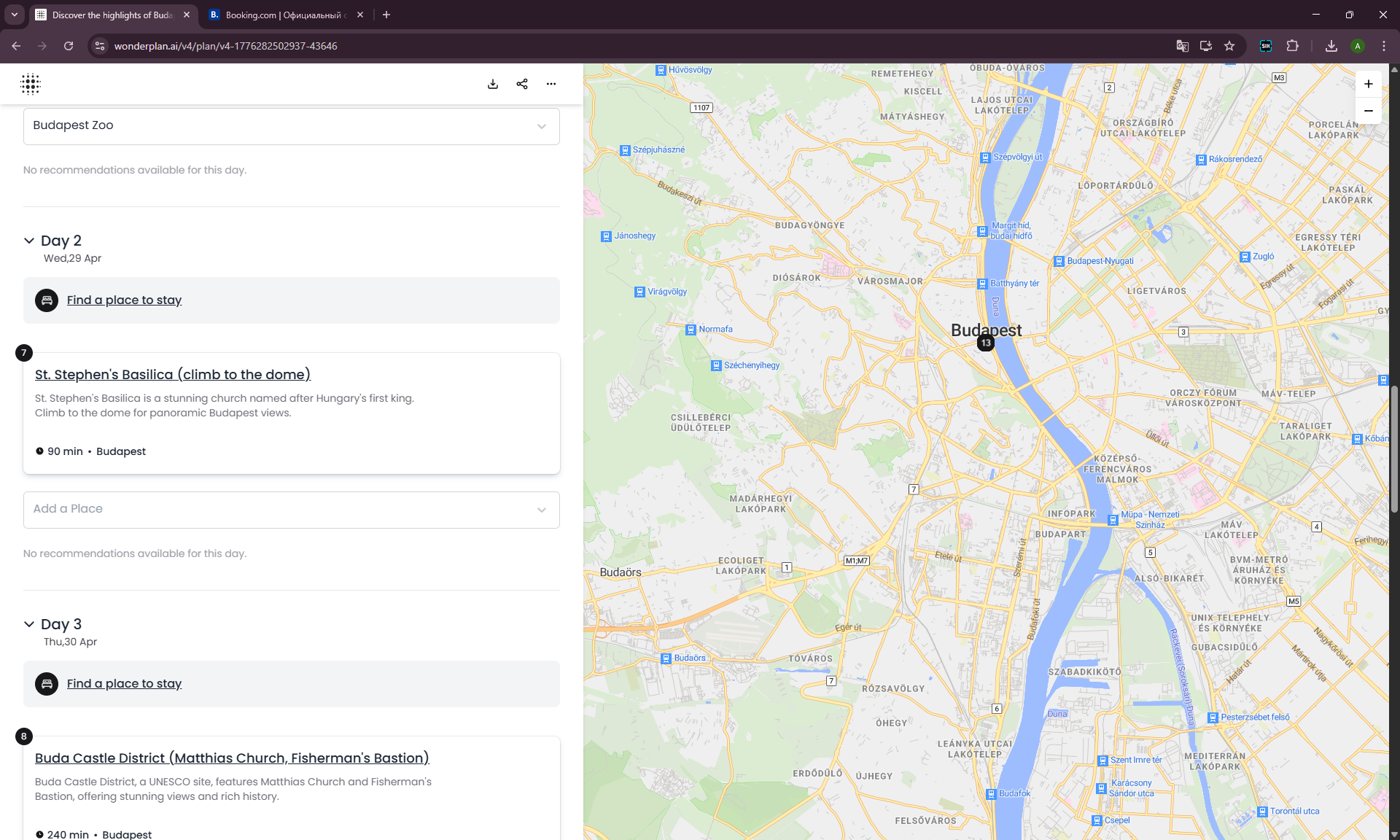
I deleted Széchenyi Thermal Baths from Day 1 (we’d already been there). Expected Wonderplan to suggest an alternative. Clicked Recommended places:
“No recommendations available for this day.”
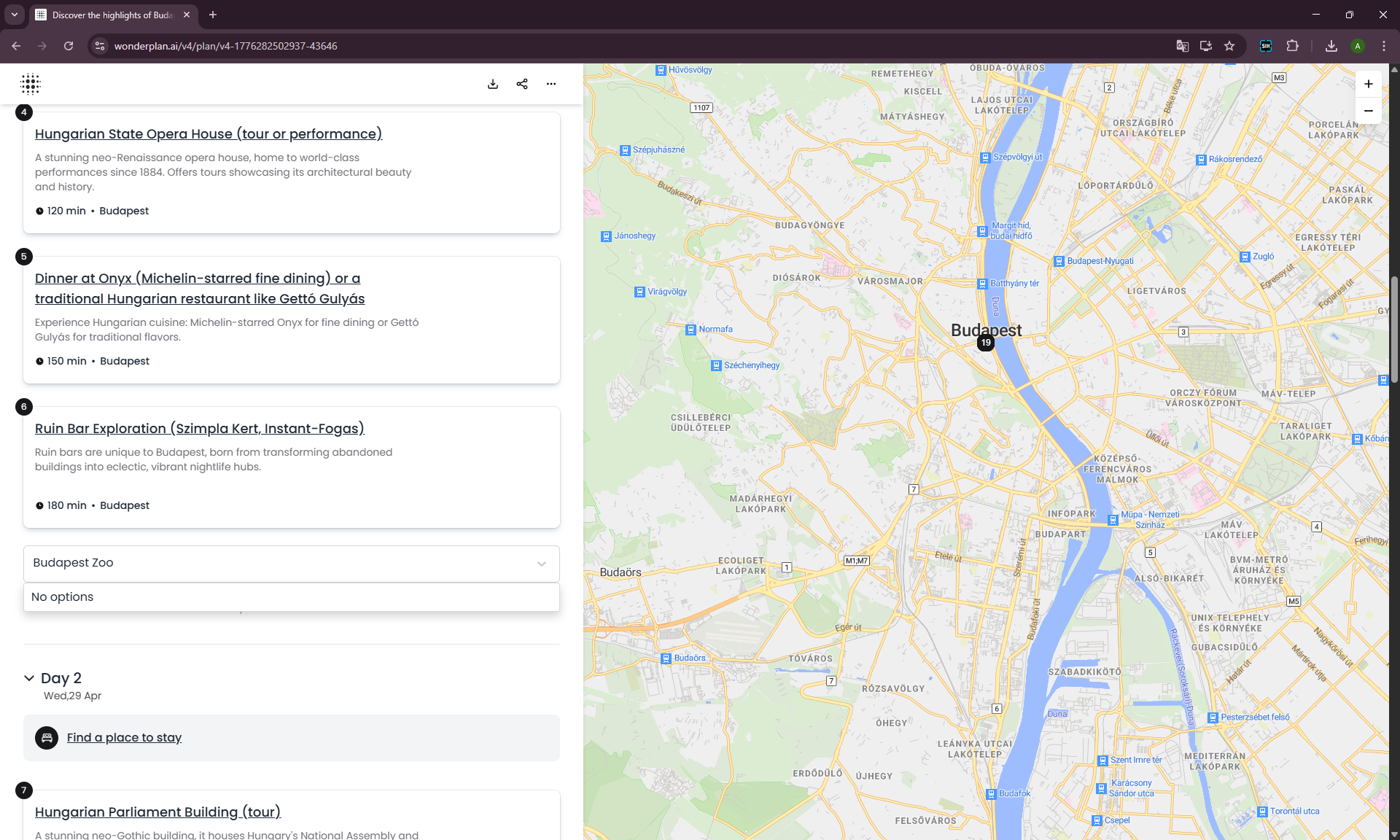
Tried Add a Place — typed “Budapest Zoo.” The zoo is literally in City Park, next to the other stops.
“No options.”
The search field returns no suggestions. Not for Budapest Zoo, not for anything else. Adding a place is impossible.
It’s possible the search was under maintenance or development during our test — we can’t rule that out. But for a user opening the site right now and getting the same result, there’s no difference: the function doesn’t work.

Cards Are Not Editable
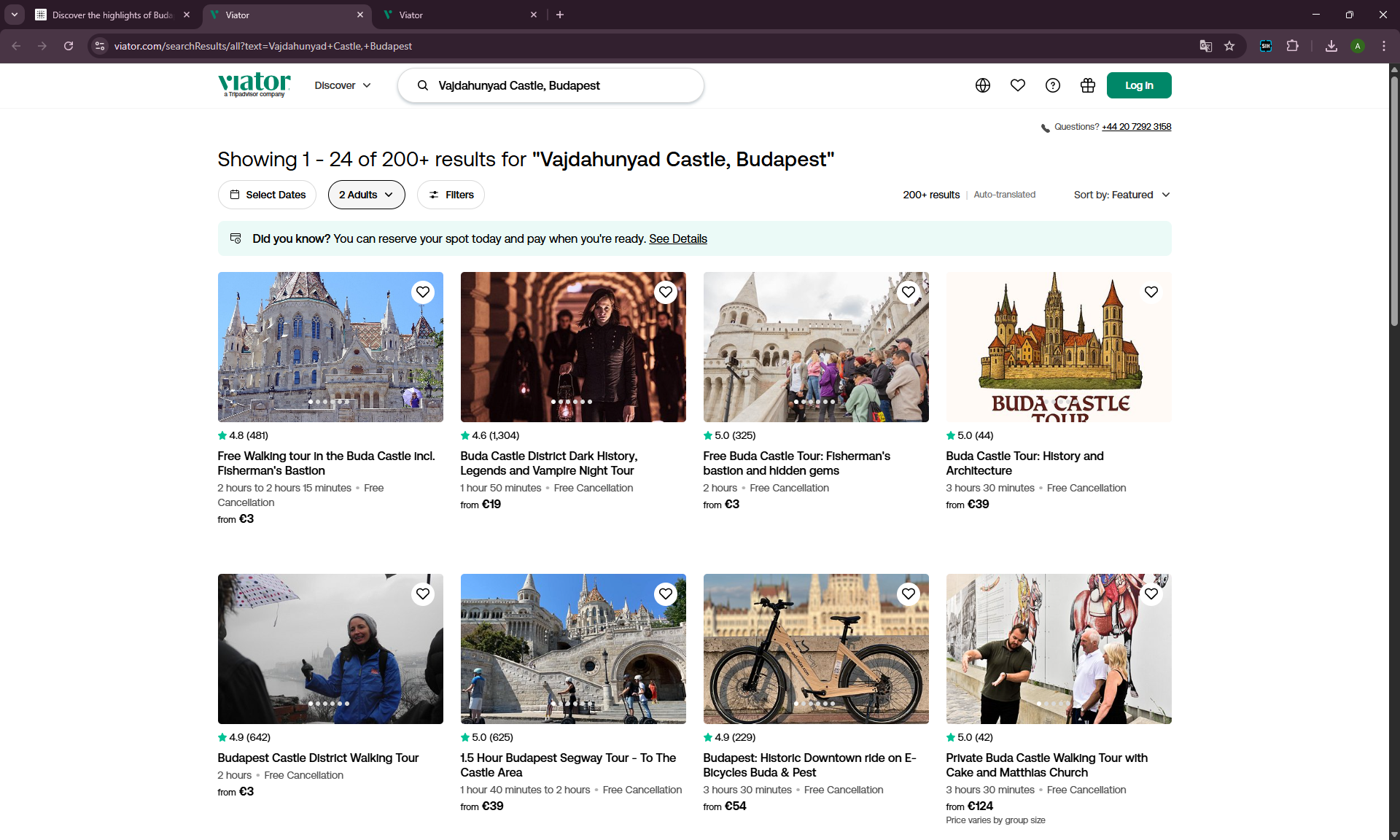
Clicked on a card title — an external website opened. Not an editor, not a replacement, not details within Wonderplan. Just a redirect outward.
The Map Barely Reacts
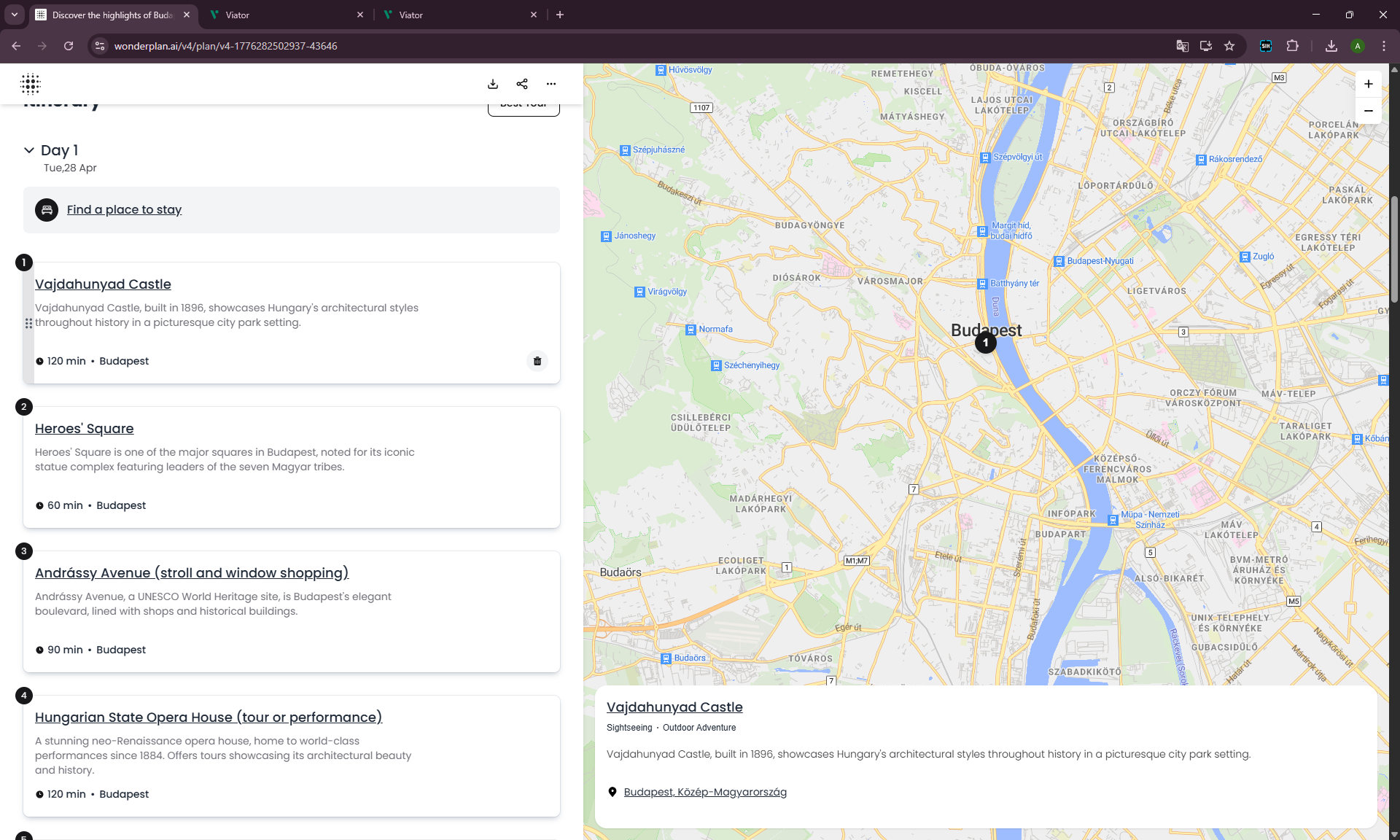
Switching between cards barely moves the pin on the map. The card-to-map link is formal at best.
“Find a Place to Stay” → Just Booking.com
The “Find a place to stay” button opens Booking.com with no dates, no city, no guest count. Just the Booking homepage. This isn’t integration — it’s an affiliate link.
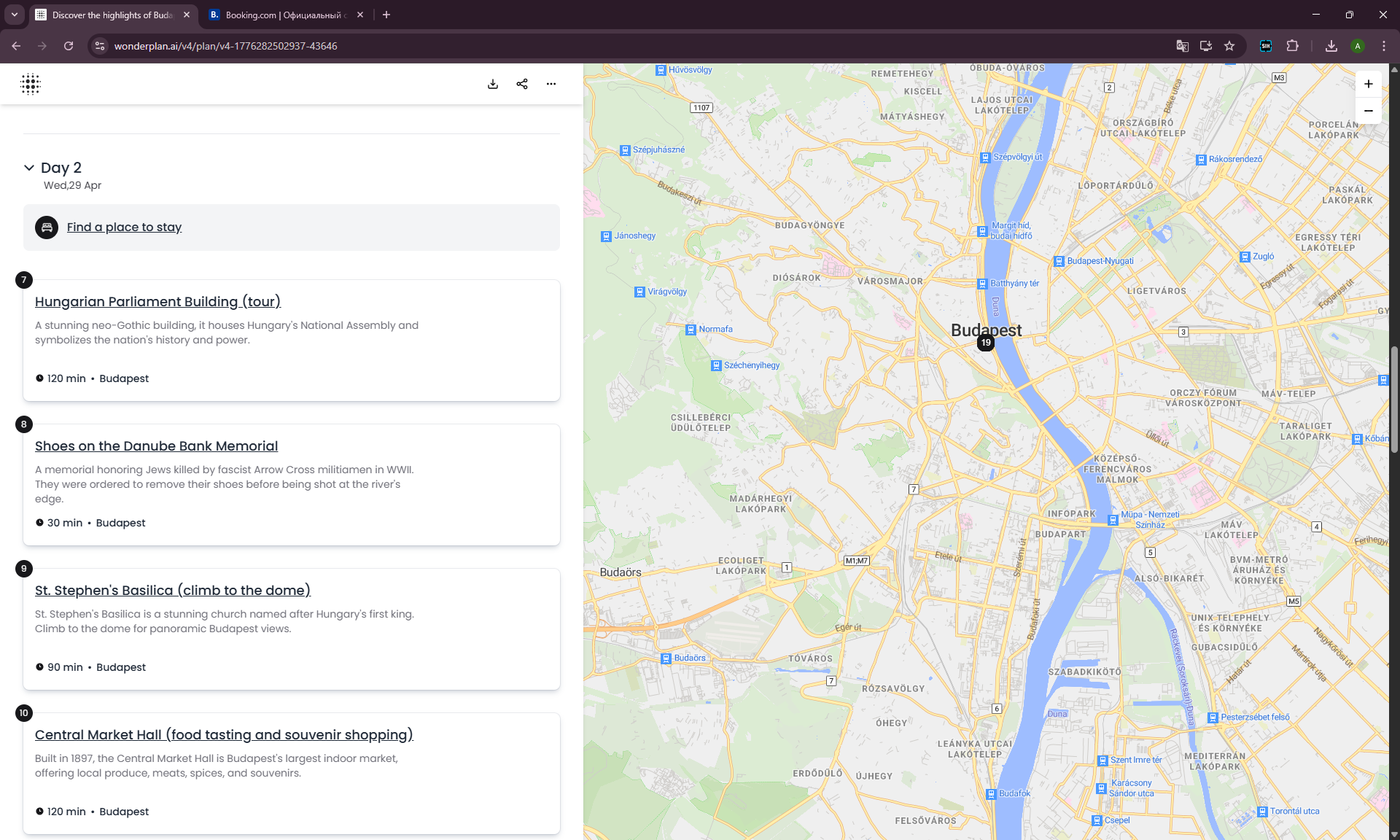
Deleted Almost Everything — Nothing Changed
For a clean experiment, I deleted all cards except one. Wonderplan didn’t recalculate the route, didn’t suggest replacements, didn’t rebuild the day. Just showed an empty list.
Wonderplan.top: Clone or Mirror?
During testing I found a similar site — wonderplan.top. Nearly identical design, but full of ads and signed “A product of Vecro Tech LTD” instead of the original Wonderplan.
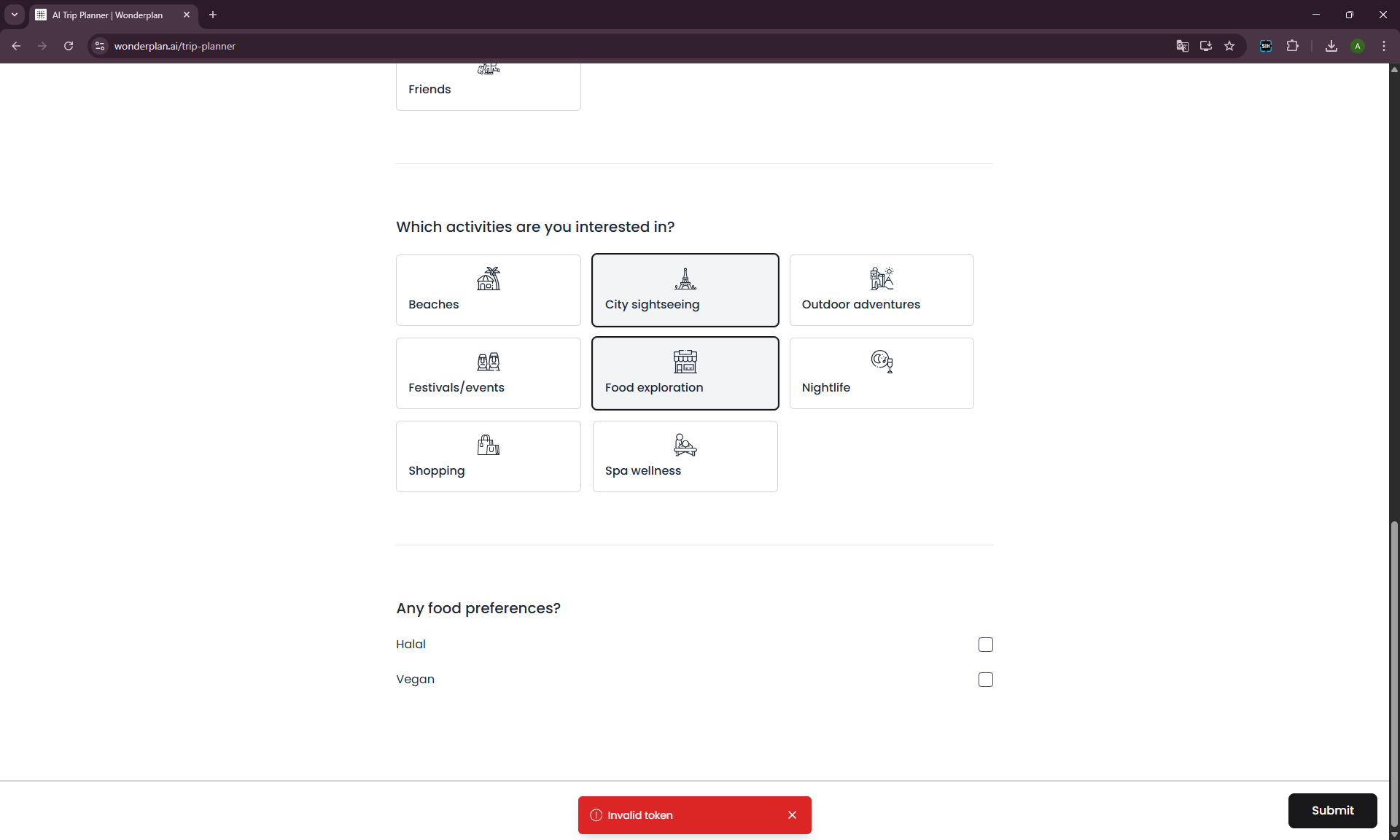
I tried generating a plan there. Got a “Trip Plan Generated” screen with a View Full Itinerary button. The button doesn’t work.
On a retry with the main wonderplan.ai — I got an “Invalid token” error.
How Wonderplan Performed in the Milan Test
We already tested Wonderplan in our comparison of 7 AI trip planners on a real Milan trip. It performed weakly there too: suggested Villa Balbianello instead of Varenna (entire route went the other direction), skipped Museo del Novecento, found none of the restaurants we actually visited.
For comparison: ChatGPT Free warned about ferry queues on the same prompt, and Mindtrip delivered a working plan in seconds on the road.
Pricing
Wonderplan is free. No paid tiers were detected at the time of testing. No subscription, no premium features, no paywall.
This is both a plus (try without risk) and an indirect signal: if a product is free and key functions don’t work — maybe it’s just not actively maintained.
Pros and Cons
Pros
- Free, no complex registration
- Fast generation — plan in seconds
- Hotel block with prices and ratings
- Cards with place descriptions and duration
- Day-by-day breakdown and map
Cons
- No free-text prompt field — form only
- Input parameters barely affect the route: Solo, Family, Friends all get the same framework
- Budget filter works weakly or decoratively
- Adding and replacing places doesn’t work
- Recommendations after deletion are empty
- Map loosely connected to cards
- Hotel button → generic Booking.com without trip parameters
- Ruin bars and nuclear bunkers in a plan for a family with a child
- Periodic errors (Invalid token)
- Budget block not personalized
Who Wonderplan Is For
If you need a quick visual draft of an itinerary — a sketch of what’s generally available in a city — Wonderplan can do that. As a starting point for further refinement in ChatGPT or manual planning, it works.
If you expect a smart AI planner that actually considers your family, budget, trip pacing, and helps restructure the plan — Wonderplan in its current state doesn’t deliver. And not just because of the broken editing: the base route itself barely changes depending on what you enter into the form.
Verdict: ★★☆☆☆ (2/5)
Wonderplan isn’t an AI planner — it’s a template generator in a pretty wrapper. The input parameters work weakly: we ran 4 different profiles (Family, Solo, Friends, Low vs High budget) — and got essentially the same base Budapest itinerary with minor reshuffling.
The manual editing tools don’t work: place search returns nothing, recommendations don’t load, cards aren’t editable. The service may be experiencing technical issues or simply isn’t actively maintained. But for the reader, it’s important to know: if the search doesn’t work for you, the “View Full Itinerary” button won’t click, and ruin bars are being recommended to your family with a child — it’s probably not you.
As an inspiration tool — maybe. As a serious travel planner — no.
Personally tested: April 2026. All screenshots from real testing on wonderplan.ai.
FAQ
Is Wonderplan free?
Yes, completely. No paid features or subscription were detected during our test.
Can you edit the itinerary in Wonderplan?
You can delete and reorder place cards. But adding a new place or getting a recommendation to replace a deleted one didn’t work in our Wonderplan review.
Does Wonderplan adapt to family vs solo travel?
Formally, there’s a choice. In practice, the itinerary stays almost the same: we tested Family, Solo, and Friends on the same inputs — the framework doesn’t change, only the details do.
Does the Wonderplan budget filter actually work?
Very weakly. In the Low budget hotel list, options remained at $299–1,550/night, while in High there were hotels at $74/night. The filter is more decorative than real.
How does Wonderplan compare to ChatGPT or Mindtrip?
Wonderplan is a form-based generator with no dialogue. ChatGPT and Mindtrip allow conversation, clarification, and rebuilding the plan. Wonderplan can’t do that.
→ Best AI Trip Planner: 7 Tools Tested on a Real Milan Trip (2026)
→ Mindtrip Review 2026: Honest Test on a Real Family Trip